User Manual for X5-E0804/E0408 V2.0
For more information, please visit our website www.en.streamax.com
Date format: Setup the date format of device
Time format: 24 hours or 12 hours
Time zone: Range from -12
th
district ~ +13
th
district
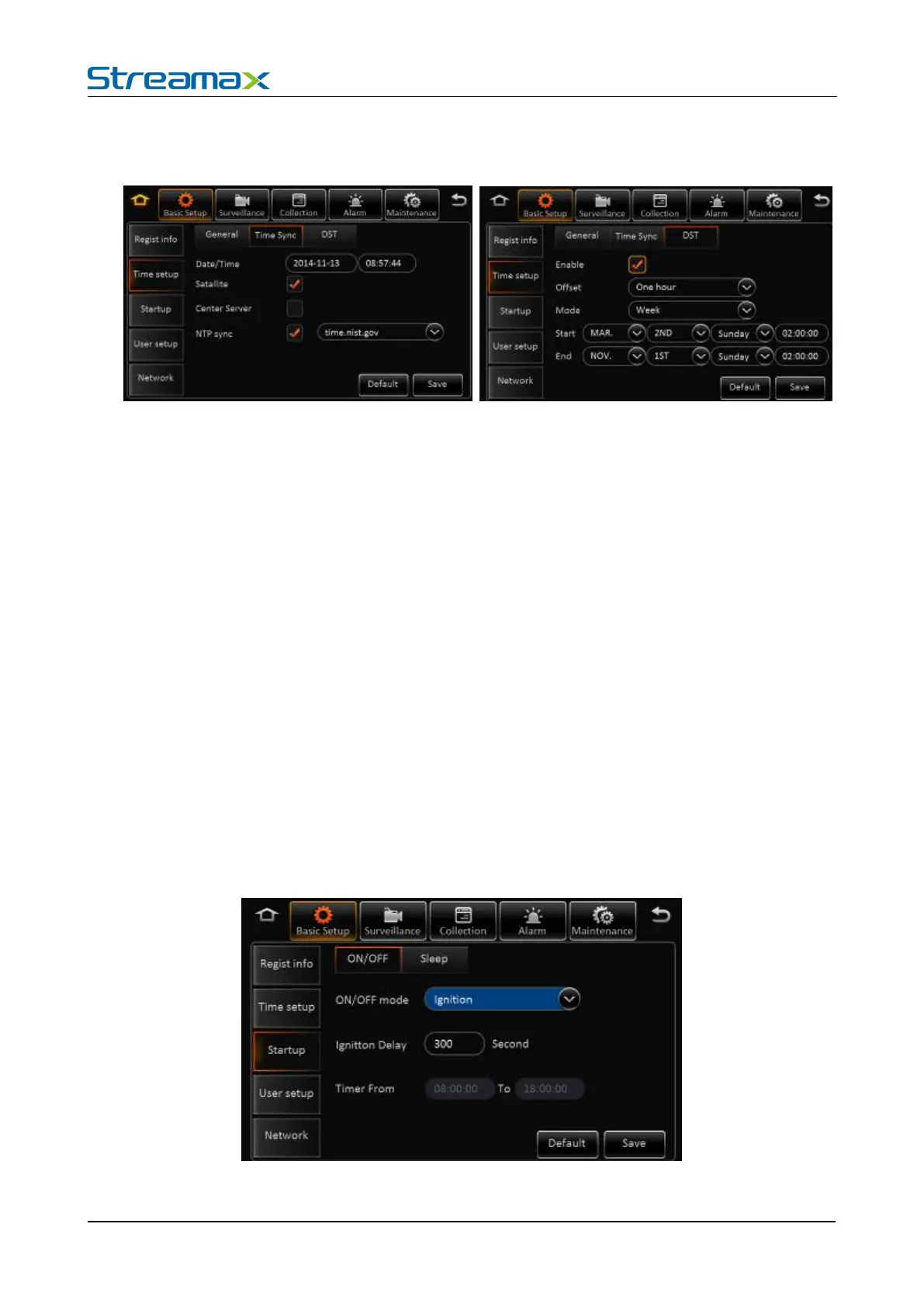
Date/Time: Device time, from 2000-01-01 to 2037-12-31
Satellite: Synchronize time with GPS satellite. Once GPS signal changes to valid, device will
synchronize time
Center Server: synchronize time with center server
NTP server: synchronize time with NTP server
Remark:
1) Synchronize time according to time zone
2) Multi-mode can be selected for time synchronization. If one works, the others take no affect.
Enable: Select to enable
Offset: After enabling DST, adjust the hour manually
Mode: Setup DST according to week or date
Start: Time to start DST
ON/OFF mode: 3 modes, including ignition, timer and ignition or timer.



 To Next Page