User Manual for X5-E0804/E0408 V2.0
For more information, please visit our website www.en.streamax.com
Splash Screen: Set the live-view screen, it can be single-screen or quad screen or nine screen
Channel: Set the channel when live-view
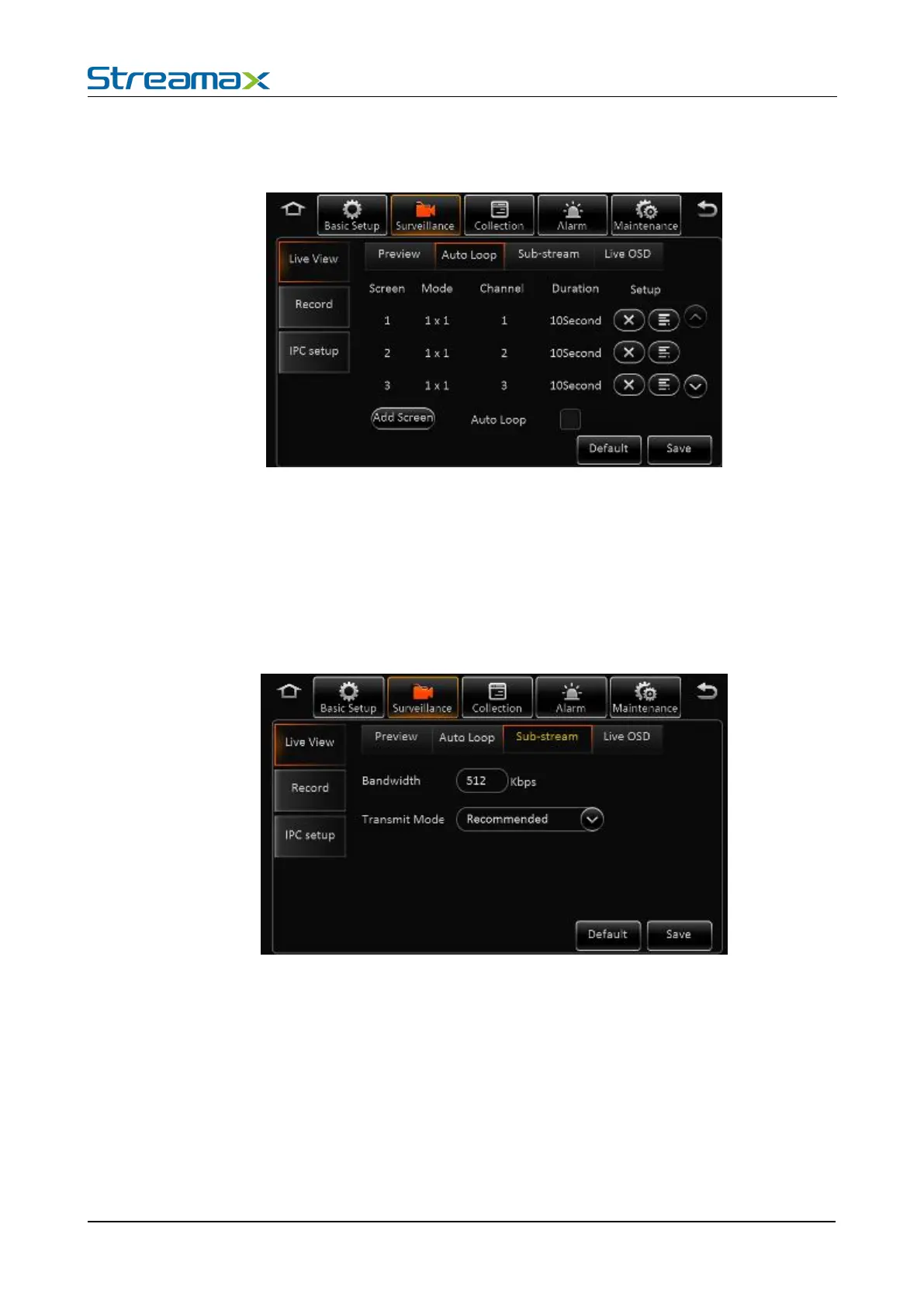
Auto Polling Setting Interface:
Screen: Totally 32 screens can be added.。
Mode: 1x1, 2x2, 3x3 optional.
Channel: Included channel number.
Residence time: Residence time for each screen.
Add screen: Add polling screen
Auto polling: Enable the auto pulling
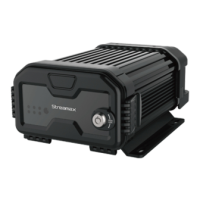
Sub-stream Setting Interface:
Total bandwidth: Set the bandwidth, default is 500Kbps maximum 5M
Transmit mode: Default is the recommended (smooth + clear) mode, divided into five level.
Live-view OSD Setting Interface:



 To Next Page