When the desired settings for Video, Network, and other stream qualities are set, the user can save a preset.
To do so, enter a name for the preset. Select the desired settings using their corresponding checkboxes;
presets can include all or some of the 4 settings listed. Click “Save Preset.”
Presets can be loaded in the section below.
5.7 Metadata
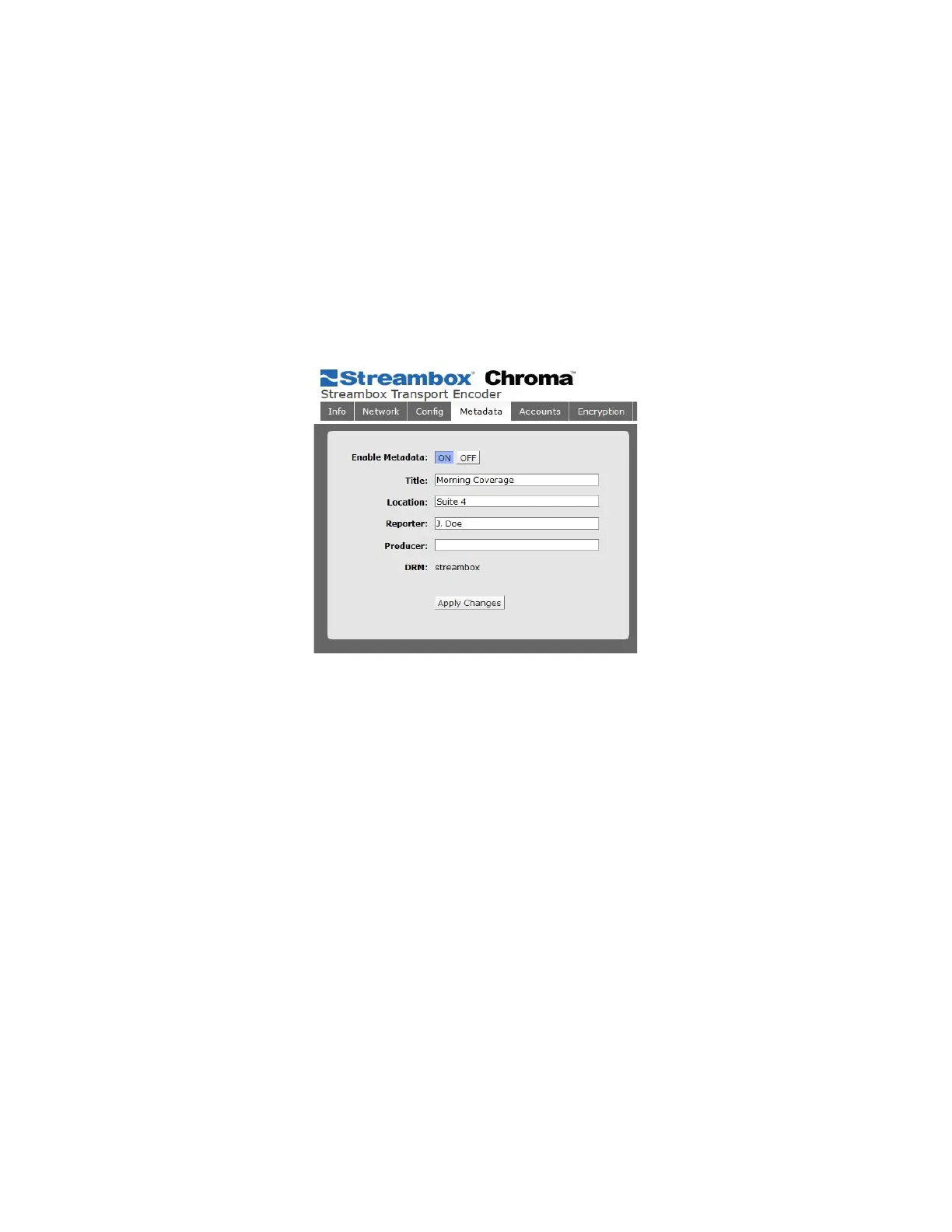
The Metadata tab is where the user can enter metadata related to their stream. This metadata is viewable via
any Streambox Media Player or Decoder, or the web interface of Streambox Cloud Services or Enterprise
Server.
Figure 7 Encoder Web UI Metadata Page
Streambox recommends enabling Metadata even if blank or not in use.
When streaming to Streambox Cloud, it’s recommended that the Reporter field be filled in.
Note that DRM is the same as “Group” as seen in other Streambox products. This field is necessary for use
with Streambox servers, such as Streambox Cloud Services. It is changed in the System tab.
5.8 Accounts Page
This page shows user accounts for Web UI users.



 To Next Page