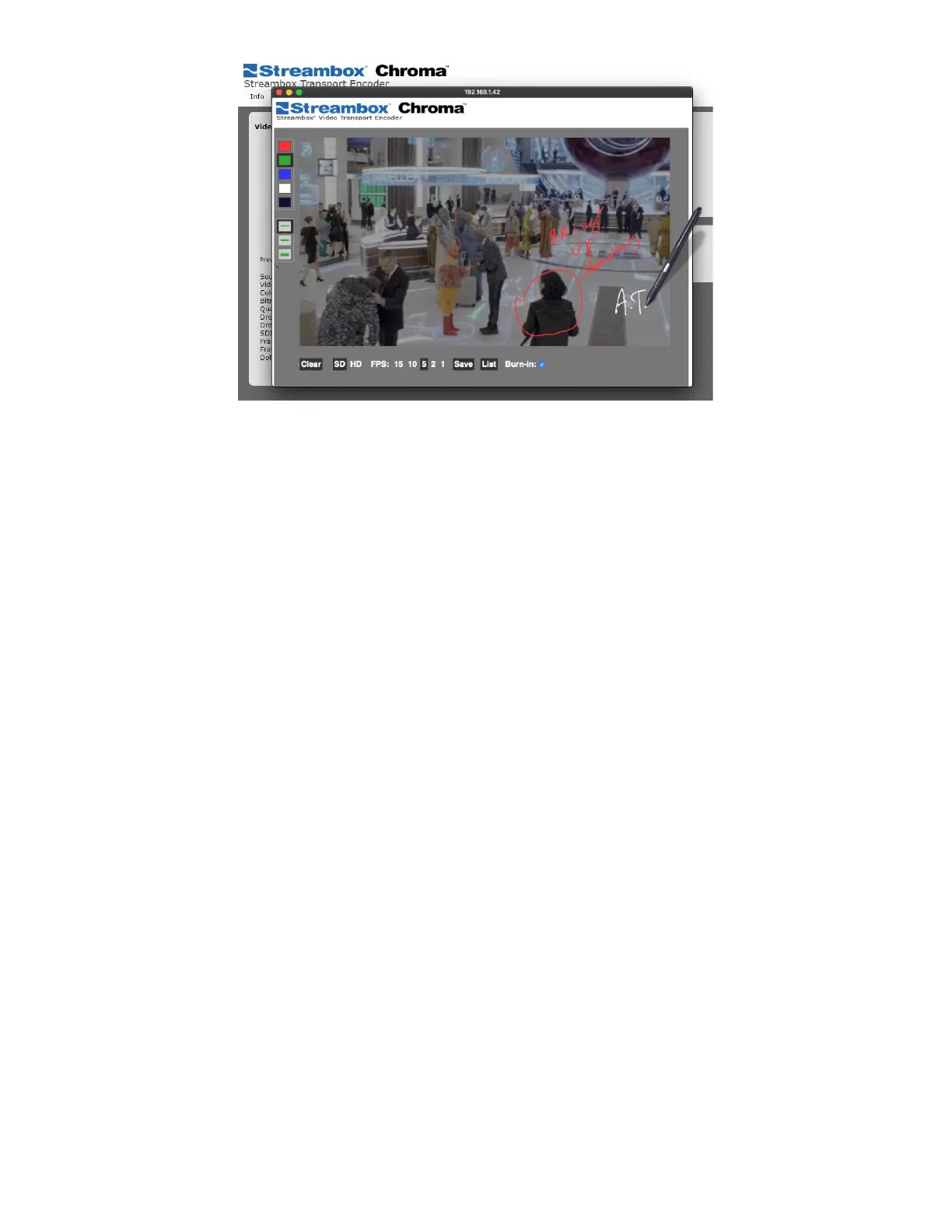
Figure 16 Decoder Annotations Window
The Annotation window allows the user to change the view between SD or HD (which are the available quality
settings for the picture, even if the video has higher resolution), and set the expected framerate. Like the
regular preview, the Decoder will do its best to meet that demand. The user can also save the image or set the
drawings to appear on the Decoder’s video stream output.
Clear: Clears all annotation
SD / HD: Sets the resolution of the video image in the Annotation screen.
FPS: Sets the intended Frames Per Second rate of the video.
Save: Save the image locally
List: See a list of saved images, and download to the local machine using this button.
Burn-In: When enabled, the annotation drawings will be visible on the decoder’s SDI/HDMI video output in
addition to being seen in the browser.
Interface Info
The Interface Info section shows statistics about the individual network adapters used by the Decoder
including its IP address.
6.4 Network Page
The network page allows access to the network settings on the Streambox ACT-L3/L5 Decoder. Network
settings affect how the Decoder handles the network data stream.



 To Next Page