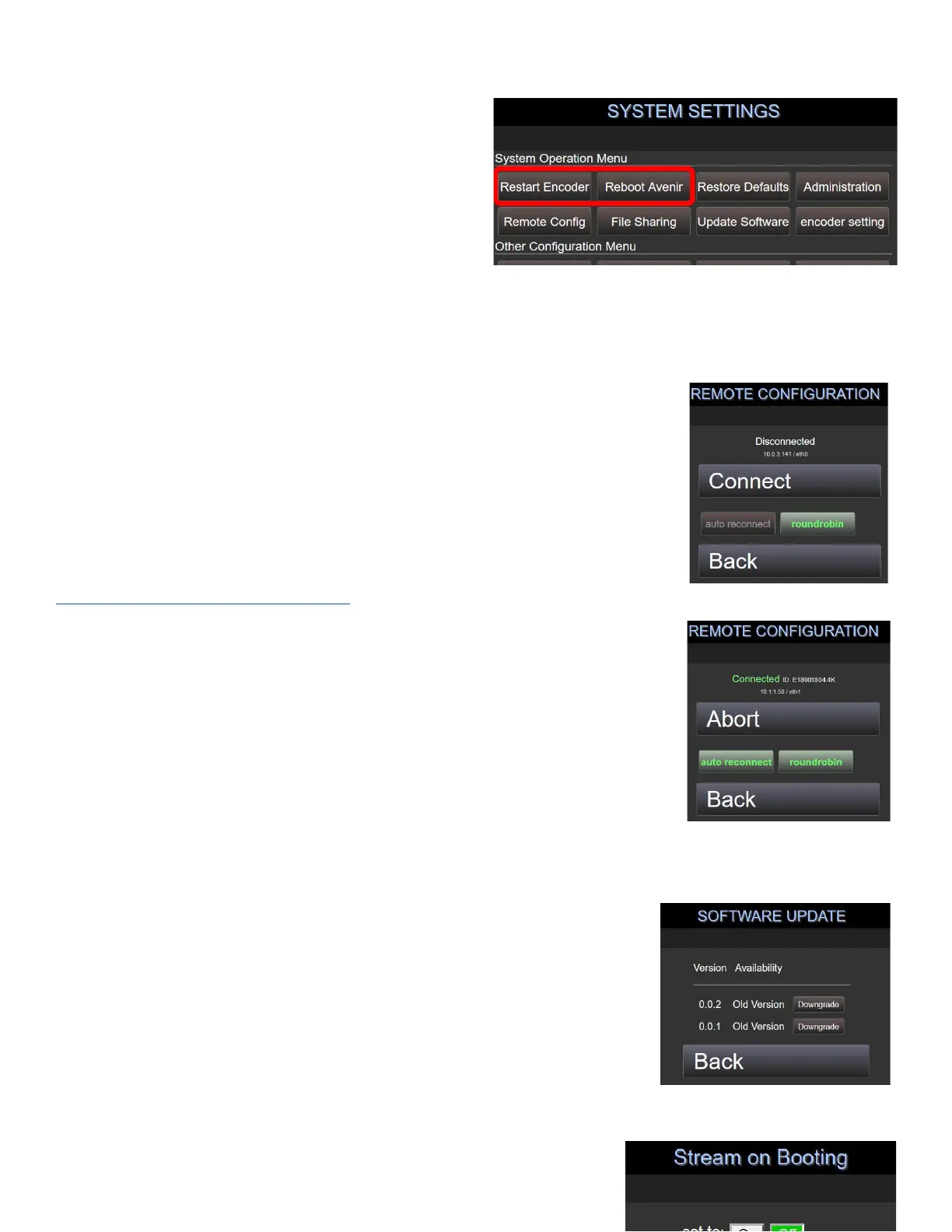
7.3 Reboot and Shutdown
Navigate to System Settings by selecting Settings ->
System or directly by appending the following URL’s to
the base IP address (see example above)
/avenir/settings_system.php
A user can command a software reboot or a hardware
shutdown from this page. Select Reboot Avenir to start
the reboot.
/avenir/settings_system2.php
To Power off, select Settings -> System -> Others
Select Power Off to shut down the Chroma hardware. You will be prompted for confirmation.
7.4 Toggle Remote Configuration
Navigate to System Settings by selecting Settings -> System -> Remote Config
/avenir/settings_ra.php or directly by appending the following URL’s to the base
IP address (see example above)
By default, this remote connection (via SSH) allows the Chroma to use an
available network connection to connect to the Streambox Remote Configuration
Server. This enables both the online remote control page at
http://avenir.streambox.com/remote to permit users to log in to their Chromas,
but also allows Streambox Support to remotely configure, update, and
troubleshoot the Chroma unit, as needed.
Auto Reconnect commands the Chroma unit to always attempt to connect. If
disabled, the unit will require a manual press of the Connect button to connect
to the server.
Roundrobin commands the Chroma unit to try a different available network
connection if disconnected from one.
By default, both Auto Reconnect and Roundrobin are enabled, but may be disabled for greater security.
7.5 Software Update
Navigate to System Settings by selecting Settings -> System -> Update
Software or directly by appending the following URL’s to the base IP address
(see example above)
/avenir/settings_update.php
This screen allows the internet-connected user to download new firmware
releases from a remote server, and read the release notes.



 To Next Page