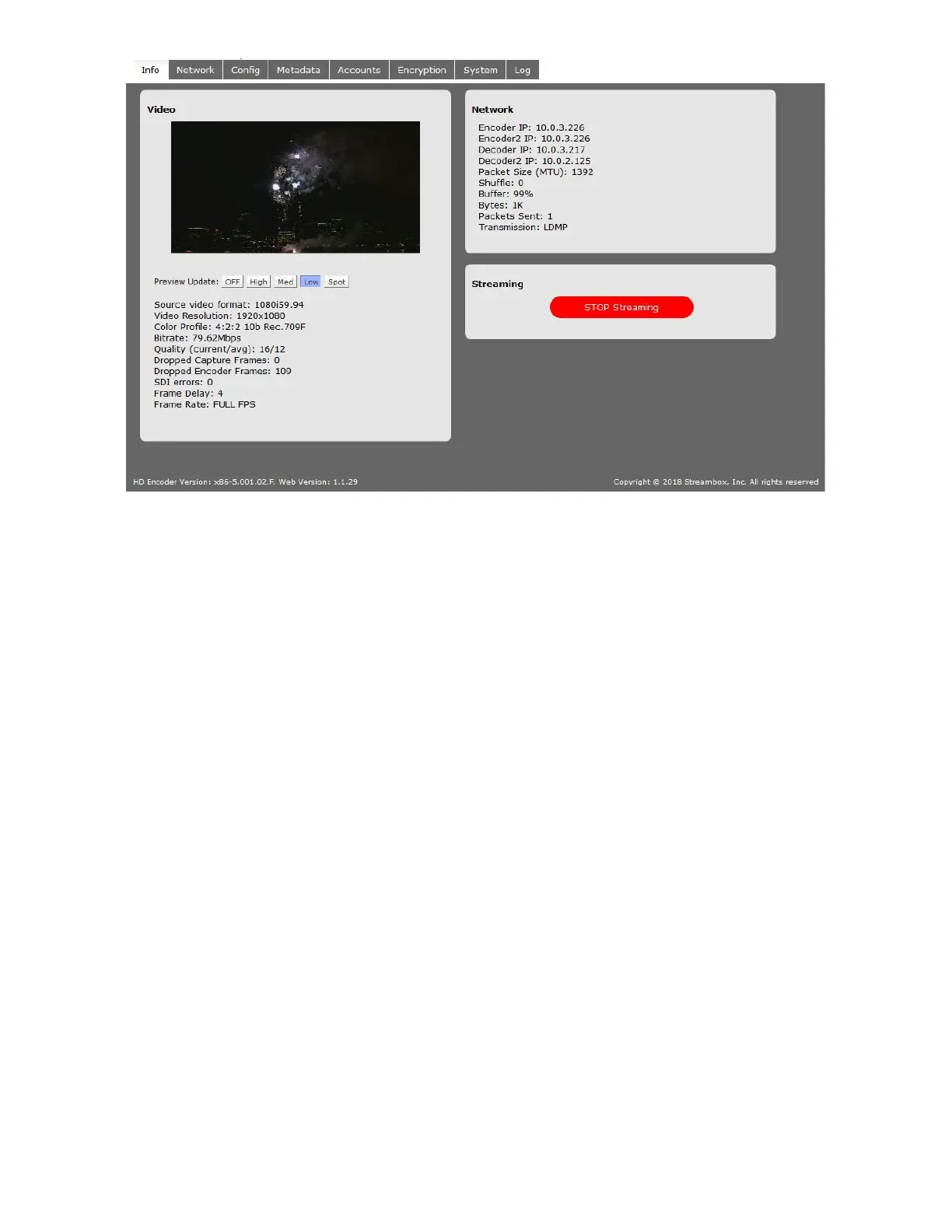
Figure 2: Encoder Web UI Info Page
Video
The video section shows a scaled down preview of the video input to assist in verifying the video input signal.
Preview Update: With these buttons, you can select the frequency with which the picture will be updated.
Spot
will load a single frame about every 30 seconds, while Low
, Med,
and High
will load frames at respective
speeds; Preview Update provides feedback of what is being streamed and does not represent the full quality
of the video stream.
Source Video Format: displays the resolution, progressive/interlaced, and the framerate of the source video,
as detected by the Encoder.
Video Resolution: the video stream’s intended resolution, which may be a fraction of the source resolution.
Color Profile: the color capture profile
Bitrate: the total overall transfer rate of the ACT-L3/L5 stream, including all video, audio, FEC, and ancillary
data
Quality: the current and average compression quality metric for the encoded frames; 0 is highest quality (no
compression) and 300 is the lowest quality (highest compression)
Dropped Capture Frames: number of video frames dropped by the capture process; typically due to a problem
with video input (cumulative)
Dropped Encoder Frames: number of video frames dropped by the Encoder software engine; typically due to
the “prefer quality over framerate” setting or a problem with the Encoder settings (cumulative)
NOTE: Even in a perfect stream, it’s normal for this to drop several dozen or hundred packets at the
start of an LDMP stream.
Frame Delay: The number of frames buffered in the capture process
Frame Rate: The frame rate setting of the encoded stream



 To Next Page