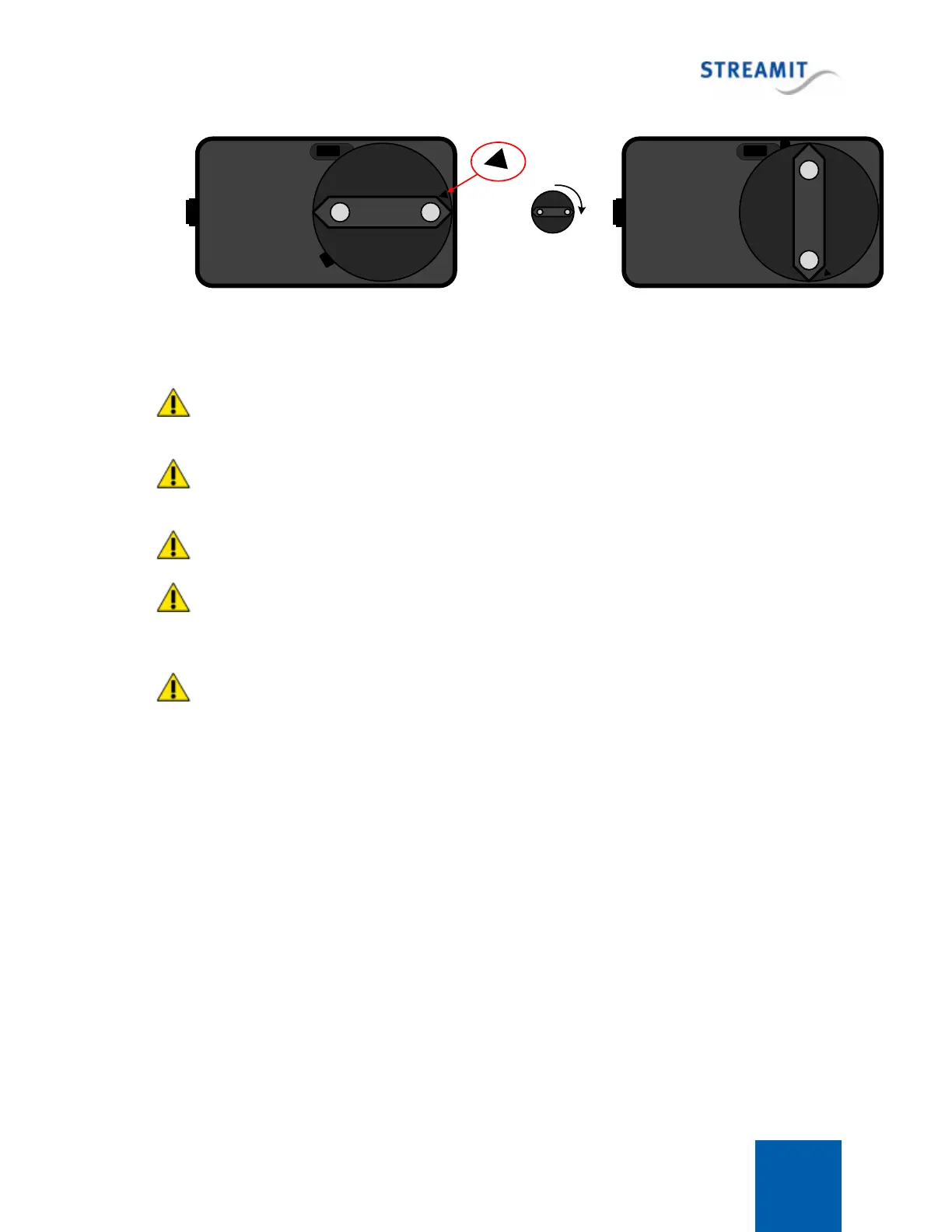
Lisa LCD 4
90°
Start position End position
Plug the power adapter to the mains outlet and plug the other side in the Lisa. In the process we ask
that you careful attention to the following instructions:
Never use wet hands when plugging the power adapter in the mains and never remove the power
adapter from the mains with wet hands.
Do not cut or damage the cord of the power adapter; do not place heavy objects on the cord. This
can cause short-circuit, resulting in electrical shocks or even fire.
Pulling the cord can also damage the wire and/or isolation causing electrical shocks or fire.
Using power adapters other than the one recommended for your Lisa, can result in overheating and
damage you device. This can cause fire, electrical shocks and other hazards. Only use the supplied
power adapter.
Applying your Lisa to situations with rapid changing temperatures can result in condensation
(small amount of water) on the inner and outer surface of your device. To ensure a long lifetime of your
Lisa, this should be prevented. In case of such a scenario, wait until you device is ‘dry’ before you use it
again.
Connecting the Ethernet cable
Use the provided Ethernet cable to connect your Lisa with your local network. If everything is OK (and
the power supply has also been connected) the yellow led of the Ethernet connector will blink randomly.
The other led will either light up green (100Mbps connection) or remain dark (10 Mbps connection).
Connecting the audio output
The audio output of the Lisa will be connected to the line input of the audio installation. No audio cables
are included with the Lisa. The type of cable that should be used to connect the Lisa is on the Lisa-side
RCA, the other end depends on the type of connector in your audio installation.



 To Next Page