to incinerate the battery as it may explode in a fire. Handle the battery carefully and never
allow it to short circuit.
J. Use of this product for other than a lighting device is not recommended.
Streamlight specifically disclaims liability for other than recommended use.
K. CAUTION: To reduce risk of fire, electrical shock, or personal injury, handle the battery
carefully and never allow it to short circuit.
USING THE LIGHT
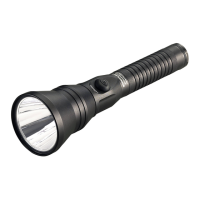
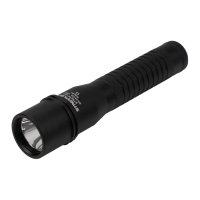
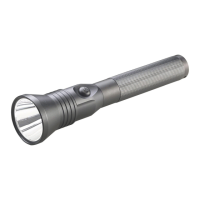
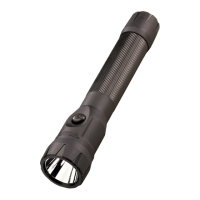
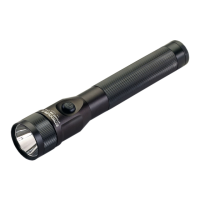
The Strion
®
LED, Strion
®
HPL and Strion LED HL
®
feature a digital multifunction tail
mounted tactical switch. The Strion
®
DS, Strion
®
DS HPL and Strion
®
DS HL feature a
second, independent head-mounted push-button switch.
•Lightly press the pushbutton for momentary operation at full intensity.
•Fully press the pushbutton switch (until it clicks) once to turn the light on at full intensity.
•Fully press and hold the switch to cycle through brightness levels. Release at desired level.
•A quick double-click of the switch will activate the strobe function.
•
A single full press of the switch from any “on” mode will turn the flashlight off.
ACCESSING OTHER PROGRAMS
The Strion
®
DS, Strion
®
DS HPL and Strion
®
DS HL feature a TEN-TAP
®
programmable
switch allowing the user to select one of three different programs. To change to the next
program, starting from the “Off” position, tap the momentary function of the switch rapidly
9 times (within 0.4 seconds per tap) and hold it down the 10th time. Continue holding the
switch until the light turns off (approximately 1 second), then release the switch.
Available programs are High-Medium-Low/strobe enabled (Factory Default),
High only/strobe disabled or High-Medium-Low/strobe disabled.
CHARGER FACTS
CHARGER MOUNTING
•The charger should never be mounted against any heat sensitive surface.
•The most secure mounting position is with the flashlight vertical and head up.
•
Before drilling any holes, make sure there is room to insert and remove the flashlight.
• T
wo (2) self-tapping screws are included to mount the charger. The correct size hole for
these screws in sheet metal is 1/8.”
USB CHARGER
The USB charger/holder is equipped with dual power input ports. The overlapping design
prevents both the USB input and the 12VDC vehicle input to be connected at the same
time. An AC/USB power supply with custom USB cable is supplied to attach to the
charger/holder. Place the small micro-USB plug of the USB cable (SL logo up) into the USB
connector sleeve (marked with SL logo) that is located on the base of the charger/holder.
The micro-USB plug and connector on the charger base are keyed and contain a locking
feature and will “snap” into place. Connect the AC/USB power supply to a wall outlet. The
charger may also be connected to any other standard, powered USB outlet.



 To Next Page