ESR-Auto Plus Operator’s Manual 37
6.1 Accessing Menu
The ESR-Auto Plus has many adjustable features and
most can be accessed through the Service Menu. These
operations should be used with great caution as the accuracy
of results may be affected.
Important! Contact Streck Technical Service
before making changes to the Service Menu.
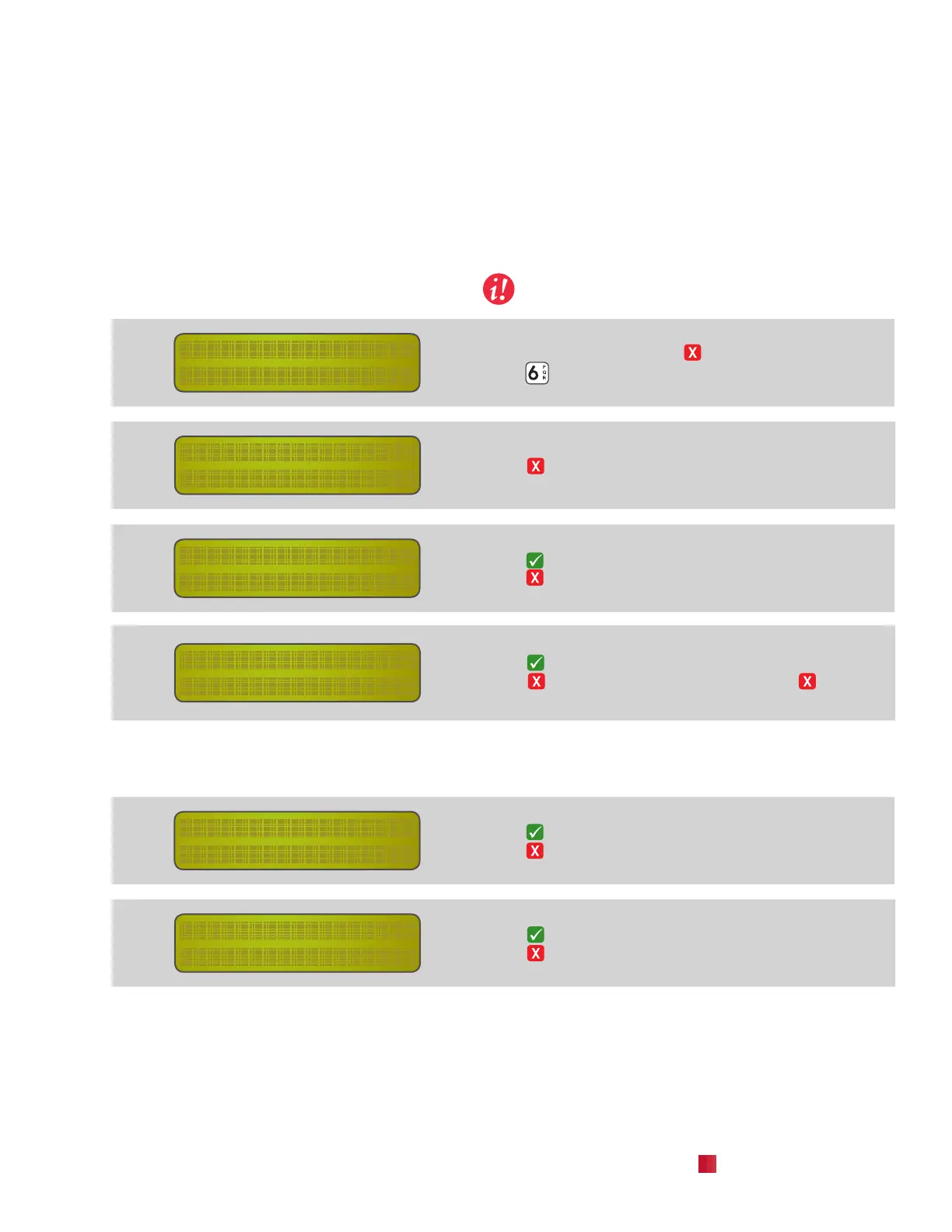
–menu–
6.options
From standby, press and hold to access the user menus.
Press
to select the Options Menu.
–options–
user config?
Press to move past the User Conguration Menu.
–options–
service menu?
Press to select the Service Menu.
Press to return to the main screen.
restricted entry
give code: 48_
Enter restricted access code 48.
Press to enter the Service Menu.
Press to return to the main screen. Press to delete
a digit.
6.2 Set Language
Multiple languages are available in the software.
–service menu–
set language?
Press to enter Language Selection Menu.
Press to advance to the next menu selection.
language:
english?
Press to select the displayed language.
Press to scroll through the available languages.
Chapter 6 |
Menu Function 6
Options - Service Menu


 To Next Page