45
4. Keystone correction and focus:
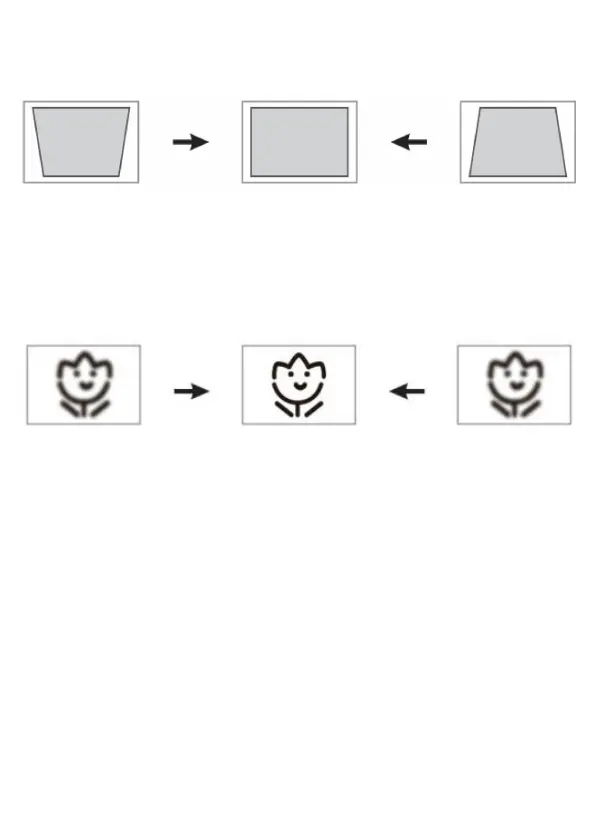
C. If the projected image is trapezoidal, it can be resolved by Keystone correction. (Use the
Manual Keystone Correction).
Note:
If the Keystone correction fails to resolve the image shape, please reduce the vertical height of the
Projector in relation to the center of the screen.
D. The projected image may be blurry or dicult to see, this is due to a lack of focus adjustment
with the lens. Please follow the processes below to adjust the Focus. (Use the Manual Focus
to nd the sharpest picture on the screen)
Note:
It is perfectly normal for the center of the image to be sharp and the edges out of focus.



 To Next Page