Tap to customise the way the Strike Genius works
How to navigate to an address
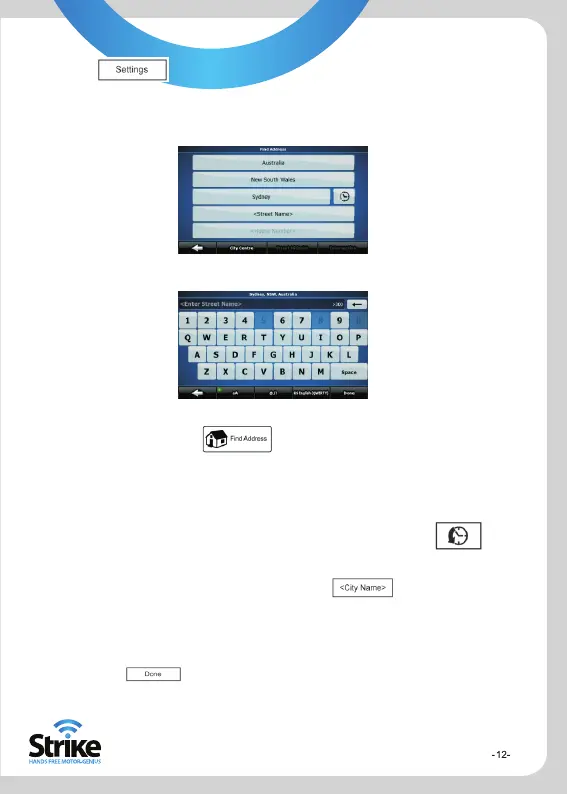
Find Address Screen
Selecting Street Screen
In the navigation menu, tap . By default, the Strike Genius offers
the country/state and city of your current location. If needed, tap the button
with the name of the country/state, and select a different one from the list.
If needed, change the state
To select the city/suburb from the list of recently used ones, tap the
button.
To enter a new city/suburb
1. Tap the button with the name of the city/suburb
2. Start entering the city/suburb name on the keyboard
3. Get to the list of search results
After entering a couple of characters, the names that match the
string appear in a list
Tap to open the list of results before it appears
automatically
4. Pick the city/suburb from the list


 To Next Page