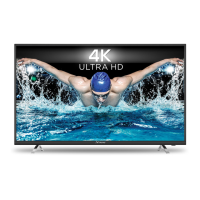
This document describes the STRONG SMART TV with DVB-T2/C/S2, available in models SRT 32HB5203 and SRT 40FB5203. It serves as a comprehensive user manual, providing instructions for installation, operation, and troubleshooting.
Function Description:
The STRONG SMART TV is designed to provide a versatile viewing experience, integrating digital terrestrial (DVB-T2), cable (DVB-C), and satellite (DVB-S2) tuners. This allows users to access a wide range of broadcast channels. As a "Smart TV," it offers internet connectivity, enabling access to various online applications (Apps) such as Netflix, YouTube, and a web browser. The TV supports multimedia playback from USB storage devices, including movies, music, and photos. It also features screen sharing capabilities through "Wireless Display," allowing users to mirror content from smartphones or tablets. The Electronic Programme Guide (EPG) provides detailed information on broadcasted programmes.
Important Technical Specifications:
- Audio Output: 32" model: 5 W + 5 W; 40" model: 8 W + 8 W.
- Channel Coverage:
- DVB-T2: 174 MHz-230 MHz; 470 MHz-860 MHz
- DVB-C: 113-858 MHz
- DVB-S2: 950 MHz-2150 MHz
- System: DTV: DVB-T2, DVB-S2, DVB-C; ATV: PAL/SECAM (BG/DK/I); AV: PAL, NTSC.
- Connectors (32 & 40 inch): 1 x ANT/CABLE IN, 1 x SAT IN, 1 x CI+, 2 x HDMI, 2 x USB, 1 x LAN (RJ-45), 1 x S/PDIF (coax.), 1 x AV IN 3.5 mm, 1 x HEADPHONES.
- Operating Voltage: 180~240 V AC 50/60 Hz.
- Power Consumption:
- 32" model: max. 50 W, typ. 31 W
- 40" model: max. 75 W, typ. 60 W
- Power Consumption in Standby: 32", 40": ≤ 0.5 W.
- Operating Temperature: +5 °C ~ +35 °C.
- Storage Temperature: -15 °C ~ +45 °C.
- Operating Humidity: 20% ~ 80% RH, non-condensing.
- Storage Humidity: 10% ~ 90% RH, non-condensing.
- Dimensions (WxHxD) in mm:
- 32" model: 732 x 479 x 174
- 40" model: 905 x 570 x 211
- Net-weight:
- 32" model: 4.2 kg
- 40" model: 6.2 kg
- USB Terminal: Provides a maximum of 500 mA.
- Video Codecs: Licensed under AVC Patent Portfolio License and HEVC.
Usage Features:
The TV is controlled primarily via a remote control, which includes dedicated buttons for power, channel selection, volume adjustment, source input, menu navigation, EPG, and direct access to Smart TV features like YouTube and Netflix.
- First Time Installation: A guided setup process allows users to select language, country/region, agree to terms and conditions, and configure network settings (wired or wireless). It also includes options for TV channel installation (Antenna, Cable, or Satellite) with choices for Digital, Analogue, or both.
- Home Menu: Provides access to Source selection, Smart TV settings, and a variety of pre-installed applications.
- Menu Settings: Comprehensive menus for adjusting Picture (e.g., Picture preset, Backlight, Brightness, Contrast, Saturation, Tint, Sharpness, Colour Temperature, Overscan, Micro Dimming), Sound (e.g., Sound preset, Balance, Auto Volume control, S/PDIF type, Audio delay, TV placement, Advanced Settings), Channel (e.g., Channel scan, Channel List, EPG, Channel organiser, Channel diagnostics, Subtitle settings), Smart TV (e.g., Smart TV portal, Share & See, Wireless Display, Smart TV policy, Networked standby, Netflix Setting, HbbTV Setting, Reset smart TV), and System (e.g., Menu language, Timer, Clock, Sleep timer, Auto standby, Lock, Input Settings, Location, Common Interface, T-Link, Auto source, Sports Mode, LED indicator, Instant power on, Restore Factory Default, Software Update).
- Channel Management: The Channel organiser allows users to skip, sort, edit, and delete channels. Channel swap and channel insert functions are available for reordering.
- EPG (Electronic Programme Guide): Accessible in digital mode, it displays programme information and allows users to navigate channels and select programmes.
- Network Connection: Supports both wired (Ethernet) and wireless connections to a home network for internet access and Smart TV functionalities.
- USB Playback: The TV can play multimedia files (movies, music, photos, text documents) from USB storage devices. It supports FAT16, FAT32, and NTFS file systems. During playback, users can control actions like play/pause, stop, fast forward/reverse, previous/next file, rotate images, and zoom in/out on photos. Background music can be played while viewing photos.
- Smart TV Features: Includes a Smart TV portal for internet applications, "Share & See" for recorded video, picture, and music from a PC, and "Wireless Display" for screen mirroring from mobile devices.
- T-Link (CEC): Allows control of CEC-compatible devices connected via HDMI.
Maintenance Features:
- Software Update: The TV's software can be updated via USB, network, or channel. Users can download updated software from the manufacturer's website.
- Troubleshooting Guide: The manual provides a detailed troubleshooting section for common issues such as no picture/sound, no colour, remote control not working, picture/sound problems, snowy dots, ghosting, radio frequency interference, and USB playback issues.
- Battery Replacement: Instructions for installing and replacing AAA batteries in the remote control, emphasizing correct polarity and safe disposal.
- Cleaning: While not explicitly detailed as a maintenance feature, the general safety instructions imply keeping the device free from dust and liquids.
- Storage: Recommendations for proper storage of the device and its packaging, especially during the warranty period, to ensure protection.
- Data Protection: The manual informs users that STRONG and its partners may collect technical data to improve products and services, and that some services may require personal data registration. Users are advised to be aware of data collection practices by pre-installed and user-installed services.
Safety Instructions:
The manual includes critical safety instructions, such as using only specified attachments, avoiding exposure to rain or moisture, ensuring proper ventilation, preventing liquid spills, and securely attaching the apparatus to the floor/wall. It also warns about battery handling, excessive sound pressure from earphones, and the importance of proper power cord management. The device is a Class II electrical appliance, meaning it does not require a safety connection to electrical earth. Environmental aspects of battery disposal are highlighted.


 To Next Page
 General