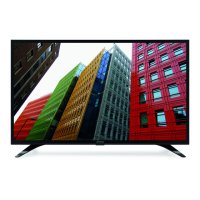
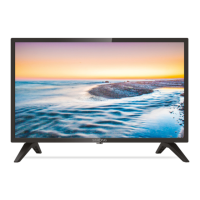
This document describes the STRONG HD SMART ANDROID TV with DVB-T2/C/S2, model SRT 32HC5433, a television designed for personal and non-commercial use. It functions as a smart TV, integrating Android capabilities with digital terrestrial, cable, and satellite tuners, offering a comprehensive entertainment experience.
Function Description
The TV serves as a central hub for various media. It can receive and display digital terrestrial broadcasts (DVB-T/T2), digital cable broadcasts (DVB-C), and digital satellite broadcasts (DVB-S/S2). It also supports analogue terrestrial reception (ATV). The Android operating system enables access to a wide range of smart TV features, including streaming applications like Netflix and YouTube, a web browser, and other apps available through an app store. The TV is equipped with multiple input ports, including HDMI for connecting external devices like DVD/Blu-ray players and game consoles, USB for multimedia playback, and an Ethernet port for wired internet connection. Wireless connectivity is also supported via Wi-Fi and Bluetooth, allowing for screen sharing, music streaming, and connection to Bluetooth audio devices. The TV includes an Electronic Programme Guide (EPG) to provide information on broadcasted programmes and facilitate channel navigation. Audio output is provided through built-in speakers, and a headphone jack is available for private listening. The ARC (Audio Return Channel) function on HDMI inputs allows for simplified audio connections to compatible digital amplifiers.
Usage Features
The TV is controlled primarily via two remote controls, one smaller and one larger, both offering a full range of functions. The remote controls allow users to power the TV on/off, adjust volume, change channels, mute/unmute audio, and navigate through menus. Dedicated buttons provide quick access to smart TV features (SMART), settings, input source selection, and specific streaming services like Netflix and YouTube. The larger remote also includes numeric buttons for direct channel selection, a FAV button for favorite channels, and a LIST button for the channel list. Navigation within menus is intuitive, using arrow keys and an OK button for selection. The TV's home menu organizes functions into Source, Smart, and Apps, making it easy to switch between different types of content.
During initial setup, the TV guides the user through language selection, Wi-Fi network connection, Google account sign-in, and acceptance of terms and conditions. It then proceeds to channel installation, allowing the user to choose between antenna, cable, or satellite tuners and offering options for digital, analogue, or combined scanning. For satellite installations, fast scan processes are available in certain regions to quickly store channels from selected providers.
The TV offers extensive menu settings for customization. The Picture menu allows users to adjust various display parameters such as picture preset, backlight, brightness, contrast, saturation, tint, sharpness, colour temperature, screen mode, dynamic contrast, noise reduction, and ECO settings for energy consumption. The Sound menu provides sound presets and options to adjust frequency levels (100 Hz, 500 Hz, 1.5 KHz, 5 KHz, and 10 KHz), as well as balance control, auto volume control, S/PDIF type, and audio delay for synchronization with picture.
The Channel menu enables channel scanning, viewing of the channel list, accessing the EPG, and organizing channels through skip, sort, edit, and delete functions. Teletext is also supported. The Smart TV menu includes settings for Netflix, Wireless Display (for screen sharing from smartphones/tablets), and Fast Cast (for using a mobile phone as a remote, viewing photos, or listening to music). The System menu covers settings like menu language, timer, clock, sleep timer, auto standby, lock (with a default PIN code), T-Link (for ARC and CEC device control), location (home or shop mode), HbbTV settings, Common Interface access, subtitle settings, and a factory reset option.
Multimedia playback is a key feature, accessible via USB ports. Users can connect USB storage devices to view movies, music, photos, and text documents. The TV supports FAT16, FAT32, and NTFS file systems. During playback, control buttons on the remote allow for play, pause, stop, fast forward, fast reverse, and navigation between files. For photos, additional features include rotation and zoom in/out. Background music can be played while viewing photos if music files are stored on the same USB device. The TV also supports lyrics display for music files, provided the lyrics file (with a ".lrc" extension) is in the same folder and has the same filename as the music.
Maintenance Features
The manual emphasizes safety instructions, including proper handling of the device, ventilation requirements, and battery usage precautions. It advises against exposing the TV to rain, moisture, or excessive heat, and recommends keeping it away from direct sunlight, dust, and open flames. For battery replacement, users are instructed to match polarity markings and dispose of old batteries according to environmental regulations.
The TV supports software updates via USB. Users can download improved software versions from the manufacturer's website, copy them to a USB device, and then update the TV through the SETUP menu. This ensures the TV's software remains current, potentially improving performance and adding new features.
Troubleshooting information is provided to help users resolve common issues such as no picture/sound, no colour, remote control malfunction, snowy dots, blocking, interference, ghosts, radio frequency interference, and video playback problems. Solutions often involve checking connections, adjusting settings, or, in some cases, contacting customer support. The manual also highlights the importance of using USB storage devices with sufficient speed and space for optimal multimedia playback.
The device is designed for ease of use and maintenance, with clear instructions for setup, operation, and problem-solving, ensuring a reliable and enjoyable viewing experience.



 To Next Page
 Audio
Audio Video
Video Connectors
 Power
Power Weight and Dimensions