EasyManua.ls Logo

Strong SRT 43UA6203 - User Manual

Strong SRT 43UA6203
24 pages
Print Icon
To Next Page IconTo Next Page
Loading...
User Manual
Bedienungsanleitung
Manuel ulisateur
Manual del Usuario
Инструкции за употреба
Uživatelská příručka
Korisnički priručnik
Használa útmutató
Manuale utente
Gebruiksaanwijzing
Instrukcja obsługi
Manual do Ulizador
Manual de Ulizare
Uputsvo za upotrebu
Používateľská príručka
Navodila za uporabo
Посібник користувача
Руководство пользователя
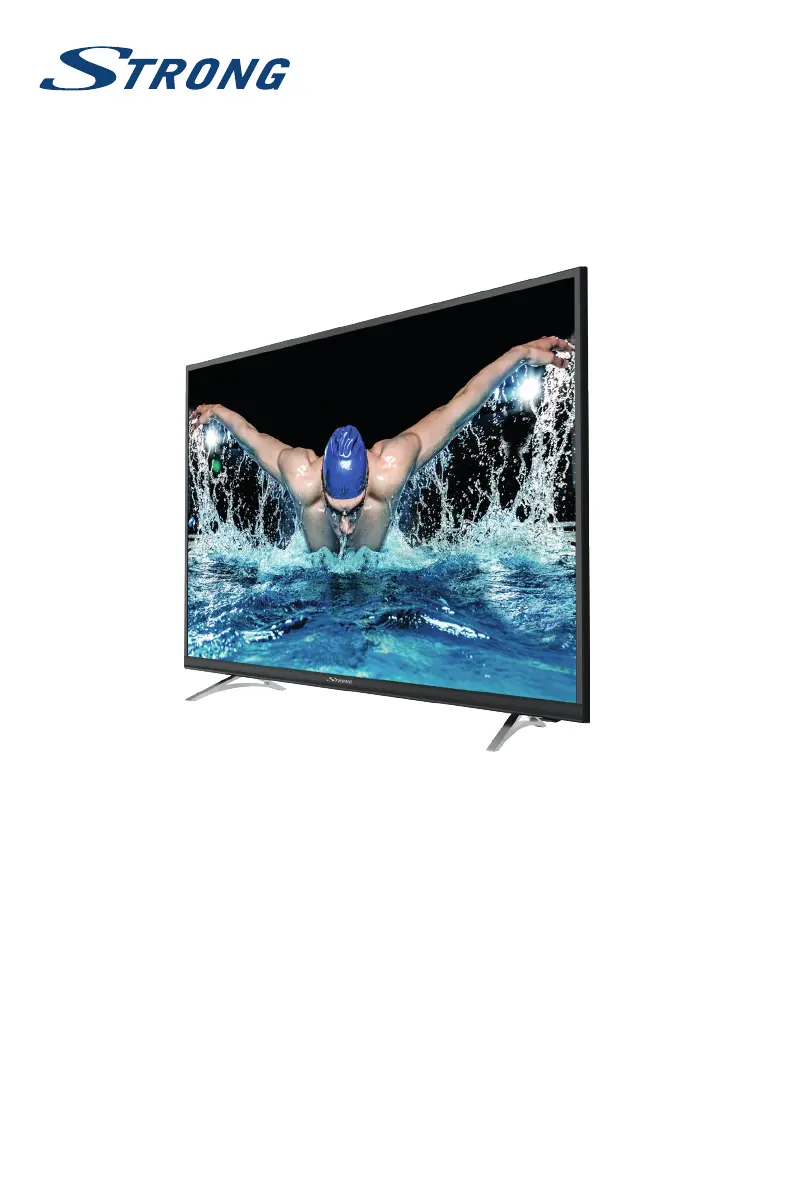
4K UHD SMART TV with DVB-T2/C/S2
SRT 43UA6203
SRT 49UA6203
SRT 55UA6203

Questions and Answers

  • C
    Carlos YoungSep 23, 2025
    What causes picture freeze or distortion when playing video on Strong SRT 43UA6203 Smart TV?
    • A
      Alexandra RodriguezSep 23, 2025
      If you experience picture freeze, macro blocks, or similar distortion, especially with HD content, on your Strong Smart TV, the read/write speed of your USB device could be too low. Ensure you use a USB storage device with sufficient speed and space.
  • J
    Jennifer ReynoldsAug 25, 2025
    Why is there no picture and no sound on my Strong SRT 43UA6203?
    • R
      Richard DiazAug 25, 2025
      If your Strong Smart TV has no picture and no sound, possible solutions include checking the fuse or circuit breaker, ensuring the outlet is working with another device, verifying the power plug connection, and checking the signal source.
  • J
    Justin CraigAug 25, 2025
    Why is there normal picture but no sound on my Strong SRT 43UA6203 Smart TV?
    • L
      Lauren StevensAug 26, 2025
      If you have picture but no sound on your Strong Smart TV, try these steps: * Increase the volume using the volume up button. * Check if the volume is muted and, if so, restore the sound by pressing the mute button. * Change the sound system. * Broadcasting failure may happen.
  • E
    Elizabeth CantuAug 27, 2025
    Why is there no picture but normal sound on my Strong Smart TV?
    • O
      Omar CrawfordAug 27, 2025
      If your Strong Smart TV has no picture but normal sound, try adjusting the brightness and contrast. Broadcasting failure may also be a possible cause.
  • V
    vwileyAug 27, 2025
    What to do if there are snowy dots, blocking and interference on Strong SRT 43UA6203?
    • B
      Belinda LongAug 27, 2025
      If your Strong Smart TV displays snowy dots, blocking, or interference, try these solutions: * Adjust the position and orientation of the indoor/outdoor antenna. * Check the connection of the antenna. * Fine-tune the channel. * Try another channel. * Broadcasting failure may happen. If the antenna is located in the fringe area of a television signal where the signal is weak, the picture may be marred by dots, show blocking or break-ups.
  • V
    vnicholsonSep 14, 2025
    What causes bad picture or blocking error during heavy rain on Strong Smart TV?
    • J
      Joe PottsSep 14, 2025
      Heavy rain can attenuate satellite signals, leading to blocking. To minimize these effects on your Strong Smart TV, ensure your dish installation meets the required standards. Make sure your dish installation is up to standards to minimize rain effects.
  • A
    Alexis LongSep 12, 2025
    What to do if the remote control does not work on Strong Smart TV?
    • J
      Justin JonesSep 12, 2025
      If the remote control for your Strong Smart TV isn't working, try the following: * Replace the batteries. * Ensure the batteries are correctly installed. * Check that the main power is connected.
  • A
    Alicia DavisSep 13, 2025
    What to do if there is no signal or weak signal on Strong Smart TV?
    • S
      Sheila CostaSep 13, 2025
      If your Strong Smart TV shows no signal, a weak signal, or intermittent reception, consider the following: * Check the cable connections, LNB, and other equipment between the LNB and the receiver, or peak the dish. * Wait for any rain or storm to subside. * Adjust the dish. * Change to a larger dish or change position of dish. * Connect a signal attenuator to the LNB input. * The satellite dish is not pointing at the (correct) satellite(s). * Cables might have loosened; moisture might have entered into cables or connectors, heavy rain at present or heavy storm at present. * Satellite dish is too small, trees or buildings in path.
  • K
    Keith RodriguezSep 5, 2025
    How to fix no color on Strong Smart TV?
    • J
      Joshua HuberSep 5, 2025
      If your Strong Smart TV has no color, try changing the color system. You can also adjust the saturation settings. Trying another channel is also an option, as you may be receiving a black-and-white program.
  • W
    wendy62Sep 2, 2025
    How to fix snowy dots and interference on Strong Smart TV?
    • L
      Lisa GonzalesSep 2, 2025
      To resolve snowy dots, blocking, and interference on your Strong Smart TV, adjust the position and orientation of the indoor or outdoor antenna. Check the antenna connection and fine-tune the channel. Trying another channel may also help. Broadcasting failure may also be the reason.

Summary

Service Center

User Instructions and Safety

Safety Instructions

Read all instructions before operating the set. Includes safety precautions and warnings.

Equipment Setup

Instructions for installing the TV display on a surface and explains manual symbols.

TV Installation and Setup

Remote Control Functions

Explains the function of each button on the TV remote control.

Initial TV Setup and Channel Tuning

DVB-S2 Satellite Installation

Steps for installing satellite TV channels, including channel scan options.

DVB-T2 Terrestrial Installation

Instructions for setting up terrestrial digital TV channels and country selection.

DVB-C Cable Installation

Procedure for installing cable TV channels, including scan types and provider settings.

Network Connectivity

TV Menu Settings and Configuration

Picture Menu Settings

Options for adjusting picture settings like mode, content type, ECO, colour, and aspect ratio.

Sound Menu Settings

Adjusts sound modes (Standard, Music, Movie) and balance.

System Menu Settings

Options for language, location, factory reset, network, HDMI, sports mode, and software updates.

USB Media Playback Guide

Software Update via USB

Procedure for updating the TV's software using a USB device.

TV Troubleshooting Guide

Common Picture and Sound Issues

Solutions for problems like no picture, no sound, no colour, and interference.

Remote Control and Signal Issues

Troubleshooting for remote control malfunctions and signal reception problems.

Strong SRT 43UA6203 Specifications

General IconGeneral
BrandStrong
ModelSRT 43UA6203
CategorySmart TV
LanguageEnglish

Related product manuals