EasyManua.ls Logo

Strong SRT24HE4203 - User Manual

Strong SRT24HE4203
34 pages
Print Icon
To Next Page IconTo Next Page
Loading...
Bedienungsanleitung
Manuel d’utilisation
Manuale utente
Manual del usuario
Manual do utilizador
Használati útmutató
Uživatelský manuál
Brugervejledning
Brukerveiledning
Gebruiksaanwijzing
Användarhandbok
Korisnički priručnik
Ръководство на потребителя
Посібник користувача
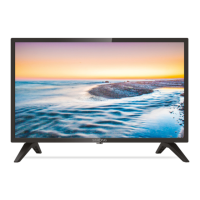
HD SMART TV with DVB-T2/C/S2
SRT24HE4203

Questions and Answers

  • M
    malonelouisAug 16, 2025
    Why is there normal picture but no sound on my Strong SRT24HE4203 Smart TV?
    • R
      Robert RowlandAug 16, 2025
      If you have normal picture but no sound on your Strong Smart TV, first, press the volume up button to increase the volume. Check if the volume is muted and, if so, press the mute button to restore the sound. You can also try changing the sound system. Keep in mind that broadcasting failure may also be the cause.
  • R
    Richard FranklinAug 22, 2025
    Why does playback of video cause picture freeze on Strong Smart TV?
    • C
      Carolyn CharlesAug 22, 2025
      If you're experiencing picture freeze, macro blocks, or similar distortion when playing videos on your Strong Smart TV, especially HD content, it could be due to a slow USB device. Ensure you're using a USB storage device with sufficient speed and space. Note that pen drives might not provide sufficient speed.
  • J
    Jeremy PhelpsAug 26, 2025
    What causes no signal or weak signal on Strong Smart TV?
    • K
      Katie ToddAug 26, 2025
      If you are getting no signal or a weak signal with intermittent reception on your Strong Smart TV, check the cable connections, LNB, and other equipment between the LNB and the receiver. Ensure the satellite dish is correctly aligned. If there's heavy rain or a storm, wait for it to subside. The satellite dish might be too small, or there might be obstructions like trees or buildings in the path. Alternatively, if the signal is too strong, connect a signal attenuator to the LNB input.
  • J
    Jason AguilarAug 28, 2025
    Why is my Strong Smart TV remote control not working?
    • C
      Christine BrownAug 28, 2025
      If your Strong Smart TV remote control isn't working, try these steps: First, replace the batteries. If that doesn't work, ensure the batteries are correctly installed. Also, verify that the main power is connected.
  • R
    Robert LopezAug 31, 2025
    What to do if my Strong Smart TV does not switch ON?
    • A
      aaron43Aug 31, 2025
      If your Strong Smart TV isn't turning on, make sure the wall outlet is working. Try plugging another electrical device into the same outlet to check if it's functioning properly.
  • E
    ewilliamsSep 3, 2025
    What causes snowy dots, blocking and interference on Strong SRT24HE4203 Smart TV?
    • L
      Laura SanchezSep 3, 2025
      If your Strong Smart TV displays snowy dots, blocking, or interference, try adjusting the position and orientation of your indoor/outdoor antenna, especially if it's located in an area with a weak signal. Also, check the antenna connection and fine-tune the channel. Trying another channel may also resolve the issue. Broadcasting failure may also be the cause.
  • S
    Scott JacksonSep 6, 2025
    Why do I get bad picture / blocking error during heavy rain on Strong SRT24HE4203?
    • D
      ddavisSep 6, 2025
      If you are experiencing a bad picture or blocking errors on your Strong Smart TV during heavy rain, ensure your dish installation meets the required standards to minimize the effects of rain.
  • M
    Mark WardSep 9, 2025
    What causes ghosting on my Strong SRT24HE4203 Smart TV?
    • C
      Christopher BurnsSep 9, 2025
      Ghosts on your Strong Smart TV are caused by the television signal following two paths: a direct path and a path reflected from tall buildings, hills, or other objects. Changing the direction or position of the antenna may improve the reception.
  • K
    Kristi KlineSep 10, 2025
    How to fix no picture but normal sound on Strong Smart TV?
    • C
      Carla HillSep 12, 2025
      If your Strong Smart TV has no picture but normal sound, try adjusting the brightness and contrast settings. A broadcasting failure may also be the cause. Also, ensure that the channel you are trying to view is supported.
  • N
    Nicole HarrisSep 12, 2025
    What causes unorderly ripples on the picture of Strong SRT24HE4203 Smart TV?
    • B
      Barbara DouglasSep 12, 2025
      Unorderly ripples on the picture of your Strong Smart TV are usually caused by local interference from sources like cars, daylight lamps, and hair dryers. Adjusting the antenna may help minimize the interference.

Summary

Instruction and Safety

Safety Instructions

Essential safety precautions for operating the television.

Equipment Set-up

Instructions for physically setting up the TV.

TV Installation Guide

Front Panel Features

Identification of controls and indicators on the front of the TV.

Rear Panel Connections

Details of all input and output ports on the back of the TV.

Remote Control Overview

Explanation of the buttons and functions of the remote control.

Battery Installation

Step-by-step guide for installing batteries in the remote.

First Time Setup

Initial Setup Home Screen

Navigating the main home screen after initial setup.

Input Source Selection

How to select and manage connected input sources.

Picture Settings

Picture Mode Selection

Choosing predefined picture modes like Standard, Cinema, Sports.

Aspect Ratio Adjustment

How to set the display's aspect ratio (e.g., 16:9).

Apply Picture Settings

Applying current picture settings to all or current sources.

Sound Settings

Sound Mode Options

Selecting sound profiles like Standard, Theatre, Music, Sports.

Headphone Output

Configuring audio output for headphones.

Advanced Sound Settings

Adjusting advanced sound settings like equalizer and volume.

Network Configuration

Network Setup

Connecting the TV to a network for smart features.

Channel Management

Auto Channel Scan

Automatic search for available TV channels.

Channel Edit and Management

Editing and organizing the list of TV channels.

System Settings

Time and Date Settings

Adjusting the TV's clock and time zone.

Timer Settings

Configuring sleep timers and power on/off timers.

System PIN and Parental Control

Managing system access codes and content restrictions.

Media Center

Video Playback Options

Playing video files and adjusting playback settings.

Audio Playback Options

Playing audio files and managing audio settings.

Troubleshooting

Common TV Problems and Solutions

Guidance for resolving typical issues like no power or picture.

Specifications

Audio and Video Specifications

Technical details on audio output and channel coverage.

Connectors and General Data

Information on physical connectors and operational parameters.

Strong SRT24HE4203 Specifications

General IconGeneral
Color depth8 bit
Screen shapeFlat
Response time9.5 ms
Display diagonal23.6 \
Display brightness150 cd/m²
Display resolution1366 x 768 pixels
Display technology-
Contrast ratio (typical)3000:1
Display diagonal (metric)59.94 cm
High Dynamic Range (HDR) supportedYes
Product colorBlack
Panel mounting interface100 x 100 mm
Tuner typeDigital
Digital signal format systemDVB-C, DVB-S2, DVB-T2
HDMI version1.4
Headphone outputs1
HDMI ports quantity3
USB 2.0 ports quantity2
RMS rated power8 W
Wi-Fi standards802.11b, 802.11g, Wi-Fi 4 (802.11n)
Hybrid Broadcast Broadband TV (HbbTV) version2.0
Package depth130 mm
Package width610 mm
Package height400 mm
AC input voltage100 - 240 V
AC input frequency50 - 60 Hz
Power consumption (max)40 W
Power consumption (standby)0.5 W
Power consumption (typical)28 W
Weight and Dimensions IconWeight and Dimensions
Depth (with stand)161 mm
Width (with stand)550.7 mm
Height (with stand)367.3 mm
Weight (with stand)2500 g
Depth (without stand)81 mm
Height (without stand)325 mm
Weight (without stand)2400 g

Related product manuals