19
8. SYSTEM
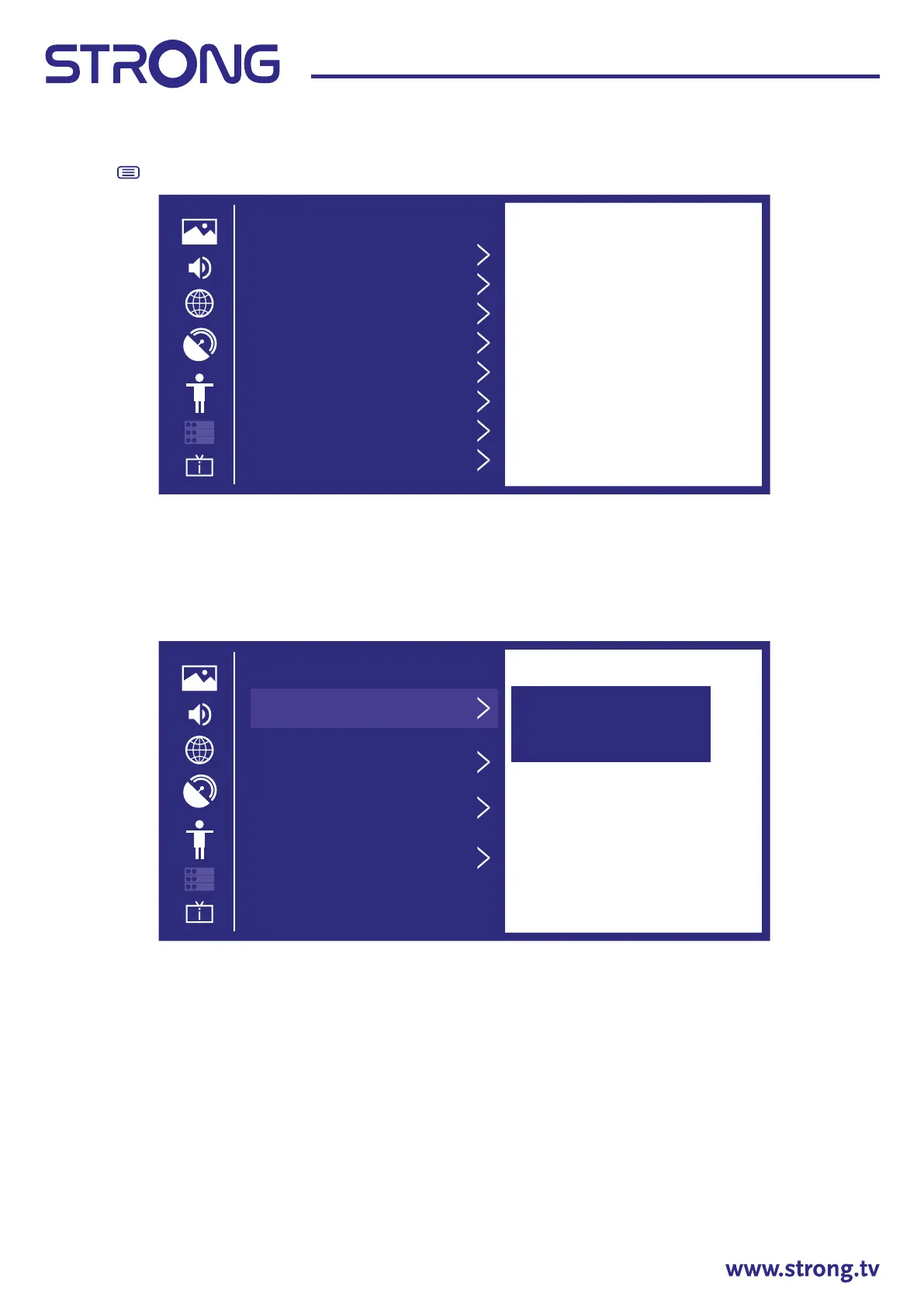
Press the button to display the main menu. Press to select System in the main menu.
1. Press to select the option that you want to adjust in the System menu.
2. Press OK to adjust.
3. After nishing your adjustment, press OK to save and return to the previous menu.
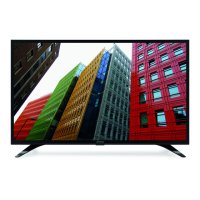
Time
Press to select Time.
Time Format
Press button to select Time Format. (Optional: 12-hour/24-hour)
Date/Time
Set the Date and Time
Press button to select Date/Time then press OK / to setup.
Time Zone
Select your time zone
Press button to select Time zone, then press OK / to enter sub-menu to setup.
Daylight Savings
Press button to select Daylight Savings. (Optional: O/On/Sync from DTV)
System
Time
Timer Sengs
System PIN
Parental Control
Language and Locaon
Amazon Alexa Service
Applicaon Sengs
HDMI & CEC
Time
Time Format
Set the me display to
be 12 or 24-hour
format.
12-Hour
Time Zone
UTC+1 Berlin
Daylight Saving
Sync from DTV
Date / Time


 To Next Page