27
9. MEDIA
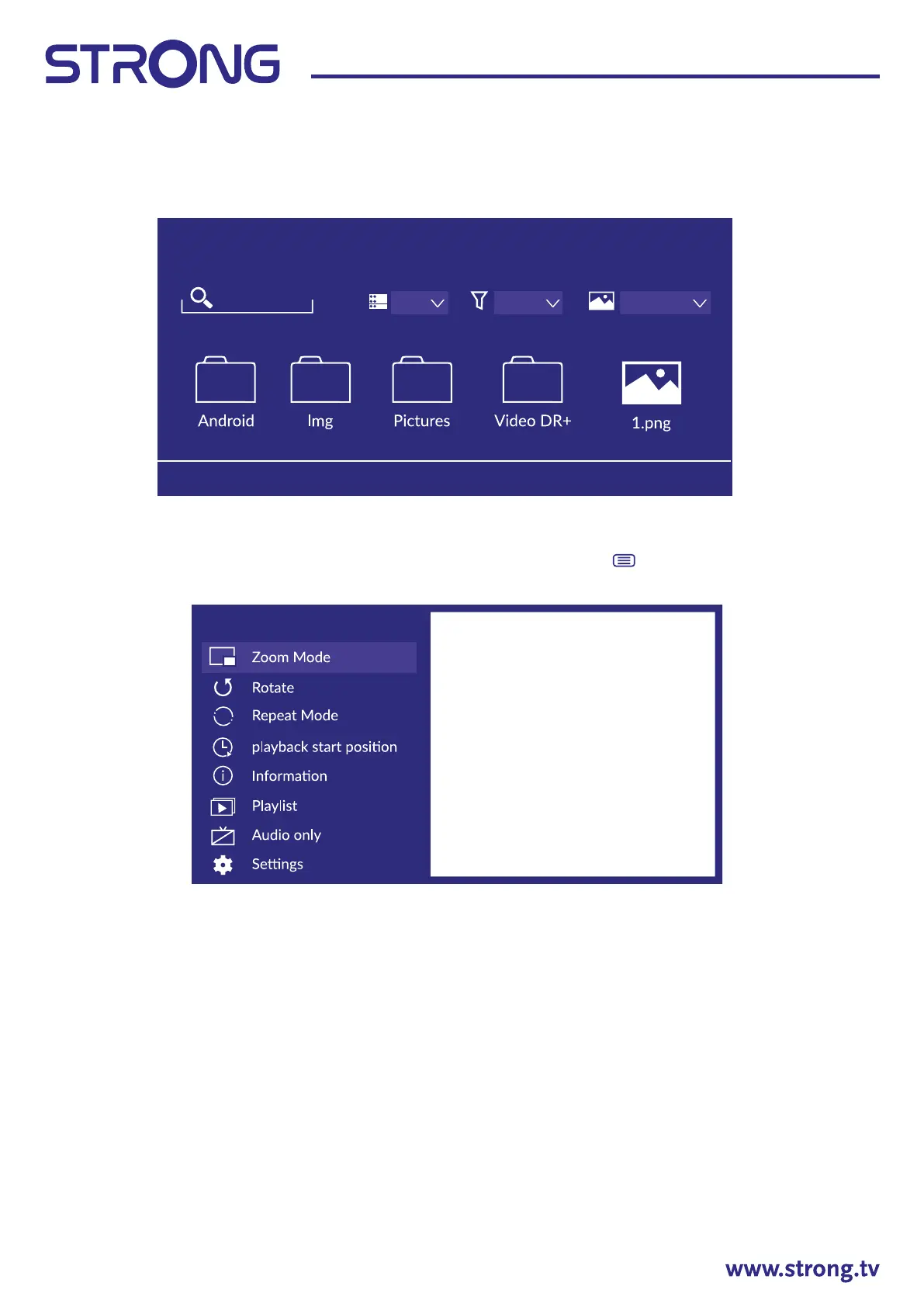
Press to select Media on the Home page or press MEDIA button on the remote and press [OK] to
enter the Media Center.
Video
Press to select Video or All, and press to select Movies. Press
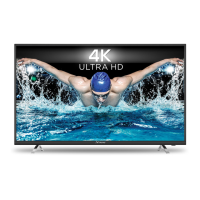
button to display the setting
options on the left side.
Zoom Mode
Press to select Zoom Mode, and press OK to select. Optional:Fit/Full/Original Size
Rotate
Press to select Rotate, and press OK to select.
Options:Right 90°/Left 90°
Audio Only
Press to select Audio Only, and press OK to select.
Repeat Mode
Press to select Repeat Mode, and press OK to select.
Optional:No Repeat/Repeat Current/Repeat All
Playback start position
Press to select Playback start position, and press OK to select.
Menu
KINGSTON
Search file
KINGSTON/ Press Menu to create list
Grid Name
All media


 To Next Page