17
Installation
2. Installation
Your STB can be easily installed by using
“Installation” Menu.Press the VOL move
to installation.
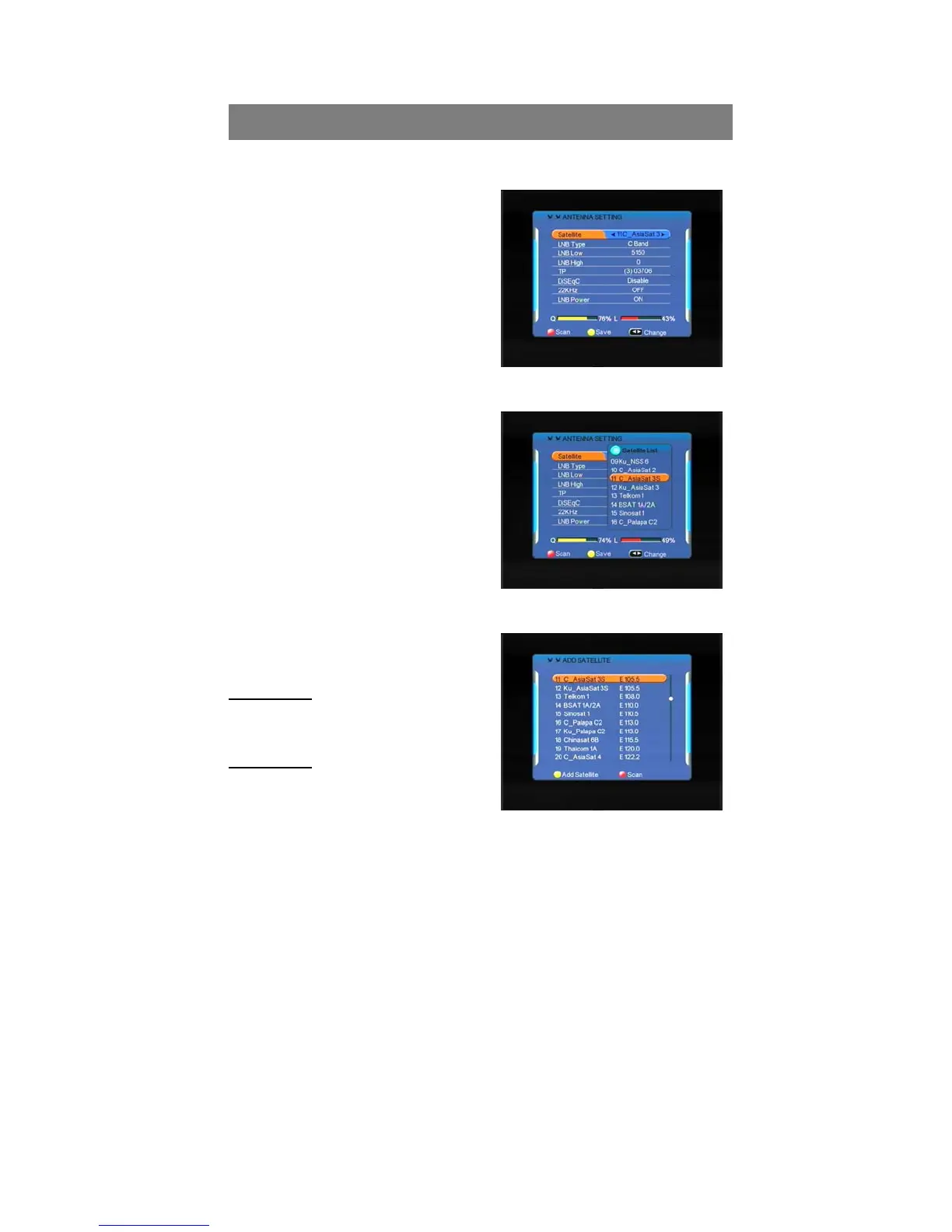
2.1.Antenna setting
Selecting your installed Satellite on the
right side, and press “Vol+” button to
enter into left side, then set all the other
figures such as LNB type;LNB low,LNB
high,Tp,DiSEqc; 22KHz; DiSEqC control; LNB Power and so on, using the ”Vol”
buttons on the remote control then press yellow button to save the settings.
ALL + NIT: To Search out all the Free
Channels + Scrambled Channels
available in particular Satellite or
Transponders including the new
transponders that are not
preprogrammed in your STB but
broadcasting by Satellite Provider.
Then press ”OK” button to start searching,
while the related menu shows a details
info of the scanning status.
2.2 Satellite list
Add satellite
Press the yellow button to add the new
Satellite to this STB.
Edit satellite
In this menu, you can view the satellite
information, and edit the satellite by
Rename and Modify Using the “Vol” or



 To Next Page