6
2.0 INSTALLATION
2.1 DEFAULT PIN CODE: 0000
2.2 FRONT PANEL/UNDERSIDE
Fig.2
NOTE: The graphics are for representation only.
1. Power indicator /remote sensor
2. Speakers
3. Buttons: Input source, Menu, V-/V+, CH-/CH+, Standby/ON.
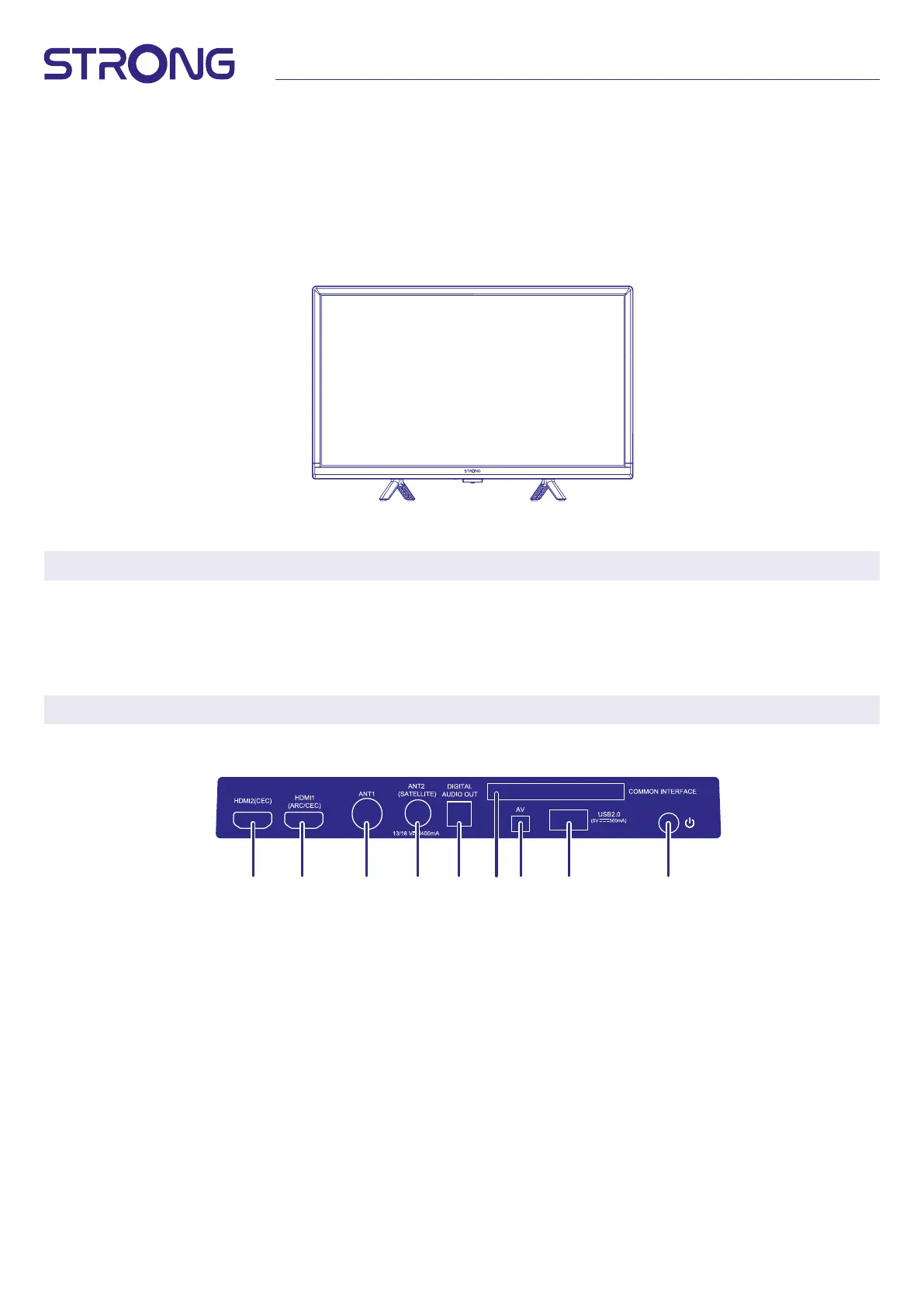
2.3 REAR PANEL
NOTE: The graphics are for representation only.
Fig.3
32”
1. HDMI 2 (CEC) Connect HDMI input signal from a signal source such as DVD, Blu-ray player or game console.
2. HDMI 1 Connect HDMI input signal from a signal source such as Chromecast stick, Android box, Google TV box
or Dolby audio amplier.
3. ANT 1 Connect a coaxial cable to receive signal from the DVB-T/T2 antenna or DVB-C cable.
4. ANT 2/ SAT IN Connect a coaxial cable to receive signal from the Dish LNB. Connect a coaxial cable to receive signal
from the DVB-T/T2 antenna or DVB-C cable.
5. S/PDIF (optical) Use an optical cable to connect your TV to a compatible digital amplier or Home theatre set.
6. COMMON INTERFACE Insert a Conditional Access Module (CAM) for decoding channels.
7. Mini AV IN To connect your video camera or other device using 3.5 mm AV cable to your TV to play videos on your
TV screen.
8. USB Connect a USB device for playback of multimedia les
9. Power button Press to turn the TV on, open menu or long press switch to standby
1
2 3 4
5 67 89


 To Next Page