EN-30
Advanced Save Settings
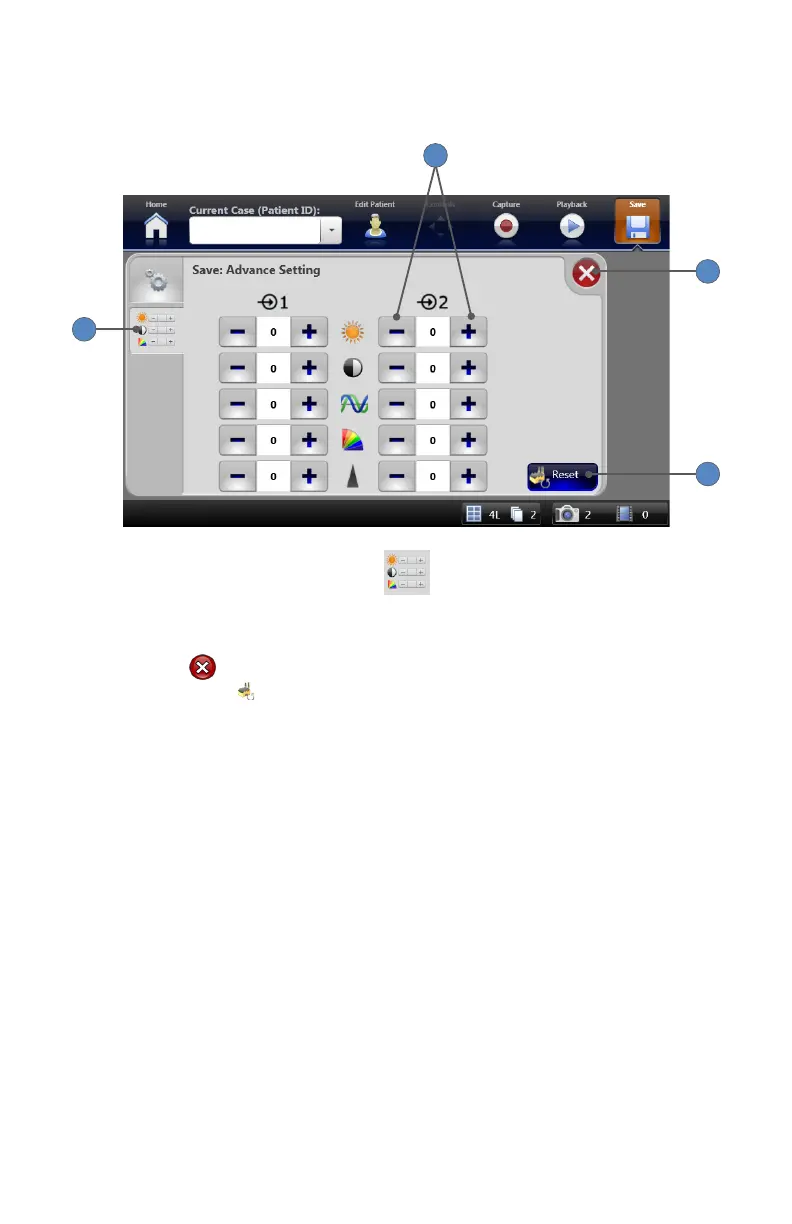
Advanced save settings are accessible though the SETTINGS tab
on the Save screen�
1
4
3
2
1� Selecting the ADVANCED SETTINGS tab navigates to the “Save: Advanced Setting”
screen�
2� The +⁄− buttons adjust brightness, contrast, phase, chroma and sharpness for images
captured on Channel 1 and Channel 2�
3� Pressing the button returns to the Save Settings Screen�
4� Pressing the RESET
button restores default settings�



 To Next Page