EN-46
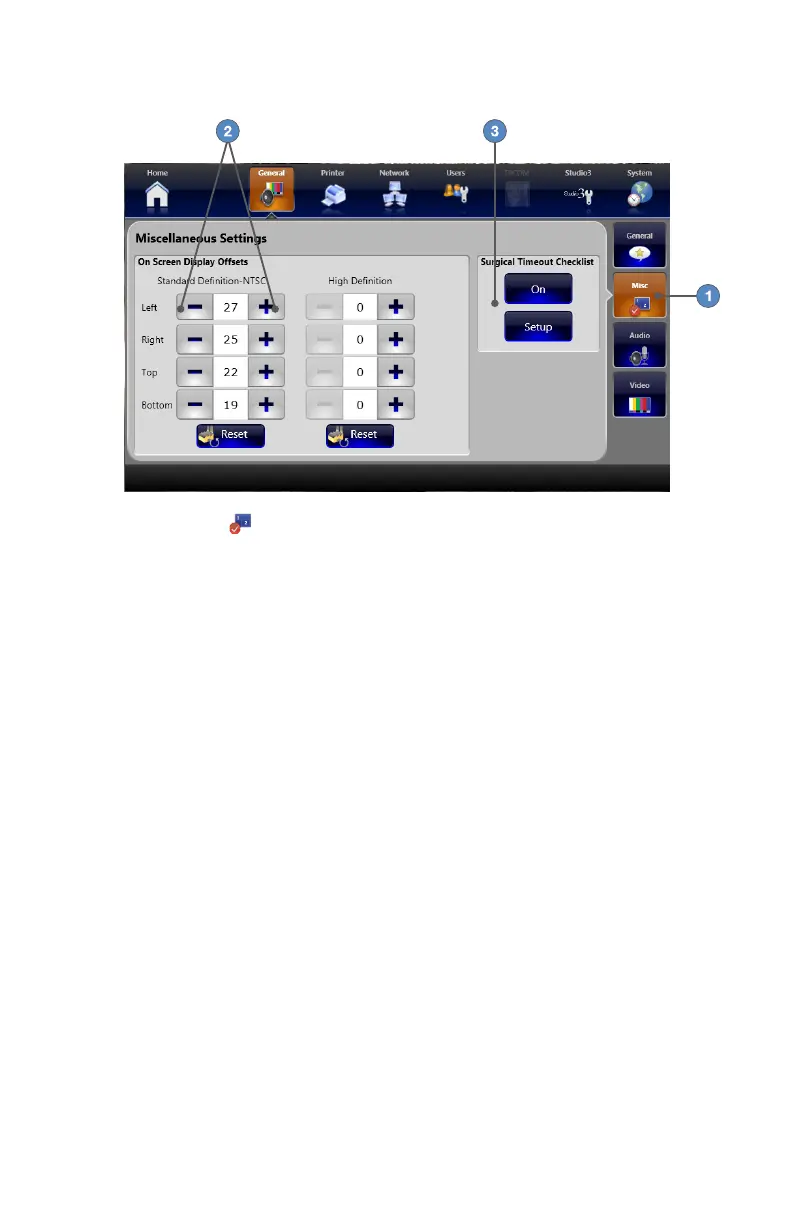
General Miscellaneous Settings
1� Pressing the MISC
tab displays general miscellaneous settings�
2� The +/ buttons adjust the position of images projected onto the surgical display� Use the
appropriate Standard Denition or High Denition settings for your video source� The RESET
buttons restore factory default values�
3� The SURGICAL TIMEOUT CHECKLIST buttons enable/disable the surgical timeout
checklist� The SETUP button launches the Surgical Timeout Checklist Setup screen�



 To Next Page