EN-59
User Account Settings
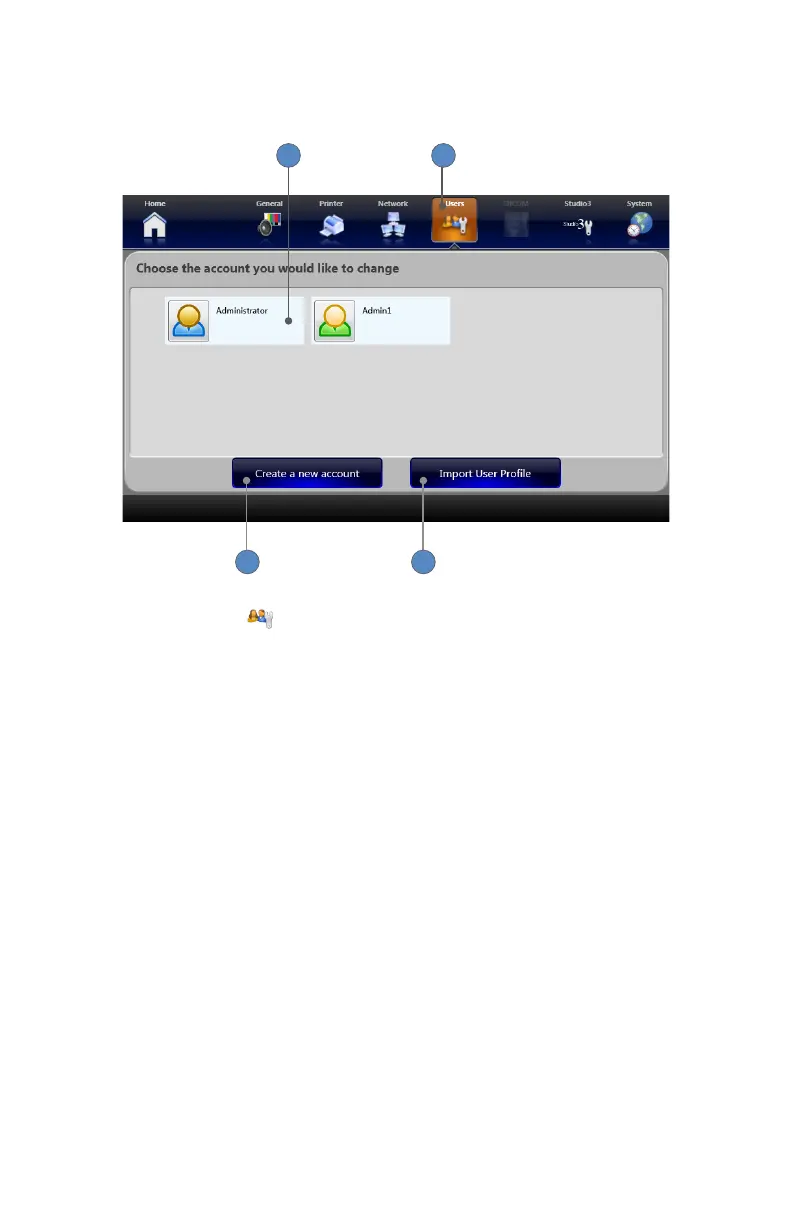
In the User Accounts Settings screens, you can create, modify, or delete user accounts�
1
43
2
1� Selecting the USERS tab opens the User Accounts screen� All available user accounts
are listed�
2� Selecting any user account will open the Account Modication screen�
3� Pressing the CREATE NEW ACCOUNT button opens the Account Creation screen�
4� Pressing the IMPORT USER PROFILE button imports a user prole from a USB drive�



 To Next Page