EN-49
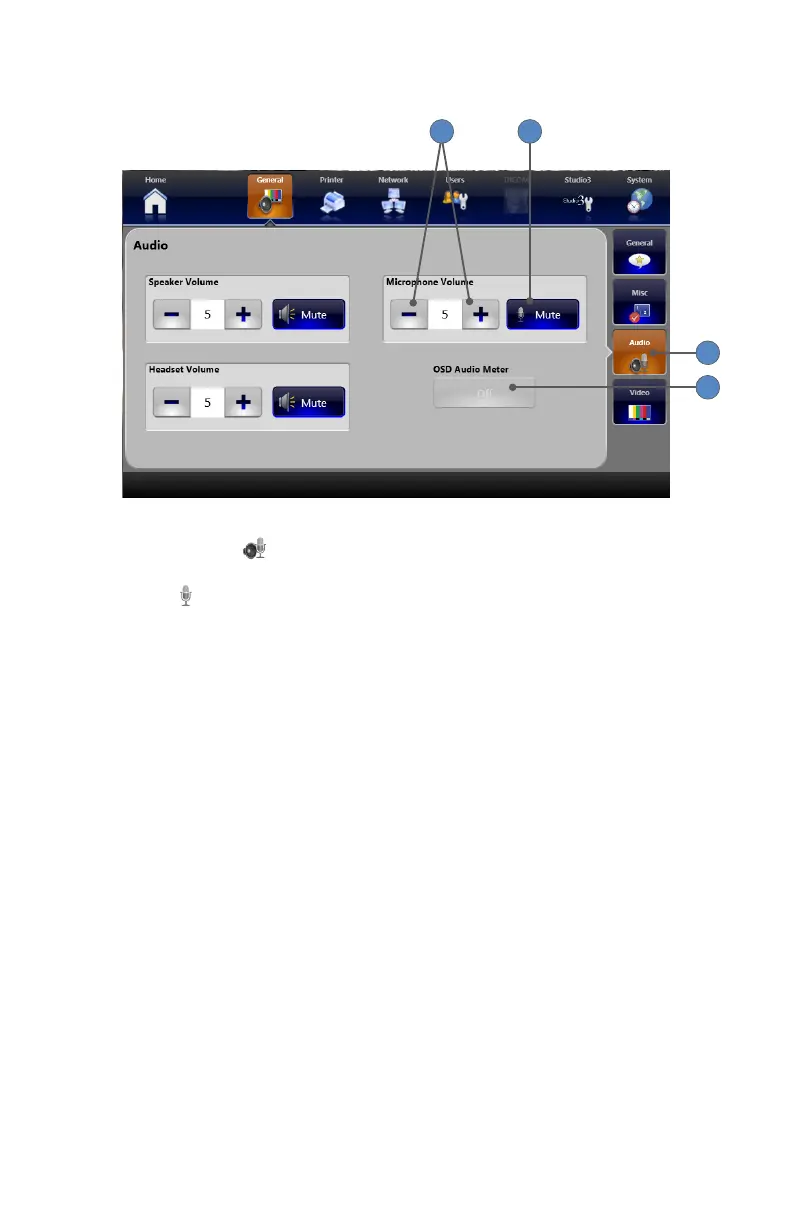
General Audio Settings
1
4
2 3
1� Pressing the AUDIO tab displays the General Audio settings screen�
2� The +⁄− buttons adjust volumes for the Headset, Speaker, and Microphone�
3� The MUTE buttons mute the Headset, Speaker, or Microphone�
4� The OSD AUDIO METER button is enabled only when the SDC3 Voice Package is installed�
It appears as an indicator bar on the surgical display to indicate the strength of the audio
input�



 To Next Page