EN-21
DRAFT
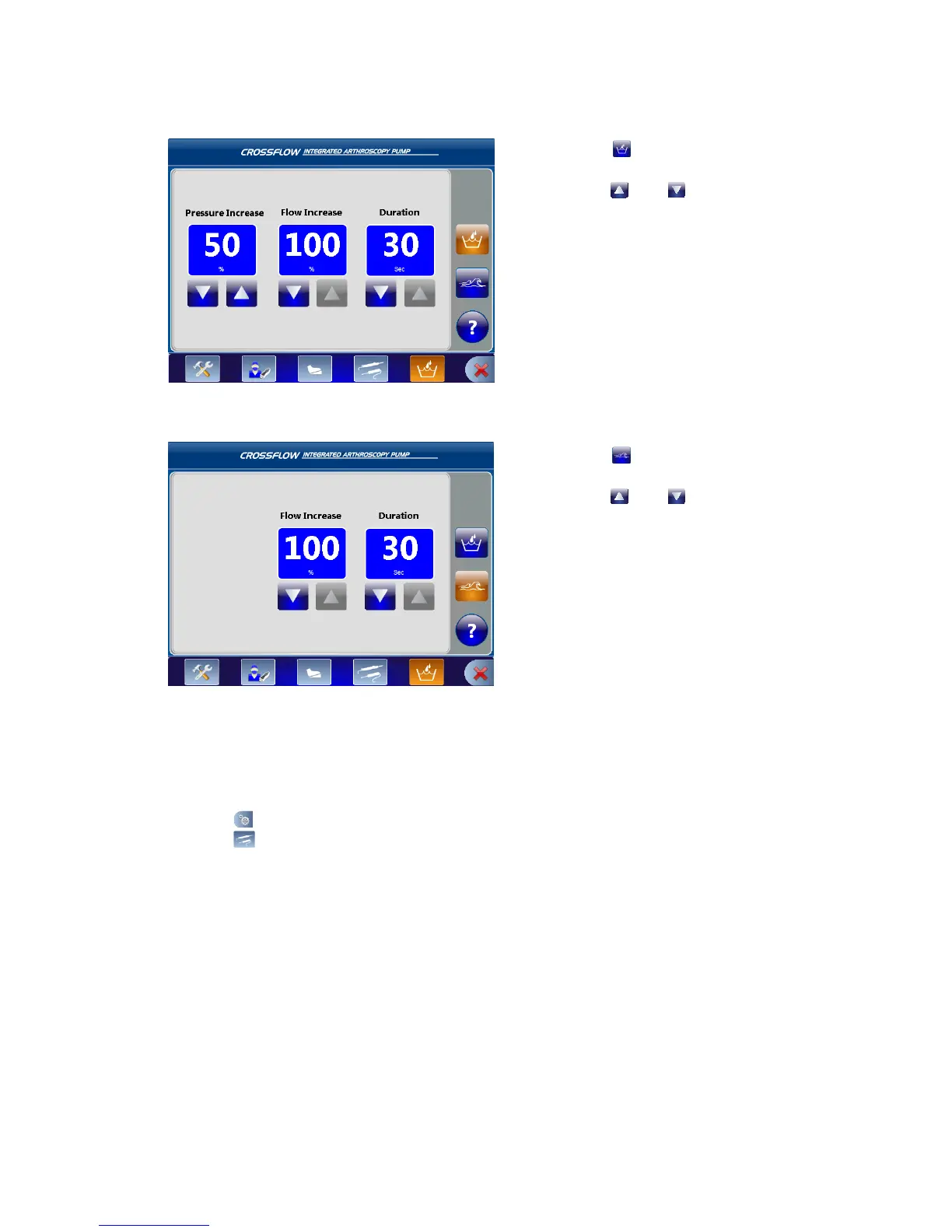
Wash Function Settings
1� Press to program the settings for the
Wash function�
2� Press and to adjust the Pressure,
Flow, or Duration�
In this scenario, the pressure will increase by
50% and the ow will increase by 100% for 30
seconds�
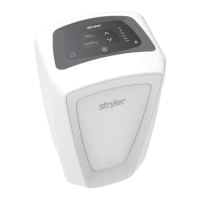
Clear Function Settings
1� Press
to program the settings for the
Clear function�
2� Press
and
to adjust the Flow or
Duration�
In this scenario, the ow will increase by 100%
for 30 seconds�
Programming the Resection Integration Settings
Note: Adjusting the settings will override the default and user preference le settings�
1� Press
to open the Main Menu�
2� Press
to open the Resection Integration Settings Menu�



 To Next Page