E-9
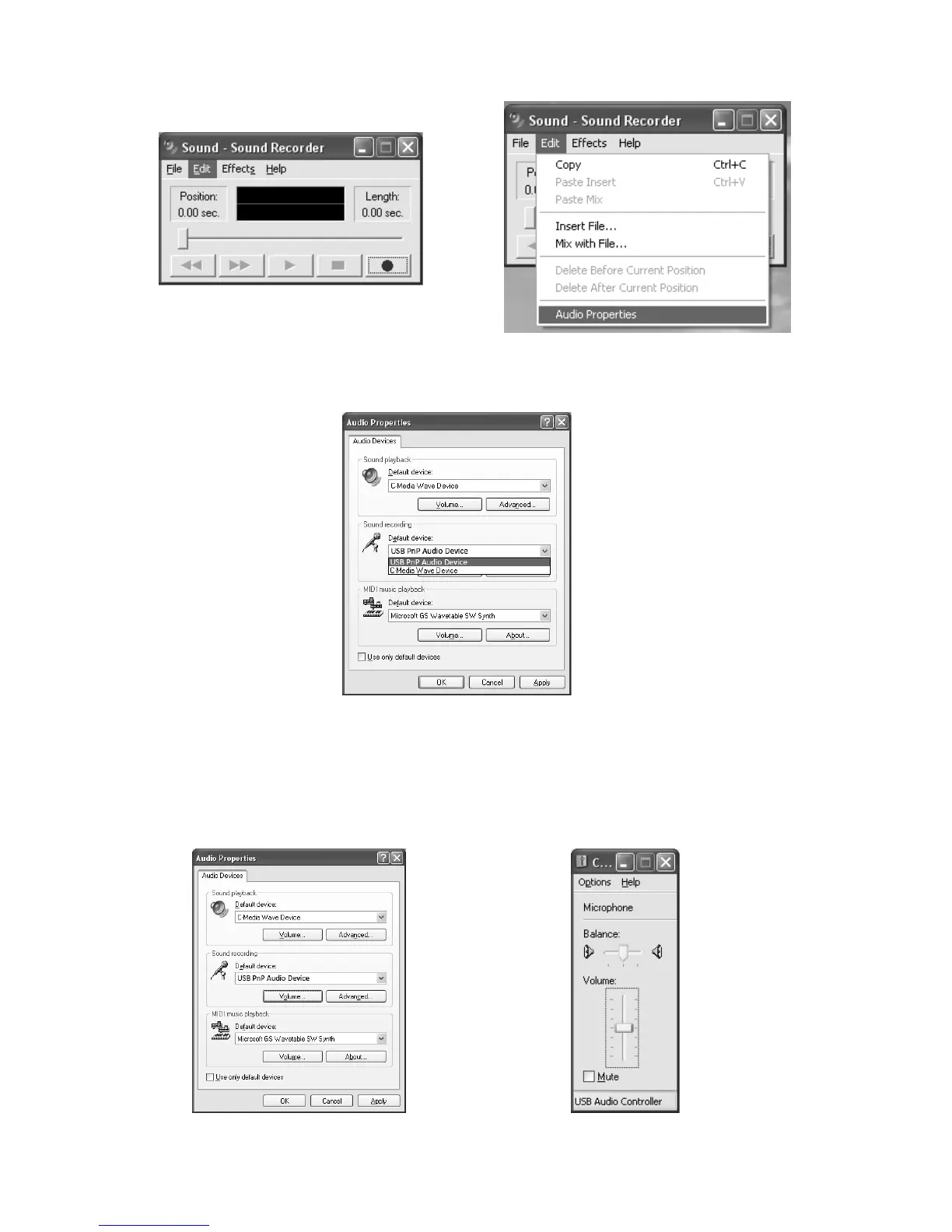
3. Select “Edit” and then click “Audio Properties“ toward the bottom of the menu to
select “Audio Properties” interface.
4. In the Sound Recording field, click the pull down menu to select “USB PnP Audio
Device” as Default device of sound recording.
5. Click the Volume button under the Sound recording tab to open ”Recording
Control“ interface;
6. Adjust the line in volume to a level without distortion. You can play a record on the
turntable and use the Sound Recorder to record a short clip of music for testing. The
sound wave will show on the interface screen when recording.


 To Next Page