records will have scratches and groove wear. No amount of cleaning will fix this. So after
cleaning, some records may sound “perfect” and others may not
COMPACT DISC CARE
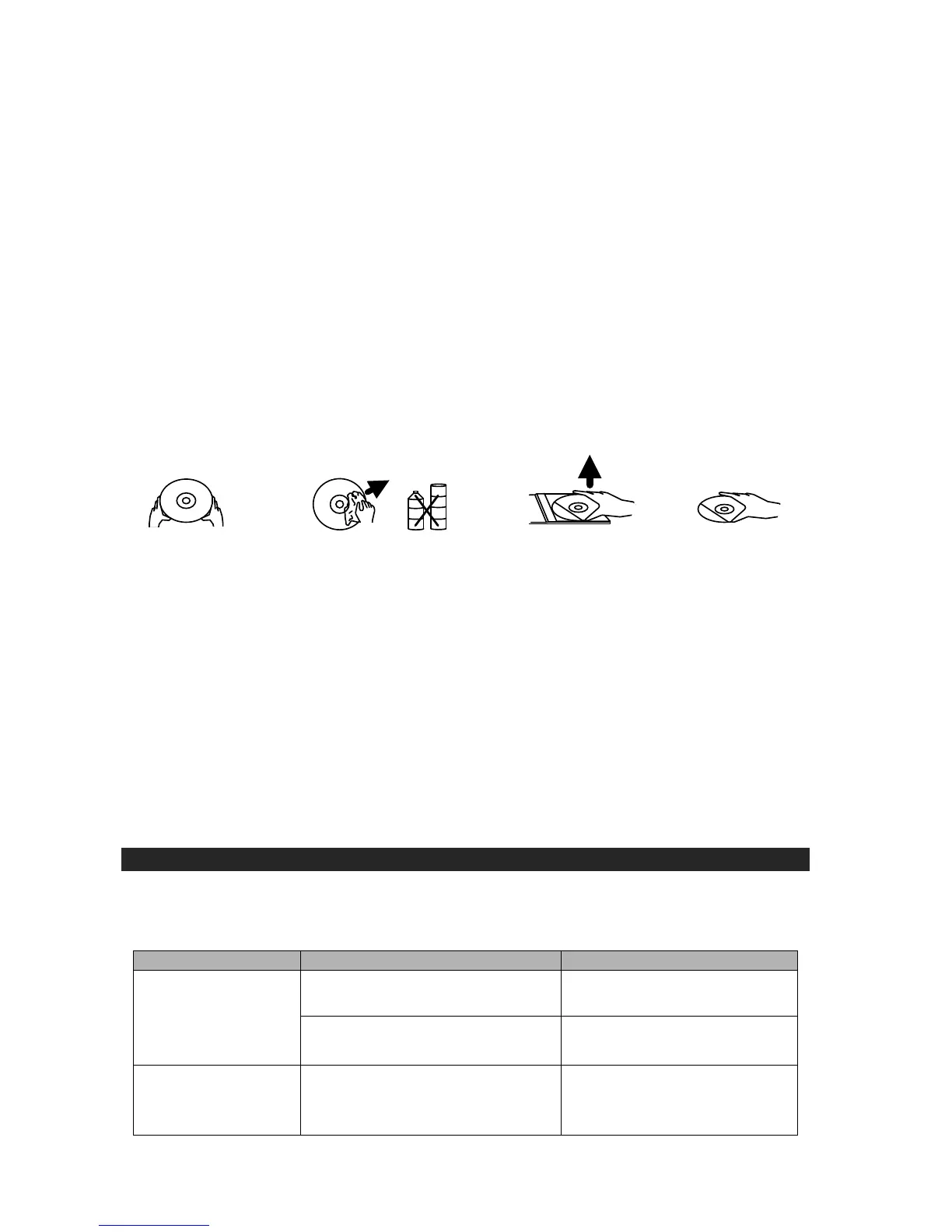
Handle the disc only by its edges. Never allow your fingers to come in contact with the shiny,
unprinted side of the disc.
Do not attach adhesive tape, stickers etc., to the disc label.
Clean the disc periodically with soft, lint-free, dry cloth. Never use detergents or adhesive
cleaners to clean the disc. If necessary, use a CD cleaning kit.
If disc skips or gets stuck on a section of the disc, it is probably dirty or damaged (scratched).
When cleaning the disc, wipe in straight lines from the center of the disc to the edge of the
disc. Never wipe in circular motions.
To remove a disc from its storage case, press down on the center of the case and lift the disc
outs, holding it carefully by the edges.
Fingerprints and dust should be carefully wiped off the disc's recorded surface with a soft
cloth. Unlike conventional records. compact discs have no grooves to collect dust and
microscopic debris so gently wiping with a soft cloth should remove most particles.
CLEANING THE UNIT
To prevent fire or shock hazard, disconnect your unit from the AC power source when
cleaning.
The finish on the unit may be cleaned with a dust cloth and cared for as other furniture, Use
caution when cleaning and wiping the plastic parts.
If the cabinet becomes dusty wipe it with a soft dry dust cloth. Do not use any wax or polish
sprays on the cabinet.
If the front panel becomes dirty or smudged with fingerprints it may be cleaned with a soft
cloth slightly dampened with a mild soap and water solution. Never use abrasive cloths or
polishes as these will damage the finish of your unit.
CAUTION: Never allow any water or other liquids to get inside the unit while cleaning.
TROUBLESHOOTING GUIDE
If you experience difficulties in the use of this music system please check the following or
call 1-800-777-5331 for Customer Service and Support.


 To Next Page