5 - Programming the fixtures into the scenes:
The controller can drive a maximum of 40 fixtures, each one up to 32 DMX channels.
HOW TO CHANGE DMX VALUE TO EACH PARAMETERS:
Once you have selected a spot/spots or group of spots (as reported page 7), proceed in the following way:
- To modify the numeric value of each DMX channels use the sliders CHANNELS 1..16/17..32.
- Use the button CH PAGE to select the page of the channels that you want to attend.
- Pressing this key the sliders will attend alternatively on channel 1..16 and 17..32, in order to kw in
which page you are, the channel 1 or 17 will be shown on the display.
- The value of each channel can be changed operating on the slider or inserting a new value
using the 0-9 buttons..
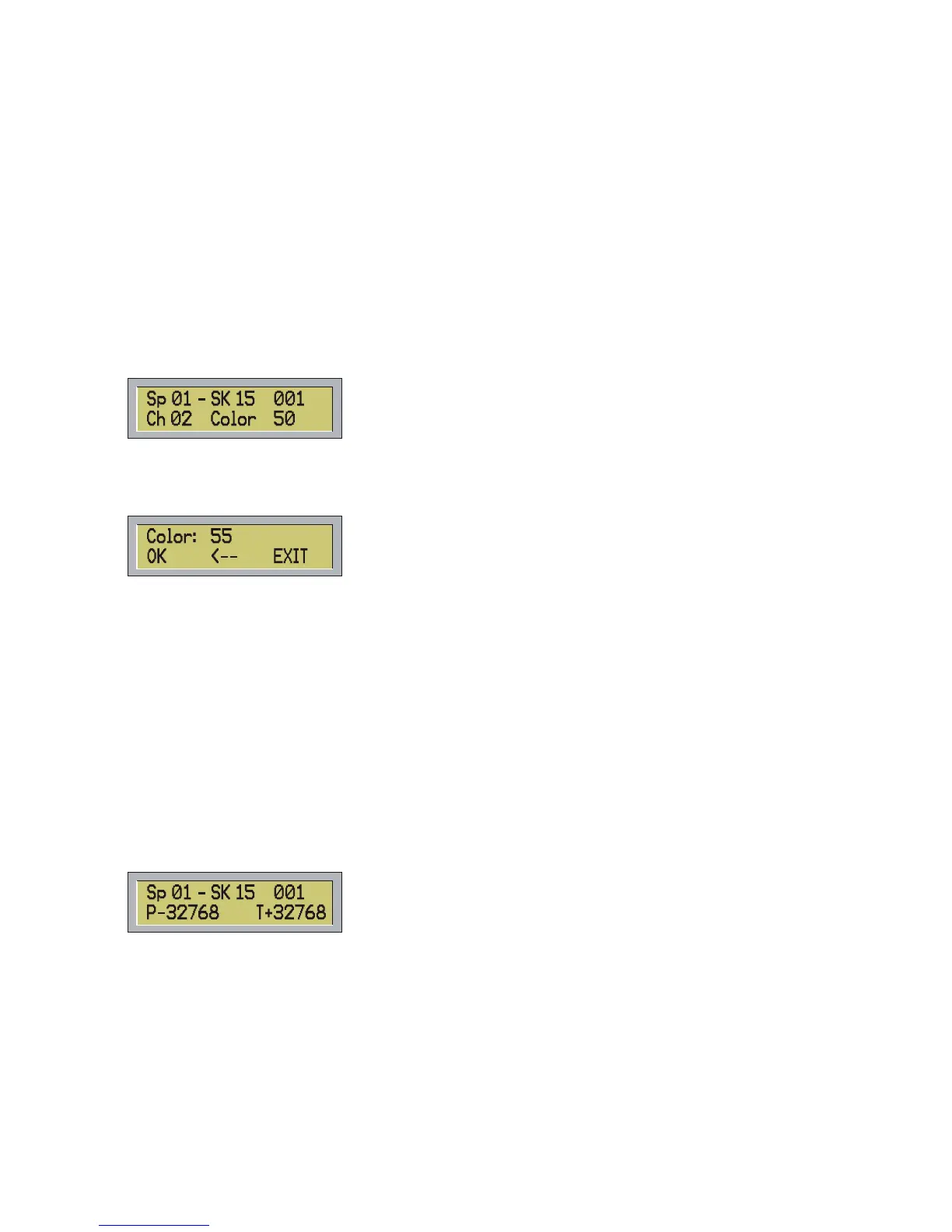
After modifying the value of the channel using the relative slider, the display of the controller will show for
instance:
- In this example you are programming the spot 1 (that is a Shark 159, with DMX address 001) and you have
moved the Color channel for which you have assigned a value of 50.
- When moving the slider of one parameter, you can also set the right value through the 0-9 buttons, in this
case the display will show:
- Press OK (F1) or ENTER.
- To cancel the last number press Å (F2). To esc press EXIT (F3) or ESC.. In case you digit a
number higher than 255 the error message WARNING OUT OF RANGE will be shown, and if
you forget to put the value of the channel before pressing OK (F1) or ENTER the error message
WARNING. MISSING VALUE will be shown.
- To modify the PAN/TILT position you can use the joystick or the sliders CHANNEL 1..16/17..32 referred
to the pan and tilt parameters.
AXIS INVERSION:
You can change the movements of the two axis of the joystick with the X INVERTION and Y INVERTION
buttons...
- Pressing this button all the four available combinations for X and Y will be selected sequentially.
For instance, if you select the spot number 1 and it is a Shark 150W assigned at DMX 001 channel. and Pan
and tilt are both at middle coarse, with a DMX value of 32768 ( for spots with resolution at 16 bit), the display
will show:
In this case, the pan parameter is inverted meanwhile the tilt is direct, showed by mark – after P and by mark
+ after T .
The possible settings are:
1) P+32768 ---T+32768
2) P-32768 ---T+32768
3) P+32768 ---T-32768
4) P-32768 ---T-32768
These settings are valid for all the selected items (spot7spots or group of spots), if not items are selected the
message WARNING not active spots will appears.
12



 To Next Page