VMK88-MANUAL__________________________________PRESETS
________________________________________8________________________________________
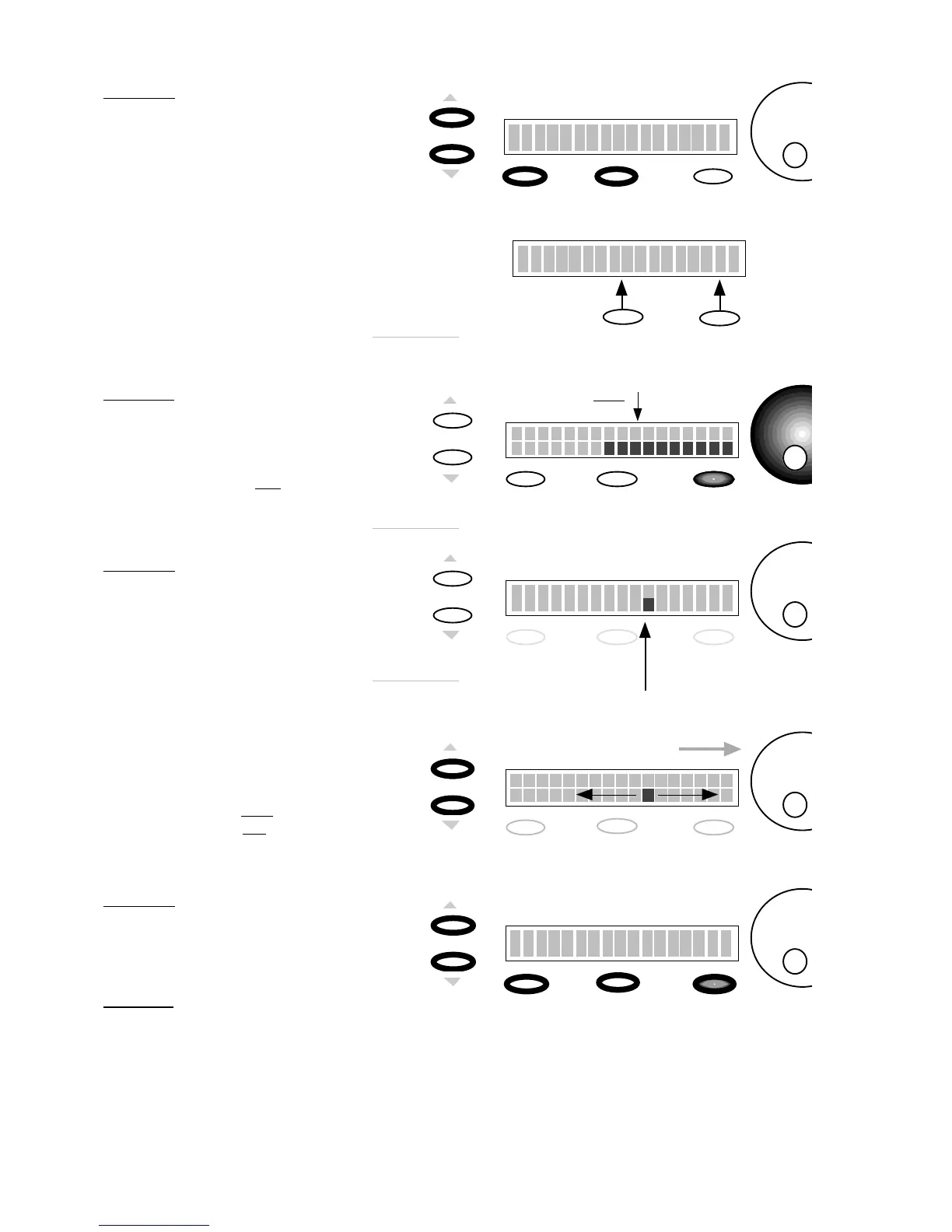
Storage
Enter
Store Parameters
No Yes
Storage and Enter buttons now
function as No or Yes buttons.
2)
PRESS
ENTER(Yes)
SCREEN
CHANGE
In this example we’ll choose
Yes.
Edit
Storage
Enter
Preset Num. : 1
Name :
CURSOR
will blink
SCREEN
CHANGE
Edit
1)
PRESS
STORAGE
Storage
Enter
Store Parameters
No Yes
You will save your program to a user
preset.
NOTE: If you select
No
you’ll
be taken back to the “Press or
move any Control” Page.
Edit Storage
Enter
Preset Num. : 1
Name :
3)
PRESS
PG UP/ PG DN
NOTE: If you’d like to move to a
different Preset location use the
DE dial. THIS WILL COPY ALL
PROGRAM DATA TO THE NEW
PRESET LOCATION
CURSOR
Moves
to second LCD line
4)NAME PRESET
By pressing the
Page Up
or the
Page Down
button you will move
the cursor to the Name field of the
LCD display
Page Up
Page Dn
Edit
Storage
Enter
Preset Num. : 1
Name :
Select : Letter / Number
Name the Preset using the combination
of The Page Buttons and the DE Dial.
Remember the Name can only be
ten characters long
Page UP:
moves cursor
Right
Page DN:
moves cursor
Left
Data Entry Dial:
selects
Letter or Number
5)
PRESS
STORAGE
SCREEN
CHANGE
Edit
Storage
Enter
Are You Sure?
No Yes
You will save your program and its
name.
6)
PRESS
ENTER (YES)
You will return to the Preset Page
with your Named Preset.














 To Next Page