VMK88-MANUAL__________________________________PRESETS
________________________________________7________________________________________
The VMK-88 has 27 programmable user presets. Let’s look into the two ways of
selecting
a preset.
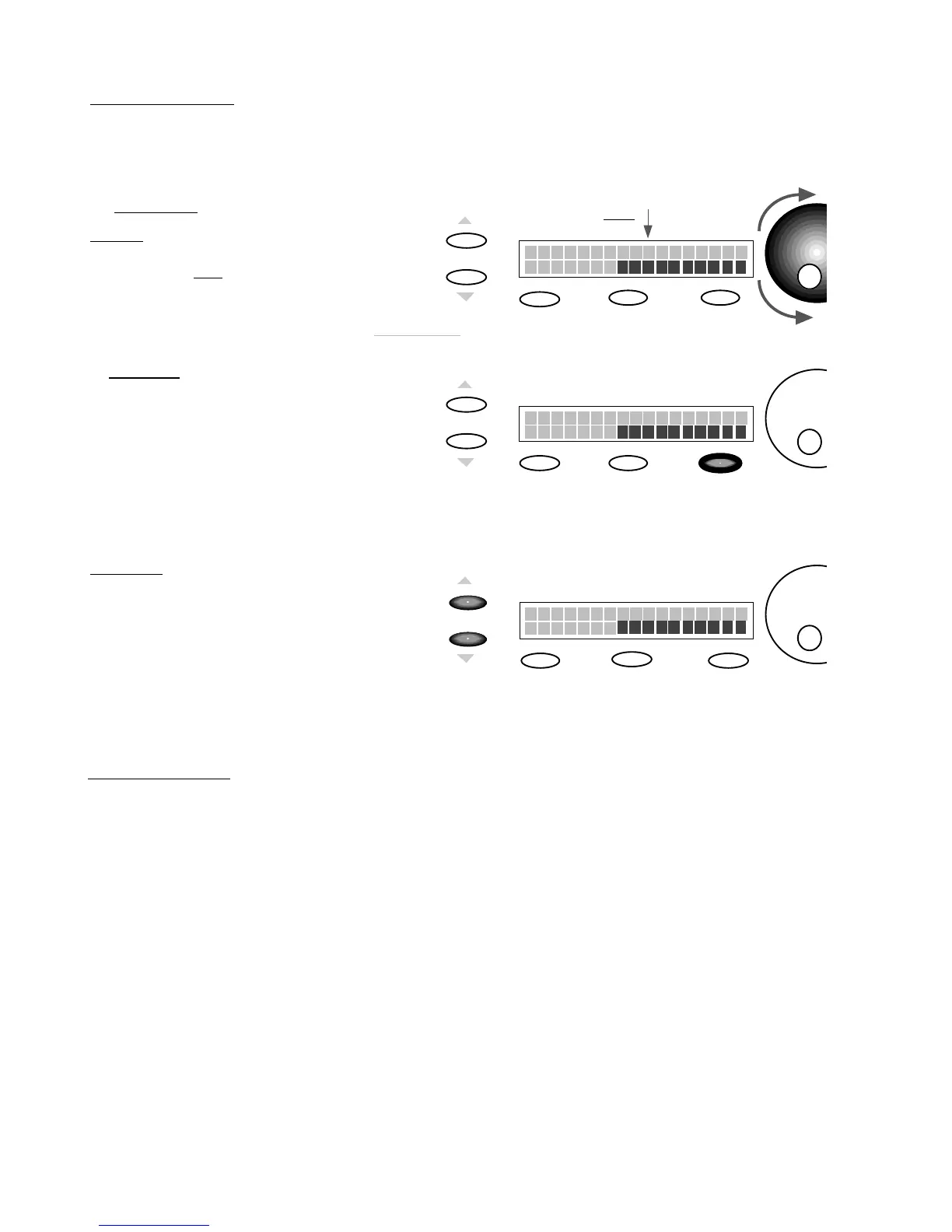
PROCEDURE: PRESET SELECTION
1)
ROTATE
DATA ENTRY DIAL
Rotating
the DE Dial will scroll thru
the
Presets
.
The
cursor
will blink.
Scroll to the
Preset
you want.
Edit
You may also choose
Presets
sequentially by using the
Page
up or
Page
down Buttons.
Storage
Enter
The VMK-88 has 27 programmable user presets. Each Preset can have a 10 character name. Each name can have
any combination of letters or numbers you choose. In this example, we will start from a preset that’s already been
programmed. You have the option of naming your preset during the editing process. When you’ve completed your
edits and reach the
press storage step
(
Step 6 in Button Programming, Step 7 in Sliders/Knobs/Pedals, Step 8 in
Keyboard),
follow this procedure:
Edit
Storage
Enter
Preset Num. : 1
Name :
CURSOR
will blink
Edit
Storage
Enter
Preset Num. : 15
Name :
2)
PRESS
ENTER
NOTE: You can preview the
Presets
without making a selection . If you
don’t Press the Enter Button.
the VMK88 will return to the last
Preset
Selected.
Wait until the
cursor
stops
blinking.
Preset
is now selected.
PRESS
PAGE Up/Dn.
QUICK SELECT (A)
QUICK SELECT (B)
Preset Num. : 1
Name :
NOTE:(1) You must allow the VMK88
to scan the controls before the selection
is complete; (2) You can only move thru
the Presets one at a time.
PROCEDURE: PRESET NAMING
Continued on Page 8














 To Next Page