VMK88-MANUAL_______________________KEYBOARD LAYOUT
________________________________________4________________________________________
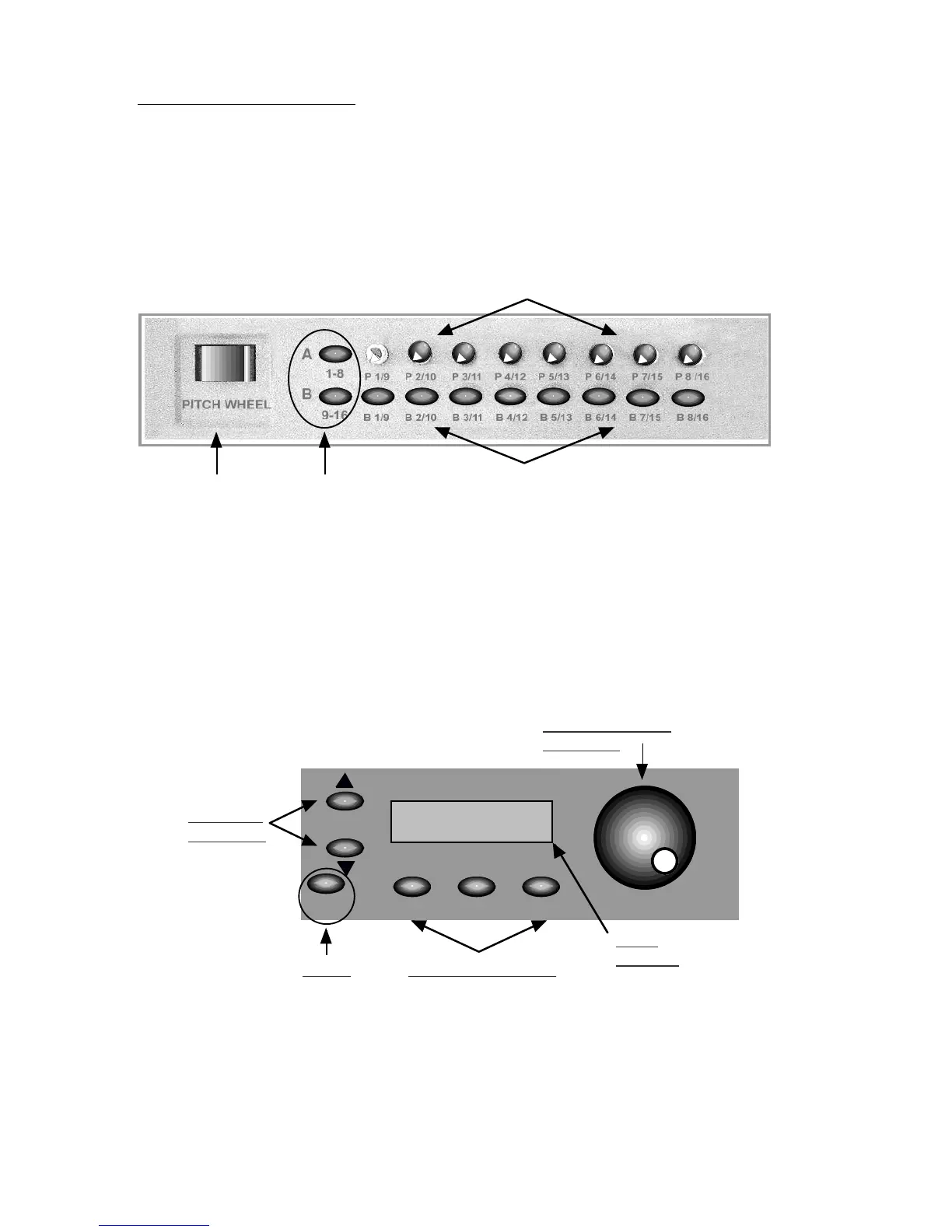
KEYBOARD LAYOUT: DETAILS
Knobs &
Buttons
Knobs 1-8
Buttons 1-8
Banks: A & BPitch Wheel
Program
Controls
Knobs and buttons may be programmed to control anything from a loop on a sampler
to reverb depth on a sound module. 8 knobs, 8 Buttons, 2 banks each giving 32
possible combinations per patch.
The program control section features: A 2 x 16 Lcd display; A convenient rotary dial for
data entry, referred to as the DE dial; Page up and page down buttons for moving
through the various parameter options of the controller you are programming; Edit,
Storage and Enter buttons, key elements when programming your keyboard; And a
Panic button if all else fails.
NOTE: Banks are
highlighted when
they are selected
PANIC EDITSTORAGE ENTER DATA ENTRY
PAGE
Page UP
Page Dn.
Data Entry Dial
(DE Dial)
Panic
LCD
Display
Program Buttons
NOTE: Panic will
transmit a global
All notes off
Message.














 To Next Page