17 © STULZ GmbH – all rights reserved EN/11.2018/G67C
wib8000 original instructions
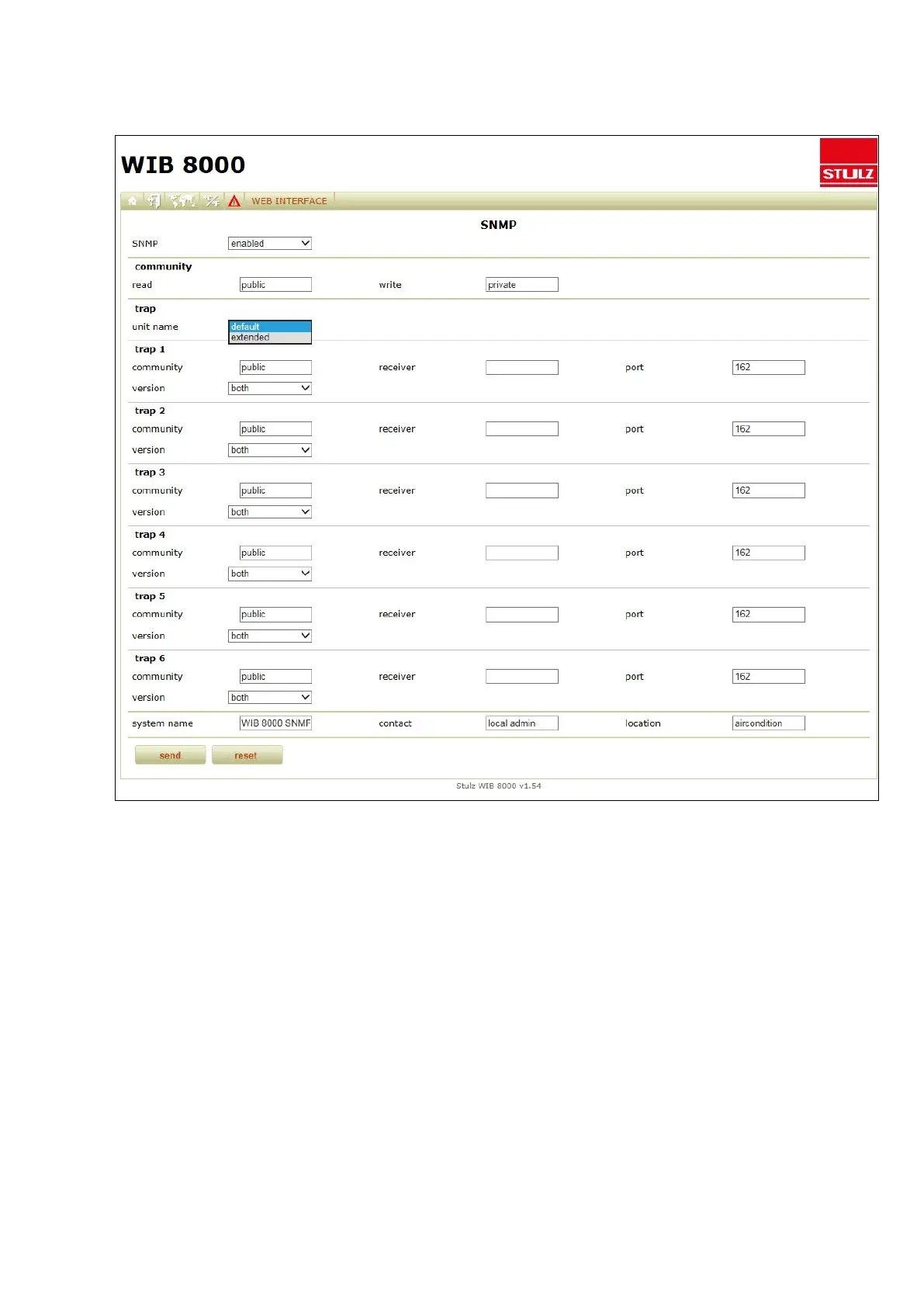
Settings for using the SNMP protocols (Menu: Web Interface/network/SNMP)
SNMP
For safety reasons you can block the SNMP access (setting: disabled).
Community
Set the community, which has read-only access to SNMP messages and the community, which has write access.
Trap
There are the following settings for specifying the unit name in the SNMP message:
Standard:
the designation is automatically generated following the pattern "bus x, unit y".
x = bus number of the WIB8000
y = global address of the unit, which caused the alarm (trap).
extended:
The unit name which was adjusted by the customer in the menu "Config/web interface" is used.
This field also allows UTF8 encoding (all international character sets). If you enter a name here, which contains



 To Next Page