32 EN/11.2018/G67C © STULZ GmbH – all rights reserved
wib8000 original instructions
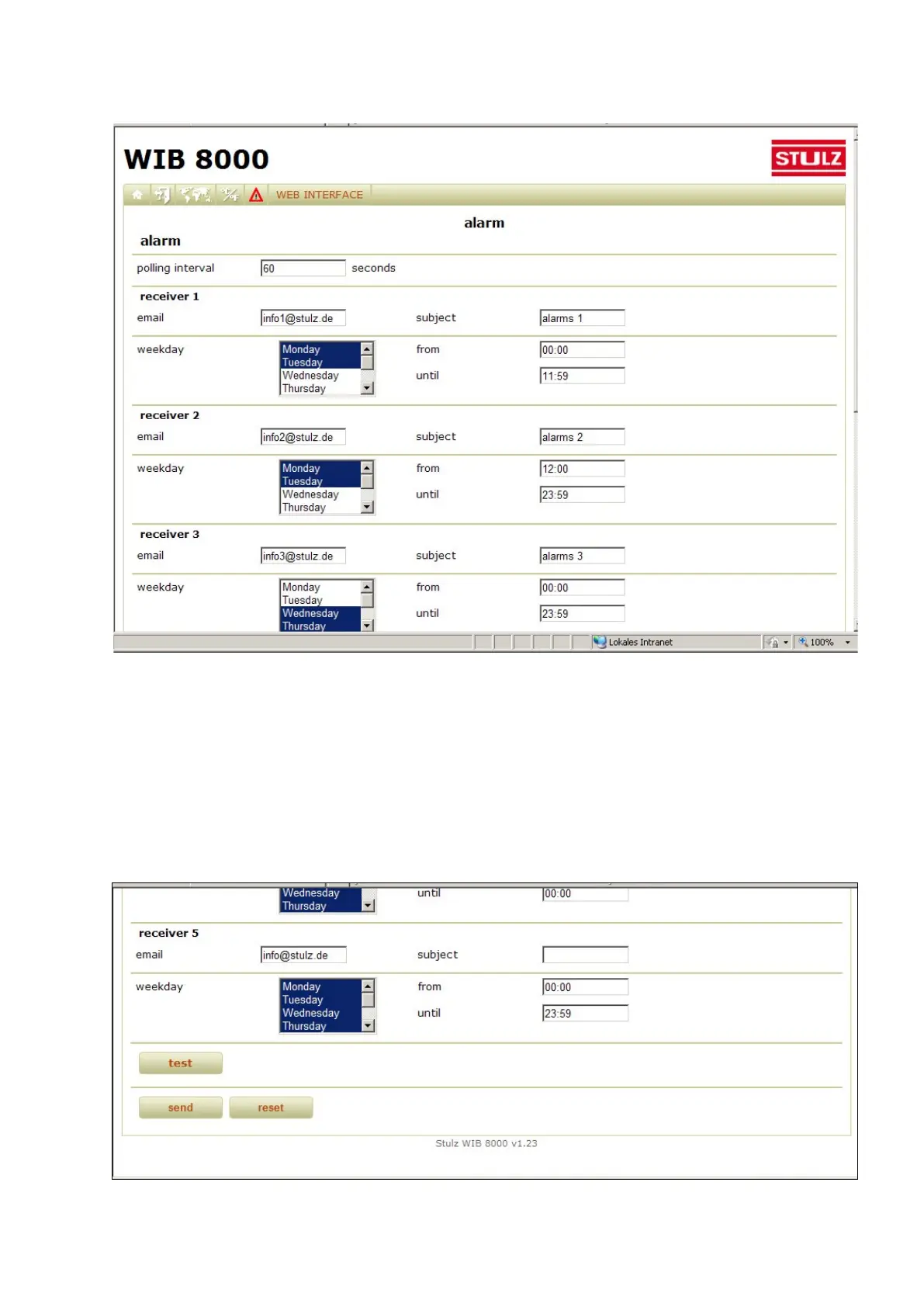
Alarm notification (Menu: Web Interface/Alarm)
You can enter up to five receivers or time spaces for the notification via e-mail when alarms occur. You can set
the days at which this shall happen individually for each receiver (for several days by mouseclick while keeping
the Ctrl-key pressed). The time spaces can also be set specifically for each receiver.
SMS notification
When alarm messages shall be sent to an e-mail/SMS service, set the receiver and the subject according to
the specifications of the provider.
By the "Test" button you can send a test email to all registered alarm-email receivers.



 To Next Page