RST
Description of parameters and functions.
Sr.No.
Parameter
Parameter setting
method.
Fact.
Set
Range
Min
Max
Description of parameters and functions.
Sr.No.
Parameter
Parameter setting
method.
Fact.
Set
Range
Min
Max
Function: To restore default
settings.
Function: To lock keypad.
Function: To end
programming.
Reset
Parameter
Keypad
Lock
END
Parameter
When set to “ ”, all
parameters are programmed to
factory set values.
Useful to debug setting related
problems.
Once the set key is pressed,
the control goes into the
normal mode.
To change
the “ ”
parameter
press the
SET key.
To end
programm-
ing, press
the SET key
13
12
14
Example : Setting this
O
parameter at 20.0 C will not
allow the set point to go
O
below 20.0 C. Also, if the
O
temperature reaches 20.0 C
or goes below, the display will
show Lt (Low Temp)
indicating that the
temperature has gone below
the value in this parameter.
Operating messages
Description
Temperature equal or above the maximum limit of the set point.
(“ ”)
Temperature equal or below the minimum limit of the set point.
(“ ”)
Probe circuit open or without probe, or for temperature out of
given range.
9 10
11 12
Use UP/DOWN keys to set
desired range. After setting the
desired range, press the set key
and you will see "- - - -” which
confirms that the value has been
stored in memory.
This parameter locks the keypad
so that tampering is not possible
by bystanders.
= keypad unlocked
= keypad locked
When locked , all the parameters
can only be viewed, but can't be
modified. When you enter the
parameter it will display “ ”
and then it will show the value of
parameter.
To change
the “ ”
parameter
press the
SET key.
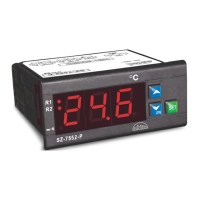
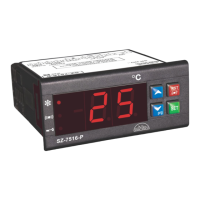
Technical Data
Housing : ABS Plastic
Dimensions : Front : 75.5x35 mm
Depth : 87 mm
Mounting : Flush panel mounting with fasteners.
Protection : Front panel is waterproof & I.P. 65 rated.
Connection : Screw terminal blocks. .5mm2
one wire/terminal only.
Data Storage : Non-Volatile EEPROM Memory
O O
Storage temp : -20 C to 70 C(non-condensing)
O
Accuracy : +/-1 C
Power Input : 230Vac +/-10%, 50-60Hz
O O
Operating Temp : 5 C to 50 C(non-condensing)
Sensor Type : RTD/ J / K
Resolution : 0.1°C 3 wire RTD & 1°C for 2 wire RTD ,J, K .
Display : 4 digits display,size 0.56” (7 segments)
LED status : 1.Relay On/Off
2.SSR On/Off
3. “J”
4. “K”
5.“RTD”
Control Action : 1. Proportional
: 2. On-Off
Relay Mode : Heating / Cooling.
Input : Tc J or Tc K or RTD 2/3 wires
Output : Relay / SSR ( selectable )
Probe Fail
Control Action : Relay OFF
Contacts : C-NO-NC
1
Message
Press RST key to come out of Program/Set mode immediately.
If Controller is in Program or Set mode and RST key is
pressed it will come to the normal mode.
Function: To set Probe
calibration.
Use UP/DOWN keys to get
desired value. After setting
desired value press SET key
& display will show “- - - -”
which confirms that value has
been stored in memory.
Probe
Calibration
To change
the “ ”
parameter
press the
SET key.
O
-20 C/
-20.0
O
C
(rtd3)
O
20 C/
O
20.0 C
(rtd3)
O
0 C
11
Example : The temperature on
O
the display is 28.0 C, whereas
the actual temperature is
O
30.0 C. You will need to set the
“ ” parameter to 2.0, which
means that once out of the
programming mode, the
O
temperature will show 30.0 C
O O
(28.0 C + 2.0 C)



 To Next Page