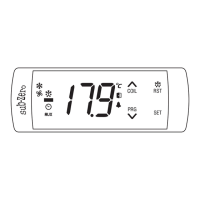
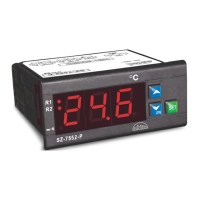
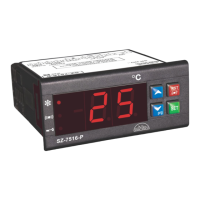
This document describes the Sub-Zero SZ-81145 RH + Temperature Indicator, a device designed for monitoring relative humidity and temperature.
Function Description
The SZ-81145 functions as an indicator for both relative humidity (RH) and temperature. It allows users to set various parameters to control and monitor these environmental factors, including high and low limits for both temperature and humidity, differential settings, and calibration for the probes. It also features alarm functions to alert users when set limits are exceeded.
Important Technical Specifications
Housing:
- Material: ABS Plastic
- Dimensions:
- Front: W-300 x H-230 mm
- Depth: 85mm
- Mounting: Flush panel mounting with Fasteners.
- Connection: Minifit connectors, ≤ 2.5mm² one wire/terminal only.
Display:
- Type: 3X101.6 MM (4") Red LED
- Data Storage: Non-Volatile EEPROM Memory
Electrical:
- Power Input: 10VAC
- Relay Outputs: 5A / 230Vac (resistive)
Sensor Inputs:
- Temperature: SZ-N75
- RH: 4-20mA
Environmental:
- Storage Temperature: -20°C to 70°C (non-condensing)
- Operating Temperature: 5°C to 50°C (non-condensing)
Measurement Range:
- Temperature: -50 to 99.9°C (Room Temperature)
- RH: 0-100% (RH Sensor)
Accuracy:
- Temperature Resolution: 0.5°C or 1.0°C (Room Temperature)
- RH Resolution: 1% (RH)
- Overall Accuracy: +/-1°C
- Probe Tolerance: +/-0.3°C AT 25°C
Usage Features
User Interface:
The device features PCB tactile switches for user interaction: UP, SET, and DOWN/Prg. An external key is provided for toggling the display between RH and temperature.
Parameter Settings:
The SZ-81145 offers a comprehensive list of configurable parameters:
- P2 (Maximum allowable high temperature limit and alarm): Sets the upper temperature threshold and triggers an alarm if exceeded. Range: P3+1.0 to 99.9°C. Factory Set: 99.9°C.
- P3 (Minimum allowable low temperature limit and alarm): Sets the lower temperature threshold and triggers an alarm if the temperature falls below it. Range: -50°C to P2-1.0. Factory Set: -50°C.
- P4 (Differential for temperature): Defines the hysteresis for temperature control. Range: 0.5°C to 20.0°C. Factory Set: 2.0°C.
- P5 (Temperature probe calibration): Allows adjustment of the temperature probe reading. Range: -9.9°C to 10.0°C. Factory Set: 0.0°C.
- H2 (Maximum allowable high humidity limit and alarm): Sets the upper humidity threshold and triggers an alarm if exceeded. Range: H3+1 to 100%. Factory Set: 100%.
- H3 (Minimum allowable low humidity limit and alarm): Sets the lower humidity threshold and triggers an alarm if the humidity falls below it. Range: 0% to H2-1. Factory Set: 0%.
- H4 (Differential for humidity): Defines the hysteresis for humidity control. Range: 1% to 20%. Factory Set: 2%.
- H5 (Humidity probe calibration): Allows adjustment of the humidity probe reading. Range: -10% to 10%. Factory Set: 0%.
- E0 (Power on display setting): Configures what is displayed upon power-on (temperature, RH, or both toggling). Range: 0 (temperature), 1 (RH), 2 (temperature + RH). Factory Set: 2.
- E1 (Delay to Toggle display between temperature and RH): Sets the delay for automatic toggling between temperature and RH display when E0 is set to 2. Range: 3 Sec to 60 Sec. Factory Set: 3 Sec (default 10 sec if E0=2 and E1=0).
- Ad (Power on alarm delay): Delays the activation of alarms after power-on to prevent nuisance alarms. Range: 0 Min to 99 Min. Factory Set: 0 Min.
- AL (Alarm logic): Configures alarm behavior (disabled, relay only, or relay + buzzer). Range: 0 (disable), 1 (enable only relay), 2 (enable Relay + buzzer). Factory Set: 0.
- LP (Lock keypad): Enables or disables keypad lock to prevent unauthorized changes. Range: 0 (Disables keypad lock), 1 (Enables keypad lock). Factory Set: 0.
- FS (Restore all factory set values): Resets all parameters to their default factory settings, useful for debugging. Range: 0 to 1. Factory Set: 0.
- EP (End programming): Exits program mode and returns to normal operation, displaying the temperature.
Fault Messages:
The device provides clear fault messages to indicate issues:
- Ht: High temperature alarm (room temperature above set value).
- Lt: Low temperature alarm (room temperature below set value).
- PP: Room probe Fail (temperature/RH sensor not connected or out of range).
- HH: High humidity alarm (room humidity above set value).
- LH: Low humidity alarm (room humidity below set value).
Maintenance Features
Cleaning:
The controller's surface should be cleaned with a soft, moist cloth. Abrasive detergents, petrol, alcohol, or solvents should not be used.
Installation Considerations:
- The controller should be installed in a location protected from vibration, water, and corrosive gases.
- Ambient temperature should not exceed the values specified in the technical data.
- The probe must be installed in a location protected from thermal influences to ensure accurate readings.
Wiring Precautions:
- Probe and corresponding wires should never be installed in a conduit next to control or power supply lines.
- Electrical wiring must follow the provided connection diagram.
- The power supply circuit should be connected to a protection switch.
- Improper wiring can cause irreparable damage and personal injury; wiring should only be performed by qualified personnel.
Warranty:
The product comes with a one-year warranty against defects in materials and workmanship from the date of purchase. The warranty covers repair or replacement at no charge if the product is determined to be defective. It does not cover damage from accident, abuse, misuse, or unauthorized service/modification. The warranty is limited to the product itself and does not cover incidental or consequential damages like lost revenue or business opportunity.

 Need help?
 General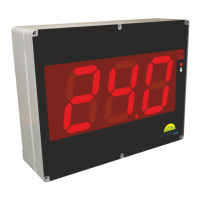

 To Next Page