BAJA U.S.A..A2310BE–A
5
Audio
5-7
– CONTINUED –
desired station frequency is displayed.
3. Press one of the preset buttons for more than 2 seconds to store
the frequency. At this time, there will momentarily be no sound from
the radio. If the button is pressed for less than 2 seconds, the preced-
ing selection will remain in memory.
NOTE
If the connection between the radio and battery is broken for any
reason such as vehicle maintenance or radio removal, all stations
stored in the preset buttons are cleared. If this occurs, it is neces-
sary to reset the preset buttons.
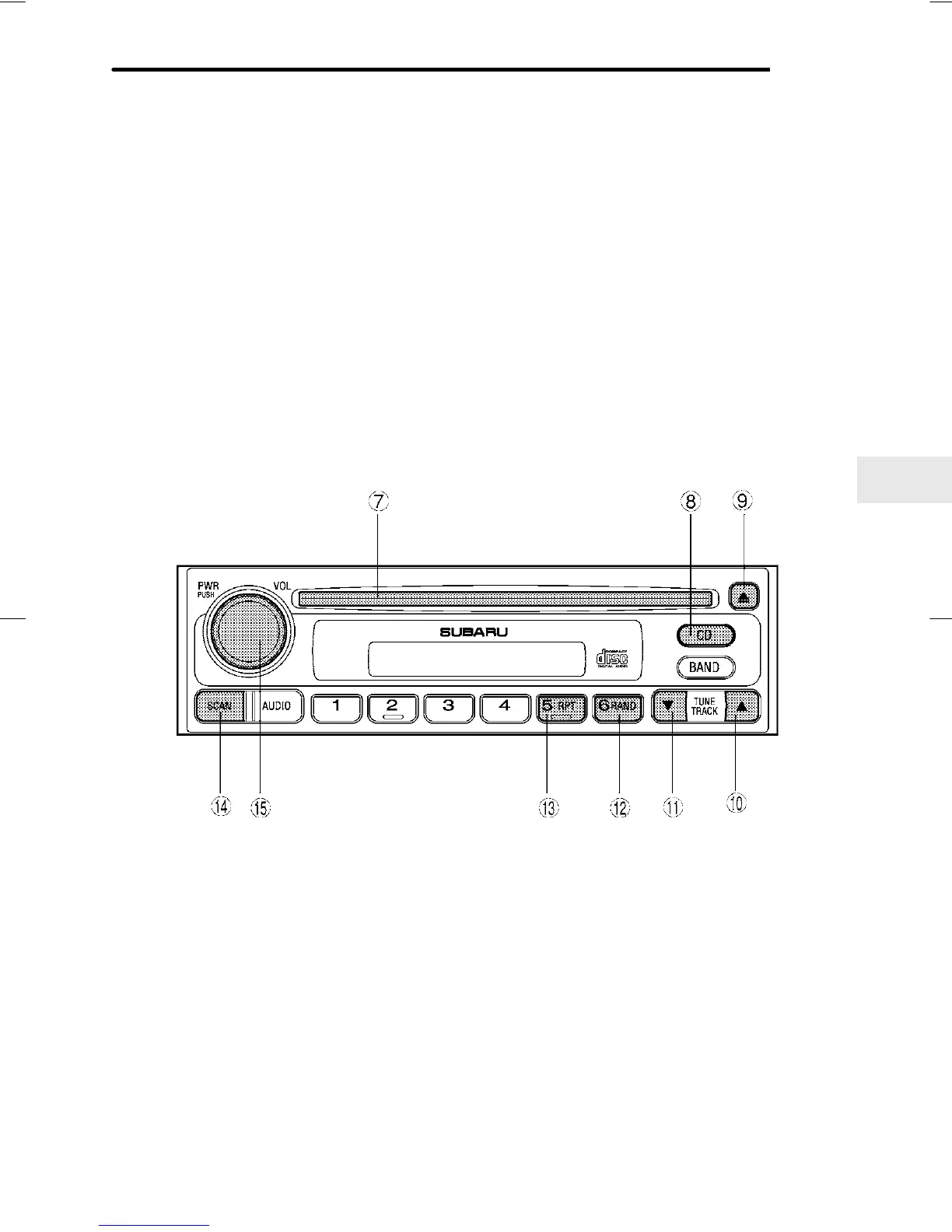
Compact disc player operation
HB5067CB
7 Disc slot
8 CD button
9 Eject button
Q Fast forward and track up
button
W Fast reverse and track down
button
E Random button
R Repeat button
T Scan button
Y PWR (power) switch
B To playback a compact disc
n When CD is not in the player
Hold a disc with a finger in the center hole while gripping the edge of










 To Next Page