7-24
Starting and operating
T To increase the speed (by accelera-
tor pedal)
1. Depress the accelerator pedal to accel-
erate the vehicle to the desired speed.
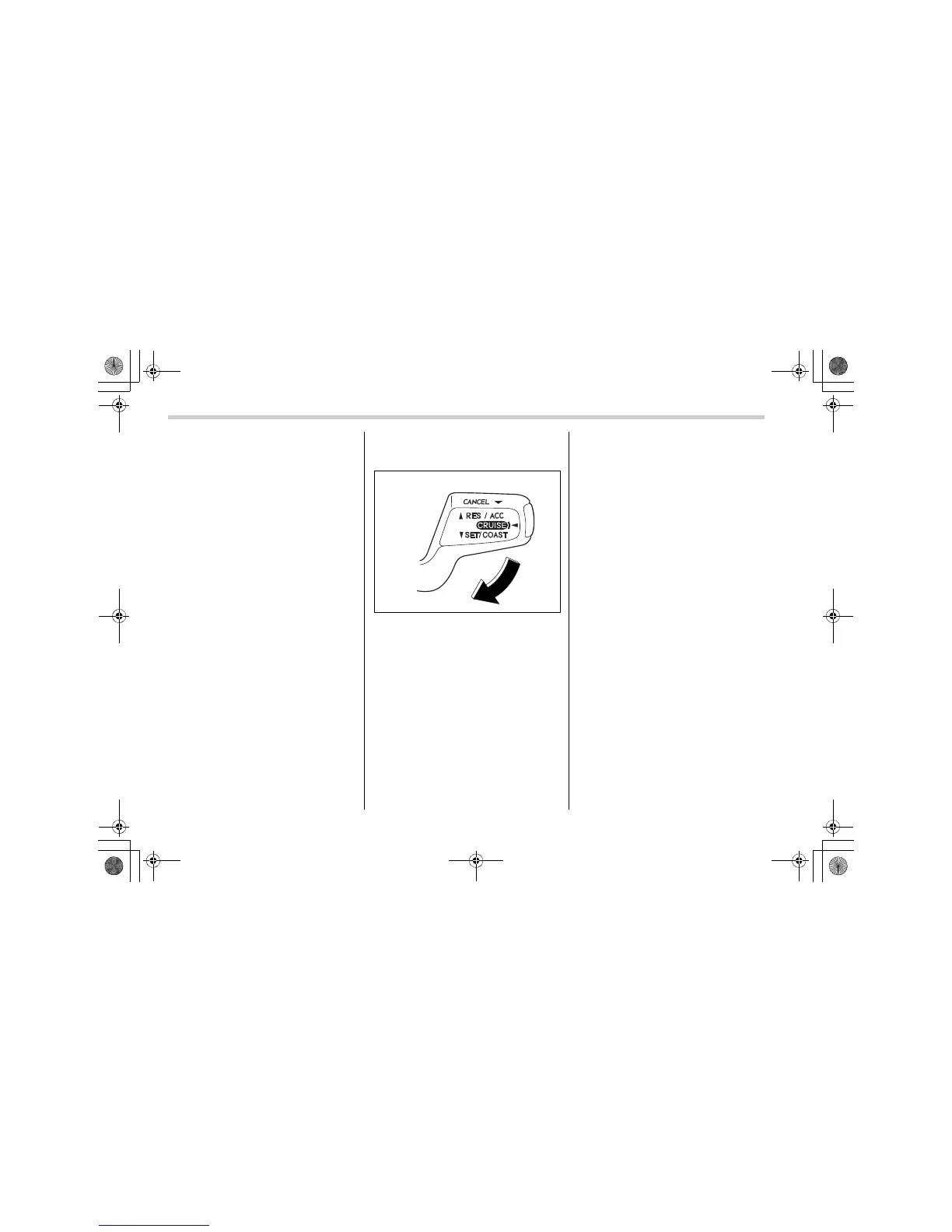
2. Push the control lever downward in the
“SET/COAST” direction once. Now the
desired speed is set and the vehicle will
keep running at that speed without de-
pressing the accelerator pedal.
N
TE
If the difference between the actual ve-
hicle speed when the control lever is
pushed downward and the speed last
time you set is less than 4 mph (6.8 km/
h), the vehicle speed will be lowered by
1 mph (1.6 km/h). This occurs because
the cruise control system unit regards
this lever operation as that intended to
decrease the vehicle speed.
T To decrease the speed (by control
lever)
Push the control lever downward in the
“SET/COAST” direction and hold it until
the vehicle reaches the desired speed.
Then, release the control lever. The vehi-
cle speed at that moment will be memo-
rized and treated as the new set speed.
When the difference between the actual
vehicle speed and the set speed is less
than 4 mph (6.8 km/h), the set speed can
be lowered 1 mph (1.6 km/h) each time by
pressing the control lever downward in the
“SET/COAST” direction quickly.
T To decrease the speed (by brake
pedal)
1. Depress the brake pedal to release
cruise control temporarily.
2. When the speed decreases to the de-
sired speed, press the control lever down-
ward in the “SET/COAST” direction once.
Now the desired speed is set and the ve-
hicle will keep running at that speed with-
out depressing the accelerator pedal.
300333
A8110BE.book 24 ページ 2006年6月23日 金曜日 午後1時32分











 To Next Page