Black plate (198,1)
北米Model "A3160BE-C" EDITED: 2010/ 11/ 19
5-10 Audio
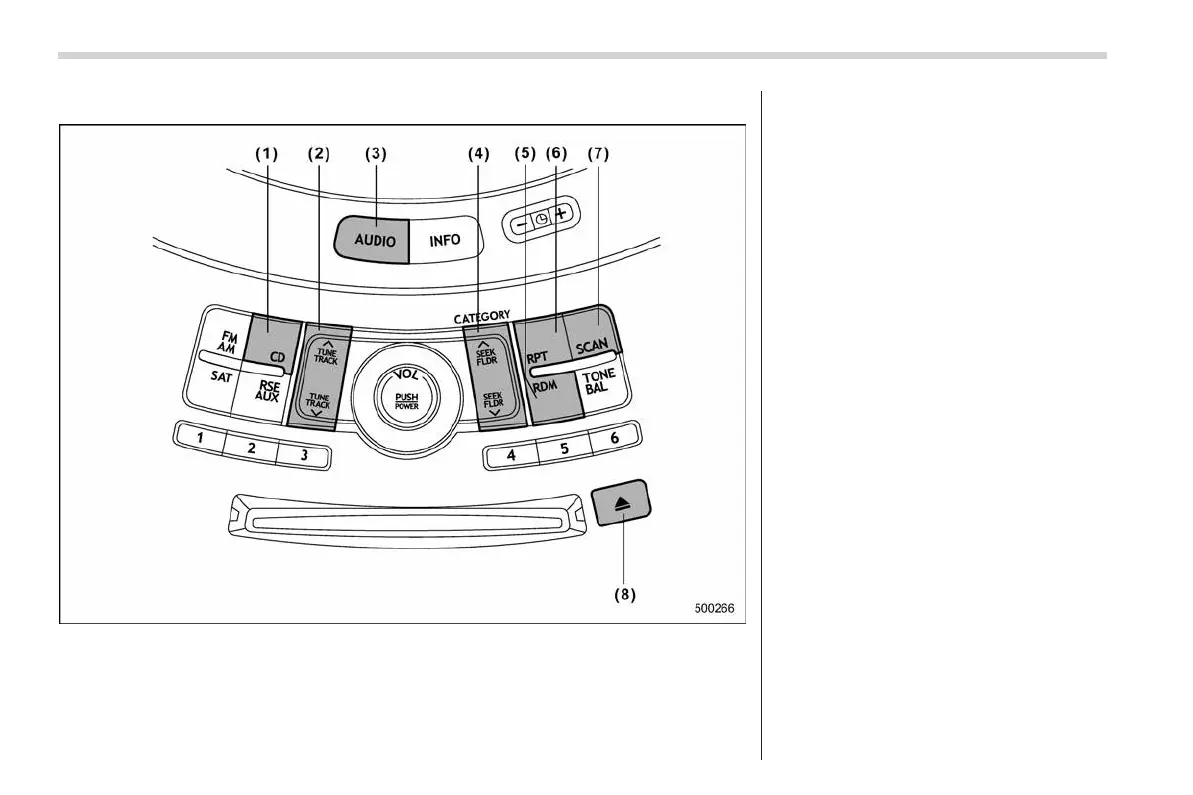
& Compact disc player operation
(1) CD button
(2) Track button
(3) AUDIO button
(4) Seek and Folder button
(5) Random button
(6) Repeat button
(7) Scan button
(8) Eject button
! To playback a compact disc
! When CD is not in the player
Hold a disc with a finger in the center hole
while gripping the edge of the disc, then
insert it in to the slot (with the label side
up) and the player will automatically pull
the disc into position.
NOTE
. DO NOT INSERT TWO DISCS INTO
THE DISC INSERTION SLOT AT THE
SAME TIME.
. Be sure to insert a disc with the label
side up. If you insert the disc the label
side down, “CHECK DISC” will appear
on the display and the player will not
play anything.
. After the last song finishes, the
player will automatically return to track
1 (the first song on the disc).















 To Next Page