21
Getting
Started
Instrument
Panel
Gauges
Personalize Controls While
Operating
Safety/In Case
of Emergency
Additional
Information
Automatic Transmission Shift Mode
The automatic transmission gives you ultimate control with two different driving
modes: Normal Mode and Manual Mode.
Normal Mode
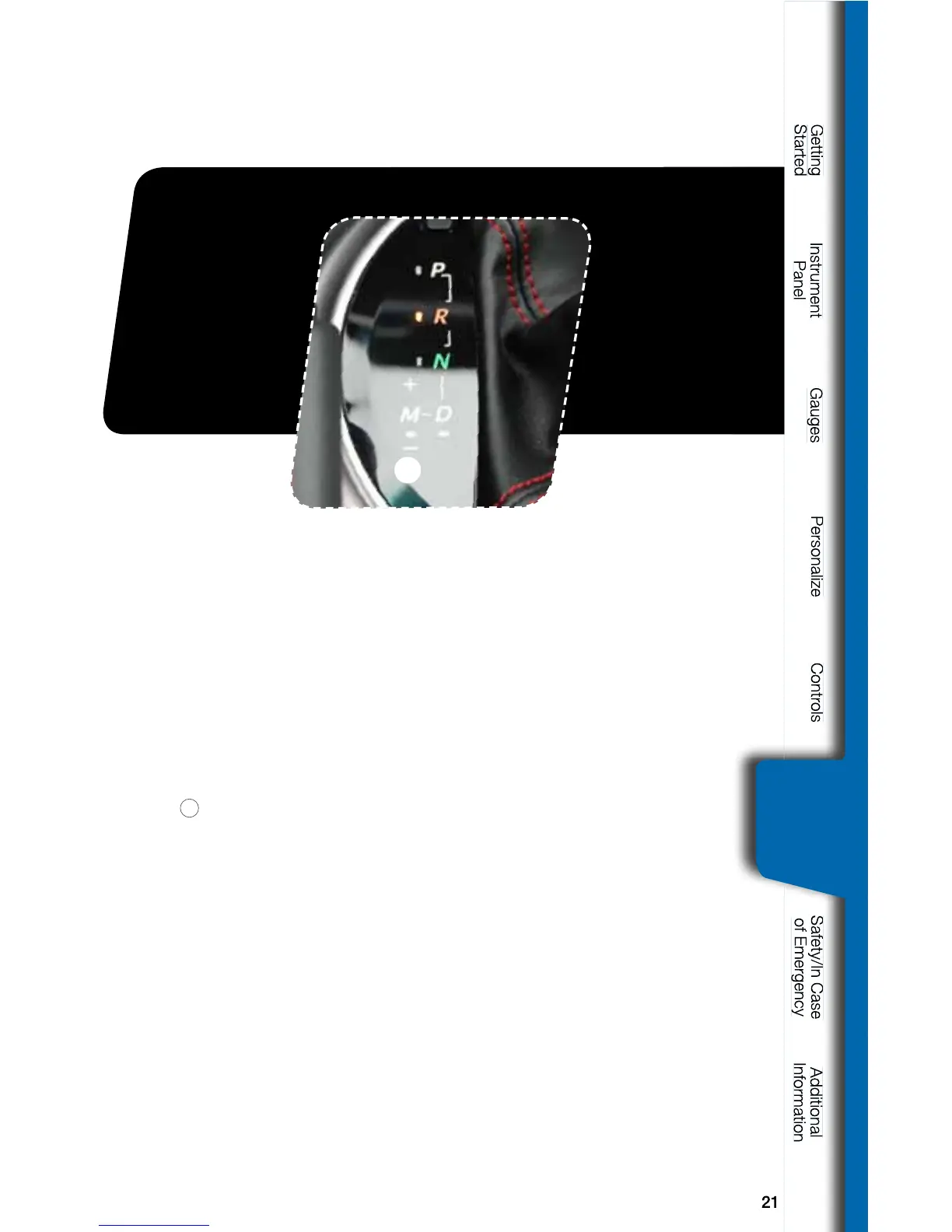
Whentheselectorleverisinthe“D”(Drive)position,thetransmissionisin
Normal shift mode. The shift position indicator on the instrument panel shows
“D”andthetransmissionautomaticallyshiftsintoasuitableforwardgear.
Manual Mode
In Manual Mode, you select the desired gear position to obtain necessary
acceleration and engine braking. Moving the selector lever left into the manual
gate
1
fromthe“D”(Drive)positioncausesthetransmissiontochangeinto
Manual Mode. To shift, use the paddle shift control switches or gear lever. The
shift position indicator shows the selected gear position.
When Manual Shifting Operation is Possible
•Arrow-shapedindicatorlightsinthecenteroftheinstrumentpanelshow
whether an upshift is possible and whether a downshift is possible.
- Both arrows are on: Upshifting and downshifting are both possible.
- Up arrow only is on: Only upshifting is possible.
- Down arrow only is on: Only downshifting is possible.



 To Next Page