PHONE OPERATION (HANDS-FREE SYSTEM FOR CELLULAR PHONES)
132
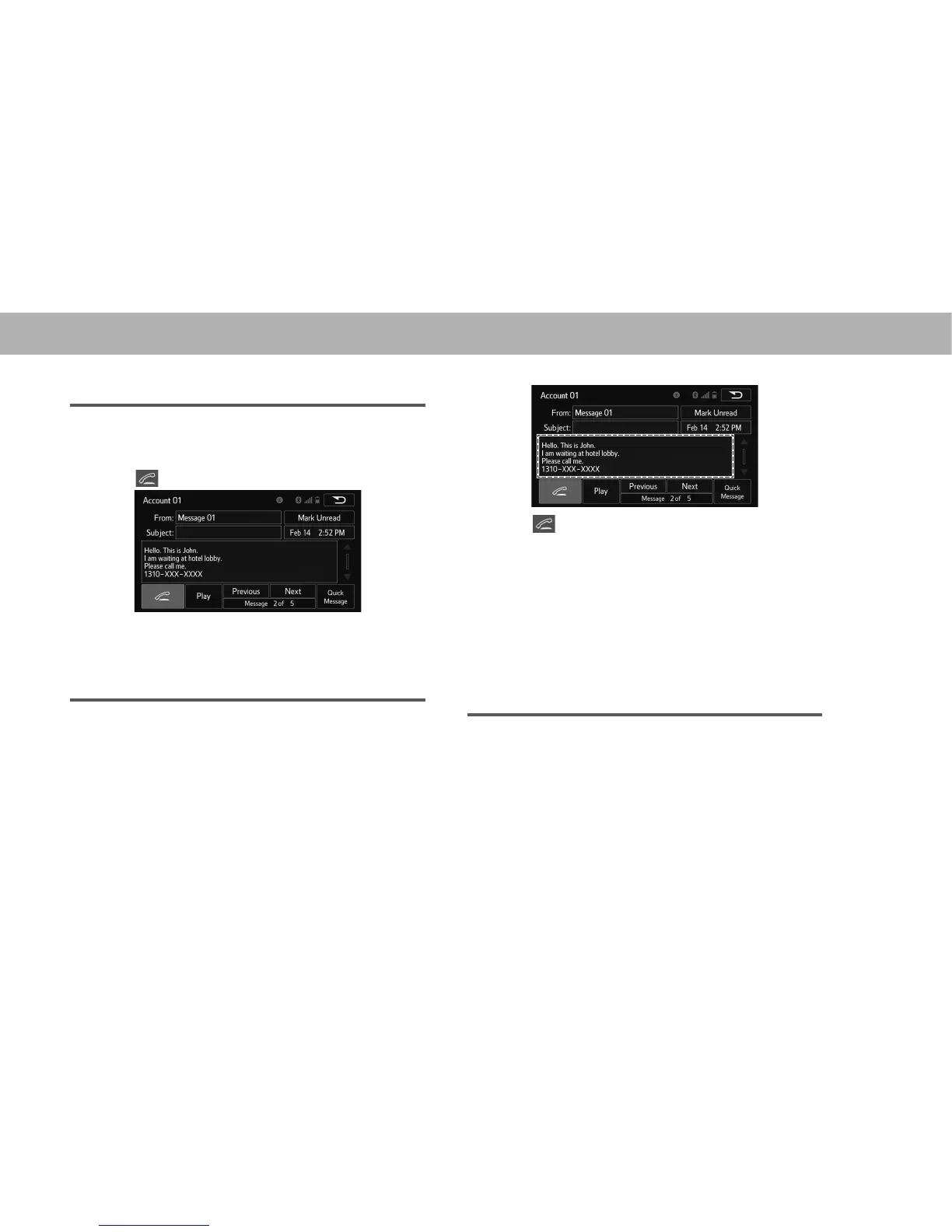
CALLING FROM E-MAIL/SMS/MMS MESSAGE
DISPLAY
1. 'LVSOD\WKHPHVVDJHLQER[VFUHHQĺ3
2. Select the desired message.
3. Select .
Ɣ If there are 2 or more phone numbers, select the
desired number.
4. Check that the “Call (Call)” screen is displayed.
CALLING FROM A NUMBER WITHIN A MESSAGE
&DOOV FDQ EH PDGH WR D QXPEHU LGHQWL¿HG LQ D PHVVDJH¶V
text area.
This operation cannot be performed while driving.
1. 'LVSOD\WKHPHVVDJHLQER[VFUHHQĺ3
2. Select the desired message.
3. Select the text area.
4. Select corresponding to the desired number to call.
Ɣ ,GHQWL¿HG SKRQH QXPEHUV FRQWDLQHG LQ WKH PHVVDJH
are displayed.
5. Check that the “Call (Call)” screen is displayed.
NOTE
O A series of numbers may be recognized as a phone number.
Additionally, some phone numbers may not be recognized, such
as those for other countries.
CALLING FROM THE INCOMING MESSAGE
SCREEN
ĺ3
















 To Next Page