BASIC INFORMATION BEFORE OPERATION
51
BASIC FUNCTION
2
SCREEN ADJUSTMENT
The brightness, contrast, tone and color of the screen can
be adjusted.
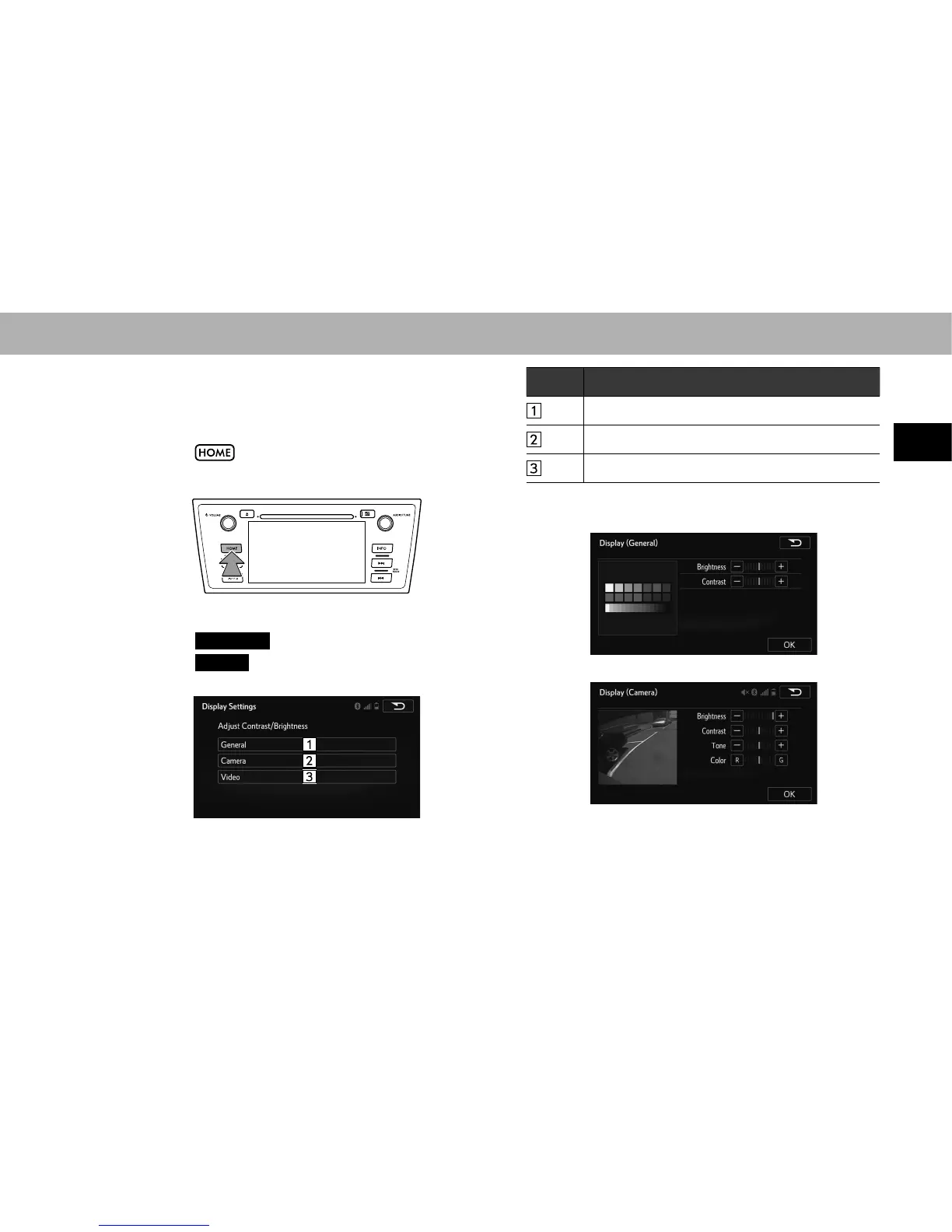
1. Select .
2. Select
SETTINGS
(SETTINGS).
3. Select
Display
(Display).
4. Select the items to be set.
No. Function
Select to adjust the general screen display.
Select to adjust the camera display.
Select to adjust the video display.
5. Select the desired item to be adjusted.
XGeneral
XCamera
















 To Next Page