MEDIA OPERATION
78
MEDIA OPERATION
CD
OVERVIEW
The CD operation screen can be reached by the following
methods:
Ɣ ,QVHUWDGLVFĺ3
Ɣ Select
DISC
(DISC) on the “Select Audio Source
6HOHFW$XGLR6RXUFH´VFUHHQĺ3
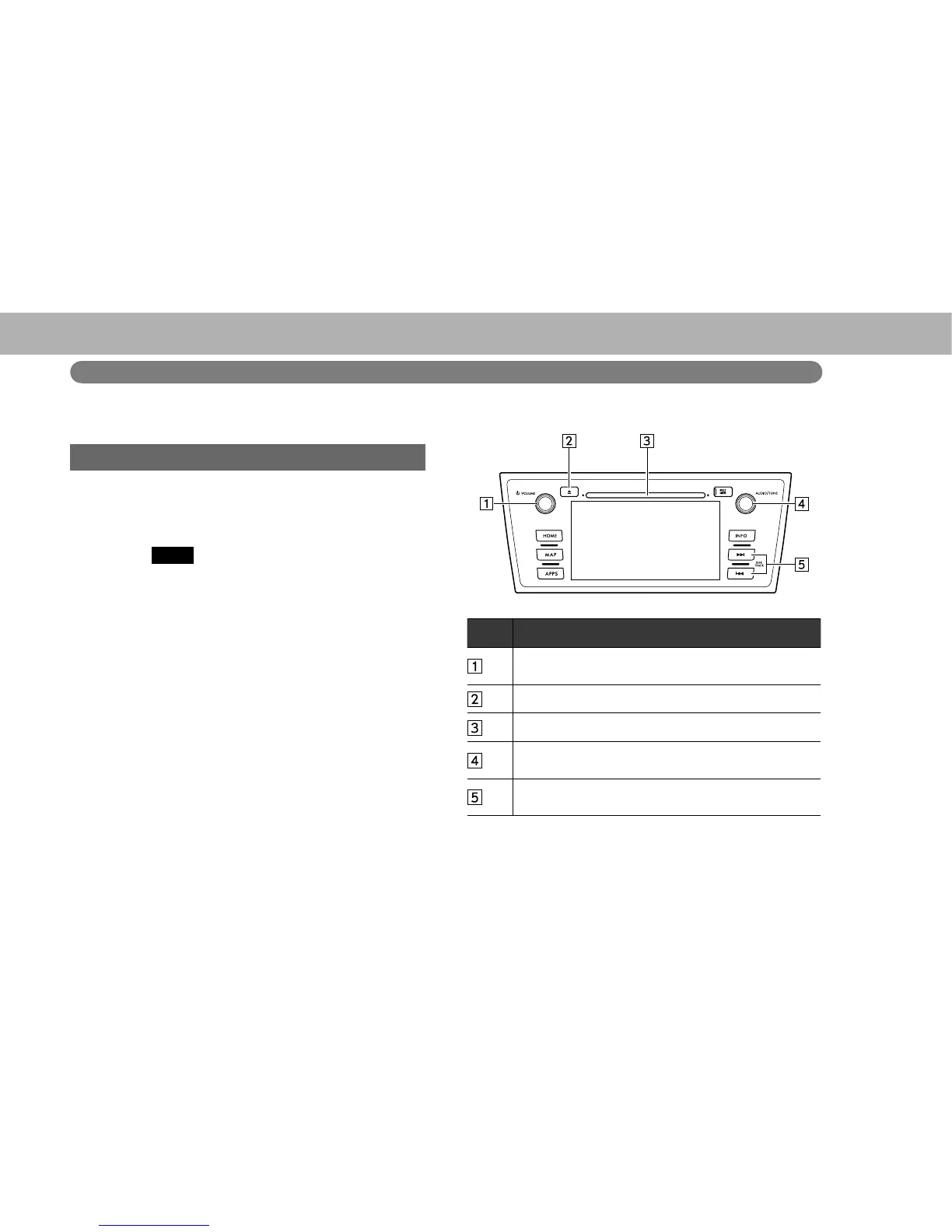
XControl panel
No. Function
Turn to adjust volume.
Press to turn the audio system on/off.
Press to eject a disc.
Disc slot
7XUQWRVHOHFWDWUDFN¿OH
Press to select an audio mode.
6HOHFWWRVHOHFWDWUDFN¿OH
Select and hold to fast forward/rewind.
















 To Next Page