MEDIA OPERATION
92
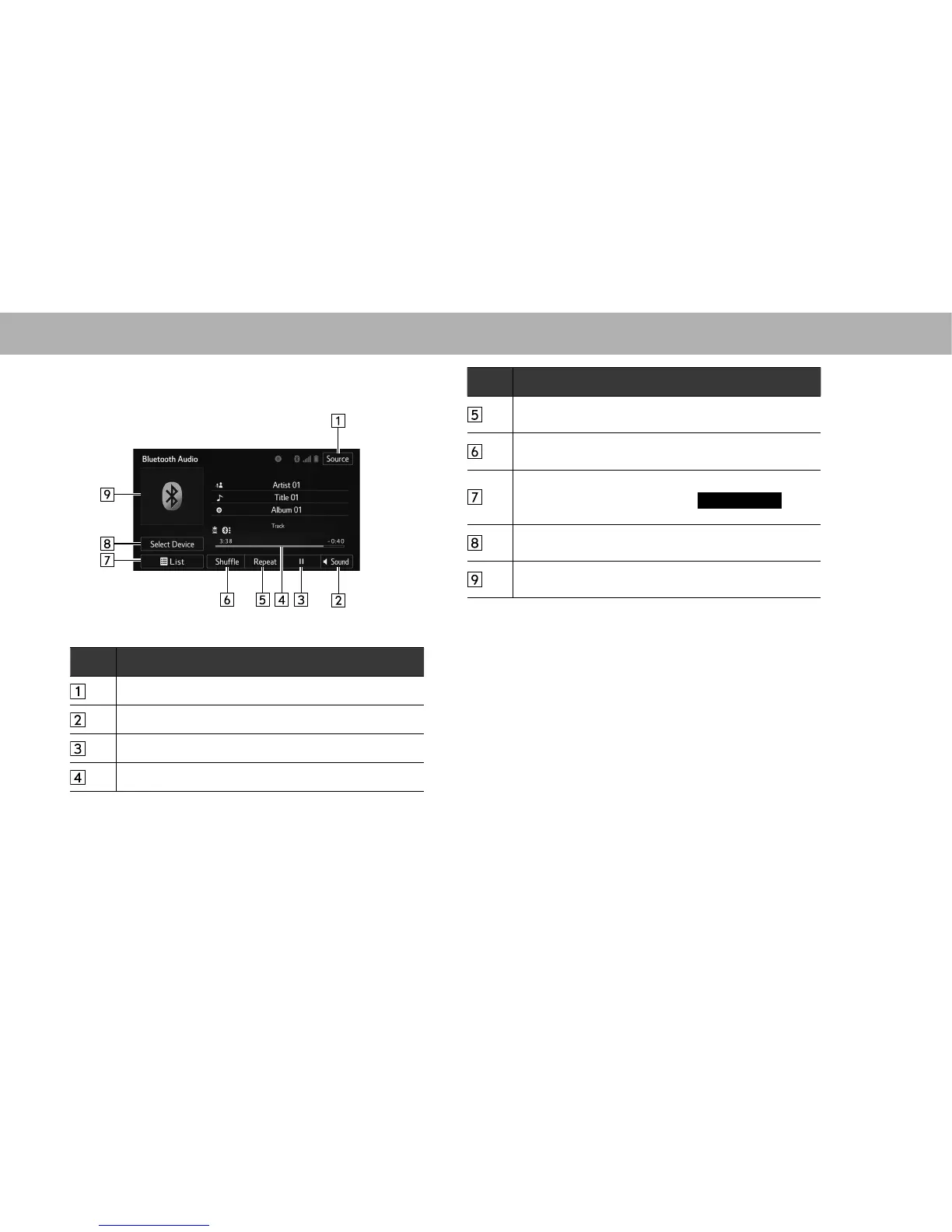
XControl screen
No. Function
Select to display the audio source selection screen.
6HOHFWWRGLVSOD\WKHVRXQGVHWWLQJVVFUHHQĺ3
Select to play/pause.
Shows progress.
No. Function
Select to enable/disable repeat playback of the track
currently playing.
Select to enable/disable random playback for the tracks
currently playing on the Bluetooth audio device.
Select to display the playlist screen.
To return to the top screen, select
Now Playing
(Now
Playing) on the list screen.
Select to display the portable device connection screen.
ĺ3
Displays cover art.
Select to display a track list.
















 To Next Page