• Adjust by 1 mph:
• Press and hold the switch up to increase the target speed in 1 mph increments.
• Press and hold the switch down to decrease the target speed in 1 mph
increments.
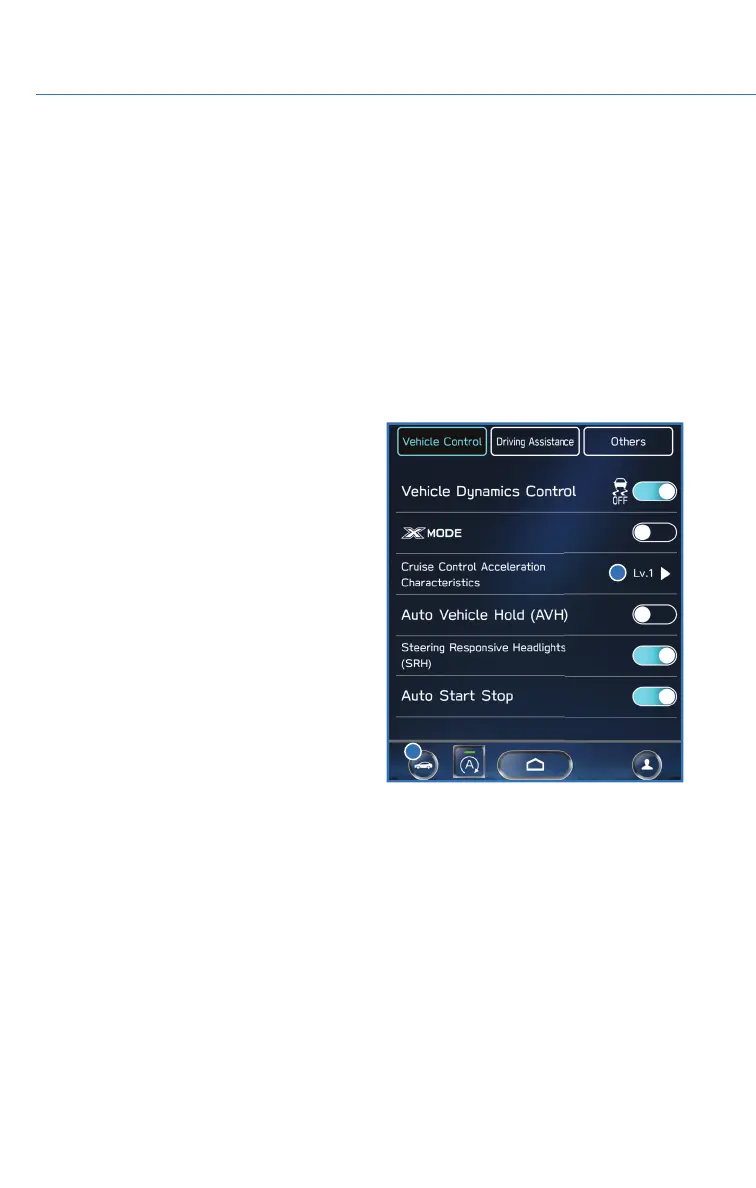
• The Cruise Control Acceleration Characteristics can be adjusted to four different
levels depending on your preference. The four levels are:
•Lv.1Eco
• Lv. 2 Comfort
• Lv. 3 Standard
• Lv. 4 Dynamic
Cruise Control Acceleration
Characteristics can be adjusted in the
Center Information Display (CID). To
Access the settings, select the “Car
Settings” icon, then in the “Vehicle
Control” menu, select “Cruise Control
Acceleration Characteristics”.
Customizing EyeSight
®
Settings
The EyeSight
®
system features customization of certain preferences and warnings. Select
“Settings”, then “Car” or select the “Car Settings” icon to adjust a number of EyeSight
®
Settings in the Center Information Display, such as:
• Warning Volume: Min/Mid/Max
• Cruise Control Acceleration Characteristics: Eco/Comfort/ Standard/Dynamic
EYESIGHT
108














 To Next Page