EYESIGHT
®
ASSIST MONITOR (EAM)
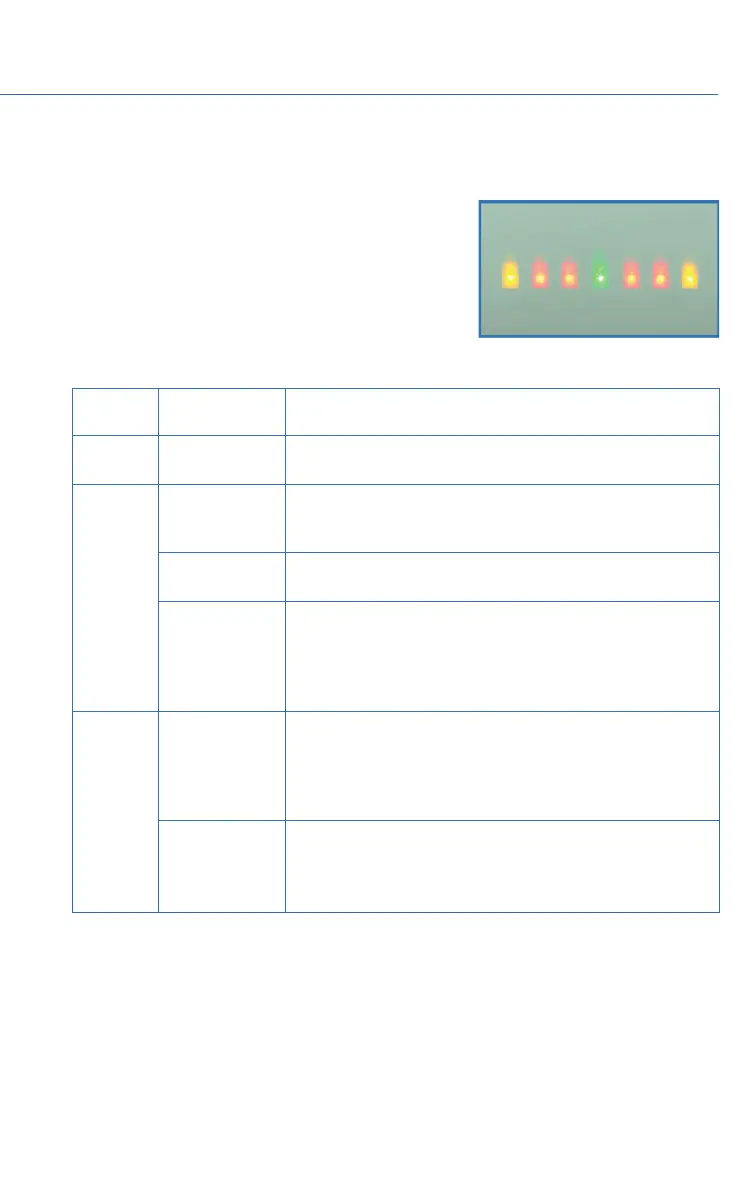
The EyeSight
®
Assist Monitor (EAM) provides a
heads-up display of EyeSight
®
system functions in the
lower windshield area allowing you to keep your eyes
on the road ahead.
The EAM indicators can be changed by selecting
“Settings”, then “Car” to access the “EyeSight
®
Assist
Monitor” settings menu in the Center Information
Display. Below are the indications provided by the EAM function:
LED
COLOR
PATTERN WARNING CONDITION
Green
Solid
illumination
A lead vehicle is detected ahead while Advanced Adaptive
Cruise Control is operating.
Yellow
Flashing on one
side
The Lane Departure Warning is operating. The side where
the vehicle has left its lane flashes, and the side that has
not left its lane illuminates.
Flashing
alternately
Lane Sway Warning is operating.
Flashing
simultaneously
• Steering wheel operation is not be detected for a certain
period of time.
• Lane Centering or Lane Departure Prevention Function
was canceled automatically by the system (flashing
rapidly).
Red
Flashing
simultaneously
(4) indicators
• Following Distance Warning, Pre-Collision Braking
System, Obstacle Detected Warning, or Pre-Collision
Throttle Management is operating.
• Lane Centering Function was canceled when there was
no operation of the steering wheel.
Flashing on one
side
Lane Centering Function is active and the vehicle appears
likely to depart the lane. The side where the vehicle has left
its lane flashes, and the side that has not left its lane
illuminates.
EYESIGHT
109














 To Next Page