MAKING A CALL
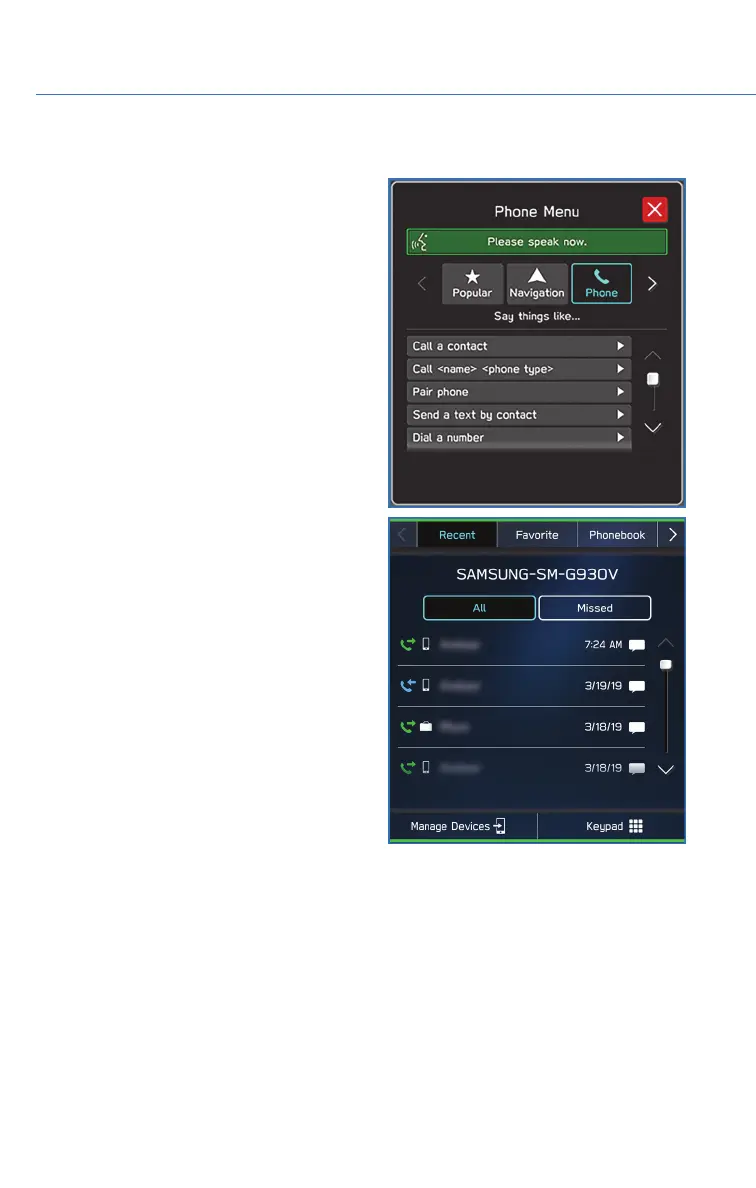
You can make a call through voice recognition
by touching the “Voice Recognition Switch” on
the steering wheel to start the voice
recognition system. After pressing the “Voice
Recognition Switch”, wait for the “Voice
Guidance” screen to appear on the
Touchscreen and say “Call [name and phone
type]” or “Dial [number]”.
To make a call from the Touchscreen, start by
pushing the “Home” button and then select
“Phone”. After the phone screen displays,
select the method you would like to use to
make a call.
• Recent – Allows you to call someone that
has recently called you or that you called.
• Favorites – Allows you to place a call to one
of your favorites on your phone.
• Phonebook – Will display the phonebook
that is on your phone.
• Messages – Allows you to call someone that
recently sent you a text message.
• Keypad – Allow you to dial any number you
would like.
PHONE
84














 To Next Page