Pairing an iOS/Apple Device
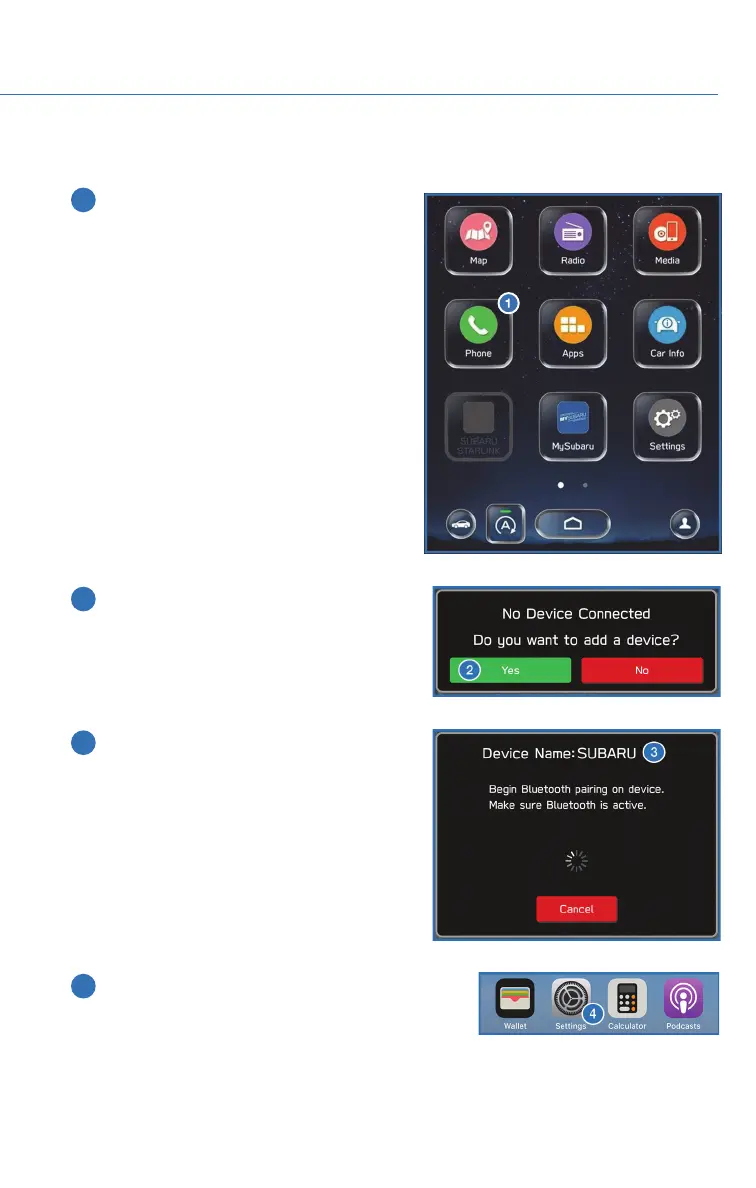
1 To pair an Apple device, start by touching
the “Phone” button on the Home screen.
2 If there is no phone connected, it will ask
you, “Do you want to add a device?”.
Select “Yes”. If a device has already been
paired, select “Add Device”.
3 When this screen is displayed, it is in
pairing mode. Note the “Device Name”; it
will most likely be “Subaru”.
4 On your iOS/Apple device, select “Settings”. The
location on the Home screen will vary.
HOW TO APPENDIX
133














 To Next Page