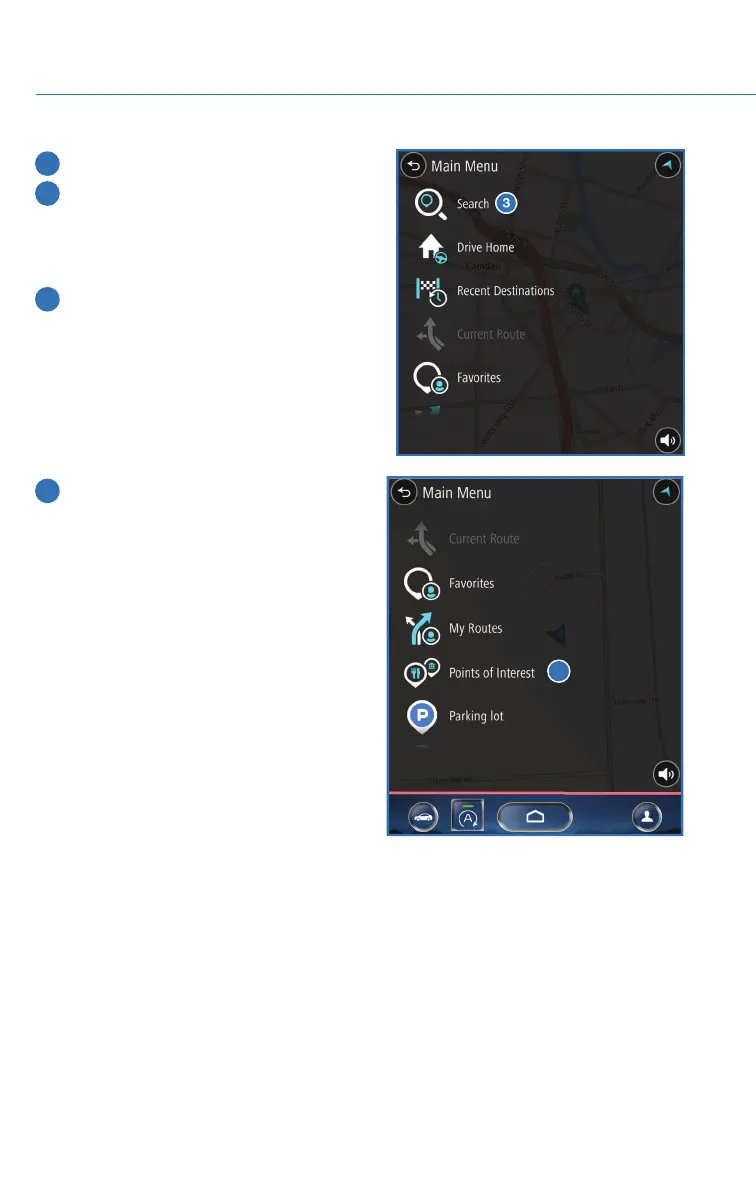
3 Next, select “Search”.
4 Select “Points of Interest”.
NOTE: You can toggle between
“Address” and “Point Of Interest” search
by selecting the one you want.
5 Type the name of the destination you are
looking for or a general category (e.g.,
restaurant or park). Results will be listed
below. Scroll, if needed, to find a
destination. Select the desired item from
the list, then select “GO”.
6 If preferred, you can instead browse
points of interest by selecting “Menu”,
then selecting “Points Of Interest”.
Categories will be listed alphabetically.
Select a category from the list. Select a
destination, then select “GO”.
6
HOW TO APPENDIX
150














 To Next Page