Map Updates
For vehicles with 11.6 Multimedia Plus and 11.6 Multimedia Navigation systems, the maps
can be updated over a Wi-Fi network, either manually or automatically.
For more information, please refer to “Subaru Map Update” in the STARLINK
®
Owner’s Manual.
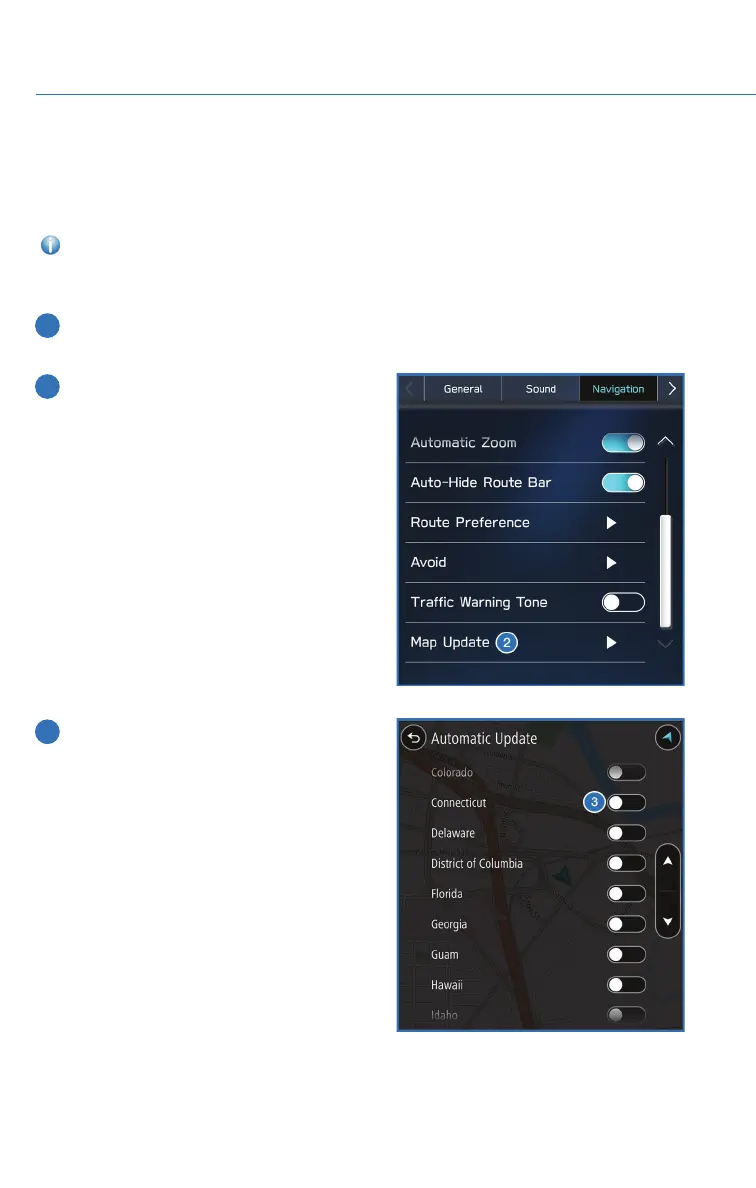
To update your maps automatically over Wi-Fi, follow this process:
1 First, make sure you are connected to a Wi-Fi Network (see page 139), return to
“Settings”, and then select the “Navigation” menu.
2 Select “Map Update”, select “Wi-Fi” and
then select “Automatic Update”.
3 Select “Update maps automatically (at
most 8 can be selected)” and then select
the regions you would like to update.
HOW TO APPENDIX
160














 To Next Page