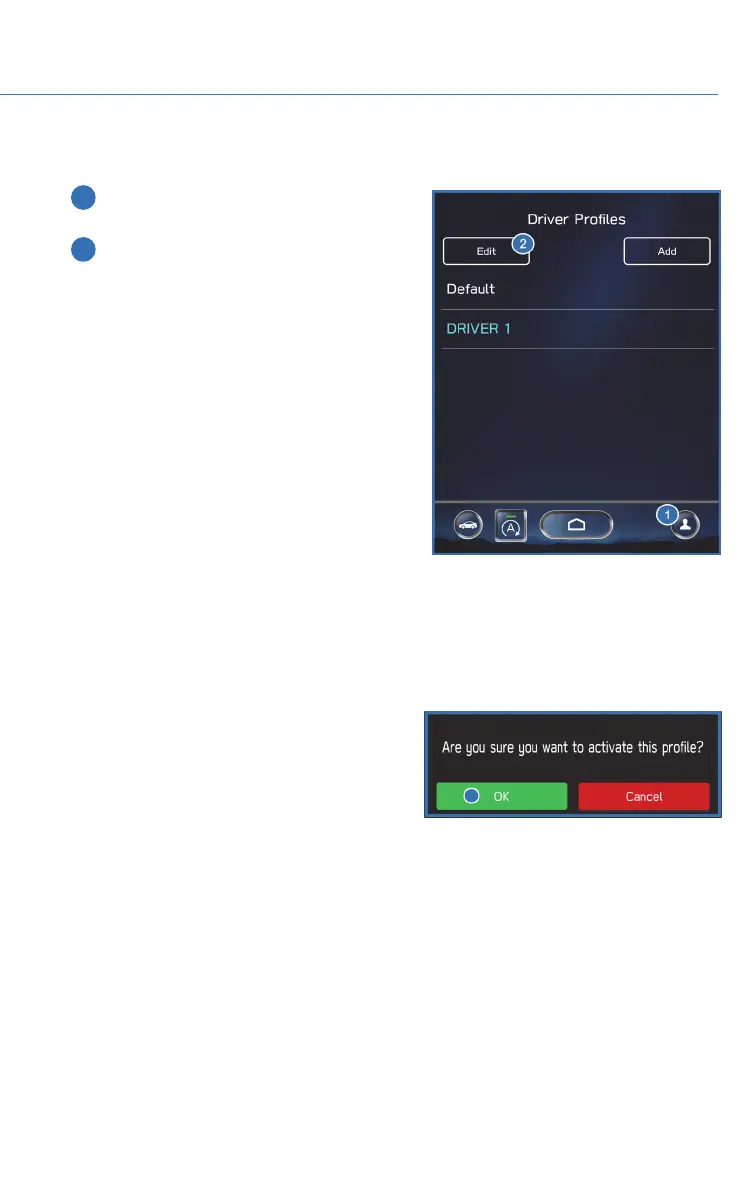
To edit a driver profile:
1 On the Home screen, select the Driver
Profile button.
2 Select "Edit", then select a profile. You can
then edit the profile according to same
steps as creating a profile.
Retrieving a Driver Profile
There are two ways to retrieve a driver profile. The system may automatically retrieve the
profile once you are in your Subaru with the multimedia system on and your phone’s
Bluetooth
®
active. You can also manually retrieve or change the profile by following these
steps:
1. Press the “Driver Profile” button.
2. Select the profile you want. You will receive
a pop up screen asking “ Are you sure you
want to activate this profile?”
3. Select “OK”.
CREATING A DRIVER PROFILE
79














 To Next Page