2.
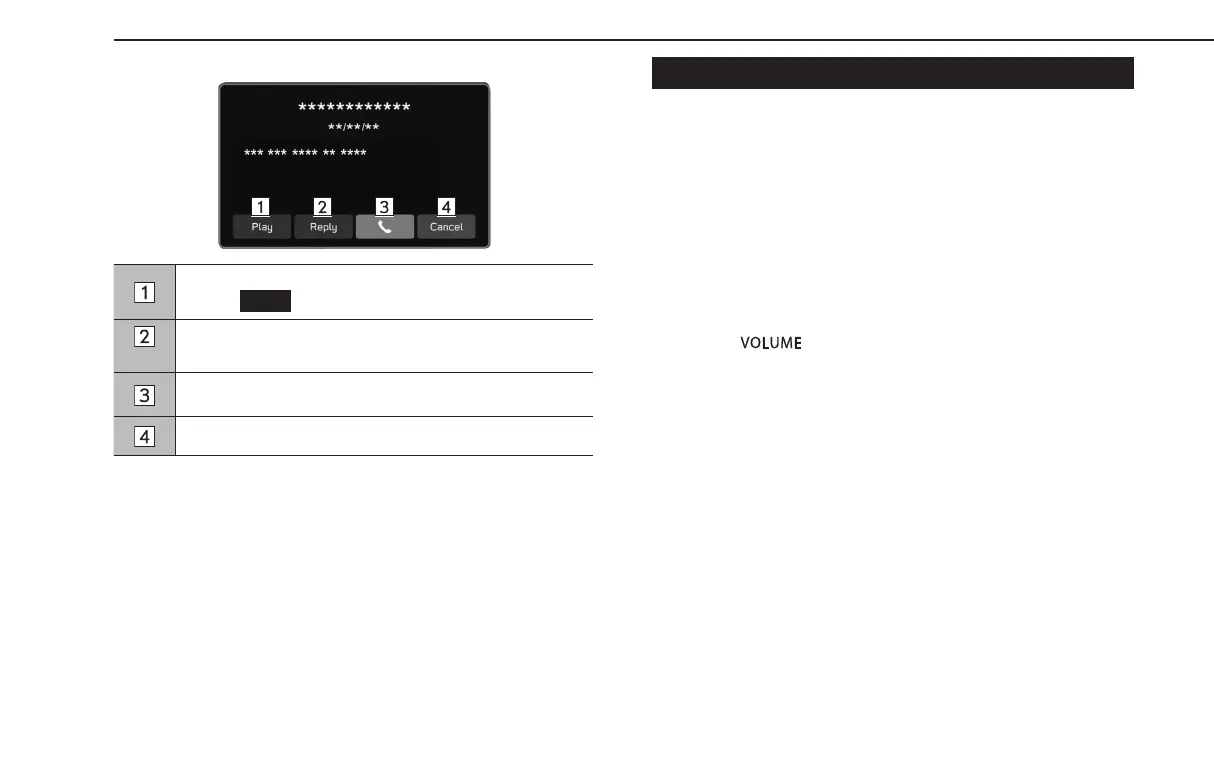
The following screen is displayed.
Select to have messages read out.
• Select
(Stop) to stop the message read out.
Select to reply the message. (→P.109)
Select to call the message sender.
Select to close this screen.
*: Depending on the Bluetooth phone that is connected to the audio system, this
function is not available.
l Depending on the cellular phone used for receiving messages, or its
registration status with the system, some information may not be
displayed.
CHECKING MESSAGES
1.
Display the message inbox screen. (→P.106)
2.
Select the desired message from the list.
3.
Check the message. (→P.107)
l Depending on the type of Bluetooth phone being connected, it may
be necessary to perform additional steps on the phone.
l Only receiv
ed messages on the connected Bluetooth phone can be
displayed.
l The te
xt of the message is not displayed while driving.
l Turn the“
” knob, or use the volume control switch on the
steering wheel to adjust the message readout volume.
PHONE OPERATION (HANDS-FREE SYSTEM FOR CELLULAR PHONES)
108
GB8_US.indb 108 2020/10/09 7:22:47














 To Next Page